


Vszerda
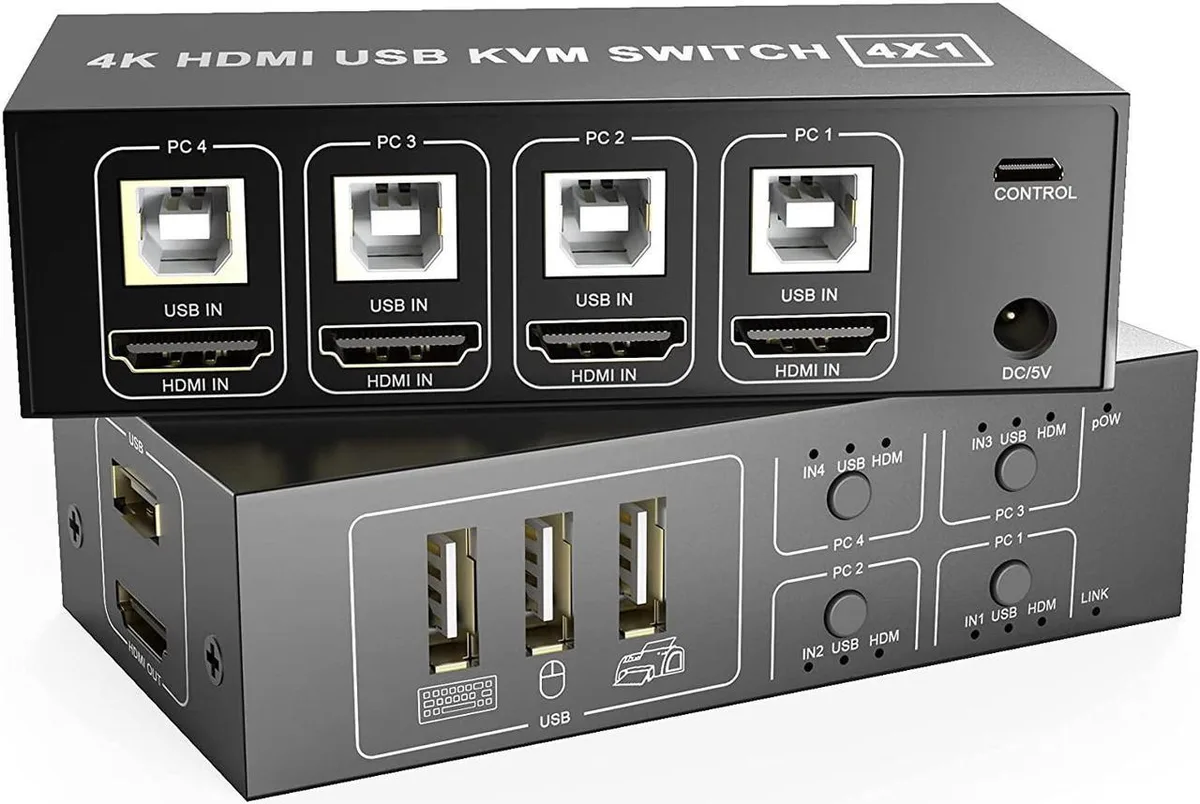
Vszerda HDMI KVM Switch 4 Port Box 4K 60Hz USB 2.0 Keyboard Mouse Cables
A 4-port HDMI KVM switch lets four computers share one monitor, keyboard and mouse with 4K 60 Hz video and USB 2.0 peripheral support
- TypeAccessories
- Share four computers on one monitor, keyboard and mouse
- Switch instantly with front button or remote extender
- Supports 4K at 60Hz video output
- Works with Windows, Linux, Mac and more, no drivers
- Includes four USB 2.0 cables plus power and switch cables
Four-computer KVM switch
The Vszerda HDMI KVM Switch connects four computers to a single monitor, keyboard and mouse. It suits offices, classrooms or gaming setups where desk space is limited and multiple systems must be controlled from one console. Users switch sources with a button on the unit or the supplied remote extender. No driver installation is required on any supported operating system.
Passive operation
The device draws power from the included external adapter and adds no active cooling, so it runs silently. USB 2.0 ports handle keyboard, mouse and peripheral traffic without extra power negotiation. Video passes through at up to 4K resolution and 60 Hz refresh rate with no added latency. Heat output is negligible in normal use.
Bundled cables and remote
Four integrated HDMI-to-USB cables link each computer directly, eliminating separate cable purchases. A dedicated push-button extender lets the switching control sit within easy reach while the main box stays hidden. The power adapter is also included, so the switch works immediately after physical connections are made.
Highlights
- Share four computers on one monitor, keyboard and mouse
- Switch instantly with front button or remote extender
- Supports 4K at 60Hz video output
- Works with Windows, Linux, Mac and more, no drivers
- Includes four USB 2.0 cables plus power and switch cables
Specifications
| Type | Accessories |
|---|
Questions about this item
How do I install the Vszerda HDMI KVM Switch and what step is often missed?
Connect each computer's HDMI and USB cables to the four input ports, then link the HDMI output to your monitor and plug your keyboard and mouse into the console USB ports; the step people miss is connecting the USB cable for every PC, otherwise keyboard and mouse switching will not work for that system.
What maintenance or replacement will the Vszerda KVM switch need over time?
The unit is a solid-state electronic switch with no moving parts or user-serviceable components; the only items that may wear out are the four included USB 2.0 cables and the single HDMI output cable if they are repeatedly bent or unplugged.
What limit appears first when the Vszerda KVM switch runs continuously under load?
The HDMI output is rated for 4K at 60 Hz, so sustained use at higher refresh rates or resolutions beyond that specification will hit the video bandwidth ceiling before any other constraint.
Also in this aisle
People compared these
Same shelf, same checkout — eight coins and a 30-minute rate lock.


Black Box Corporation
Black Box Corporation 4K60 HDMI Dual-Head KVM Switch 4 Port
$774.99
0.0091743BTC
In stock