Corn Electronics
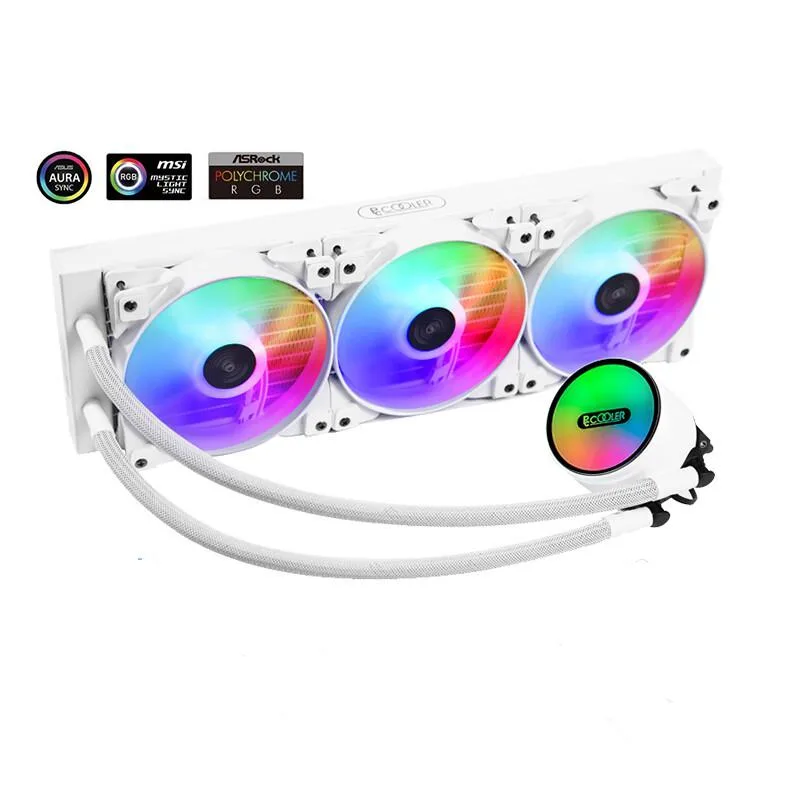
Corn Electronics laptop cooling pad white 360 mm 3 fan 120 mm ARGB
- White
- 3
$162.99
0.00188208BTC
In stockWe take cryptocurrency — so the coins you hold can buy real hardware.Pay in crypto, spend it on real hardware. Free insured shipping worldwide over $399. Plain, unbranded boxes, sent from Germany.Free insured shipping over $399. Your rate is locked for 30 minutes once checkout opens.Rate locked 30 minutes. Every item sealed, serial-checked and covered by a 24-month warranty.Sealed, 24-month warranty.


Vszerda
A Mini PCI-E converter cable that lets a laptop use an external PCI-E graphics card for gaming or GPU computing
This Vszerda EXP GDC converter cable connects a Mini PCI-E slot to an external PCI-E x16 graphics dock. It includes 6-pin and 8-pin power connectors for the graphics card and the dock itself. The cable uses a 26-pin interface and supports both 54-type and 34-type ExpressCard formats. It is intended for engineering measurement, data collection, server debugging and GPU computing.
Suits owners of notebooks that expose a Mini PCI-E interface and want to attach an external graphics enclosure. Not for users whose laptops only offer NGFF M.2 A-key or ExpressCard slots, as this specific option provides the Mini PCI-E cable only. Buyers who need a complete dock kit with the adapter board should select the whole-set version instead.
This listing supplies the Mini PCI-E converter cable alone; the EXP GDC adapter board and graphics card are not included. The cable weighs about 100 g as part of the ExpressCard whole set. Verify your laptop’s expansion slot type before ordering, as NGFF M.2 A-key and ExpressCard variants are separate options.
No published specifications for this item yet.
Insert the 26-pin Mini PCI-E connector into the laptop's Mini PCI-E slot, then attach the 6-pin or 8-pin power cable to the graphics card; the step most often missed is selecting the correct converter cable version — Mini PCI-E, NGFF M.2 A key, or ExpressCard — for the specific laptop port.
The Mini PCI-E converter cable and the 6-pin/8-pin power cables are the only parts that may wear out; if the cable or its connectors become damaged, replacing the converter cable restores the link.
The PCI-E x16 slot operates at a single-lane x1 electrical connection through the Mini PCI-E interface, so bandwidth saturation is the first bottleneck during extended high-throughput GPU workloads.
Also in this aisle
Same shelf, same checkout — eight coins and a 30-minute rate lock.
What you pay in, and what you read prices in.
Sent from your wallet at checkout
Display only — the catalogue is priced in USD
No currency matches that.
Pick the language the site speaks to you in.
No language matches that.
New here?
Already have one?
There is no automatic reset: this shop sends no mail, so there is no one-time link to ask for. Leave the address on the account and it gets picked up by hand.
Request noted
Nothing is on its way to your inbox — this shop sends no mail at all. Someone picks these up by hand.
Remembered it?