


Vszerda
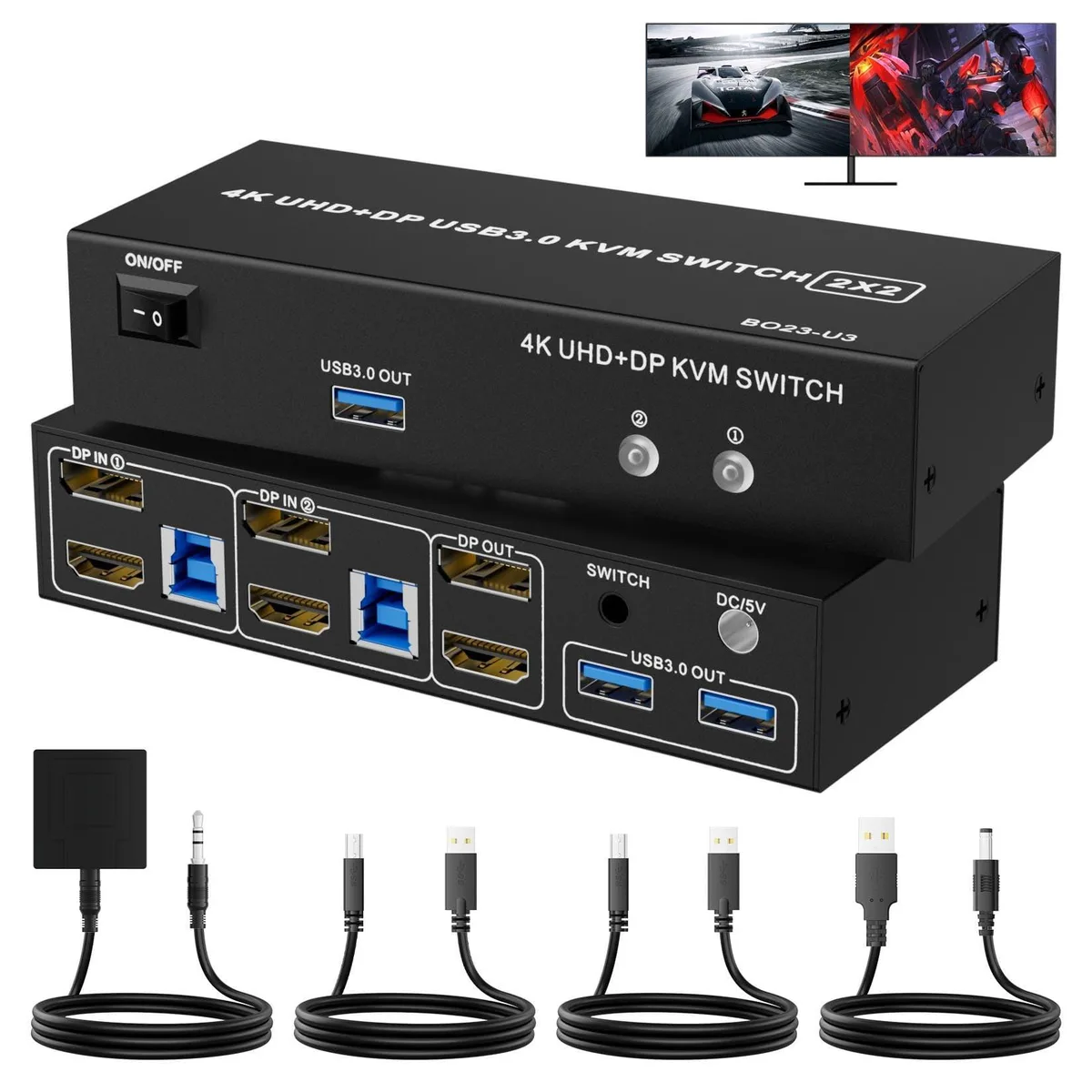
Vszerda Dual Monitor HDMI + DisplayPort KVM Switch 2 Monitors 2 Computers 3 USB 3.0 4K@60Hz
Controls two computers across dual monitors with HDMI and DisplayPort inputs, three USB 3.0 ports at 5 Gbps, and push-button or wired remote switching
- TypePush Button
- Monitor ConnectionsUSB 3.0 2 PC 2 Monitors (HDMI+DP)
- PC SelectionPush Button
- Weight1.1 lb
- Control two computers on dual monitors with one keyboard and mouse set
- Three USB 3.0 ports share peripherals at up to 5Gbps transfer speed
- Supports 4K resolution at 60Hz for sharp dual-display output
- Switch instantly via front-panel button or wired remote controller
- Package includes switch, two USB 3.0 cables, remote, power cable and manual
Dual-Monitor KVM for Two Computers
This Vszerda KVM switch lets one keyboard, mouse and three USB 3.0 peripherals control two computers across two monitors. Each host must provide one DisplayPort and one HDMI output plus a USB port. The unit supports extended, copy and splicing display modes for flexible multi-screen workflows.
Push-Button and Wired Remote Switching
The metal-panel switch weighs 1.1 lb and measures 6.8 x 5 x 2.4 inches. Front-panel buttons and the included wired remote both change the active PC; LEDs show the current selection. Three USB 3.0 ports deliver up to 5 Gbps transfer speeds while remaining compatible with USB 2.0 devices. No hot-key switching is supported.
DisplayPort 1.4 Limits at 4K 60 Hz
Video passes through a DisplayPort 1.4 path limited to 4K at 60 Hz; actual resolution depends on the graphics cards, monitors and cables used. The switch carries no IP rating and is rated IP00 for indoor use only. Buyers who need more than two computers or hot-key switching should consider a different solution.
Highlights
- Control two computers on dual monitors with one keyboard and mouse set
- Three USB 3.0 ports share peripherals at up to 5Gbps transfer speed
- Supports 4K resolution at 60Hz for sharp dual-display output
- Switch instantly via front-panel button or wired remote controller
- Package includes switch, two USB 3.0 cables, remote, power cable and manual
Specifications
| Brand | LUKFOCAB |
|---|---|
| Model | 4K USB3.0 DP KVM Switch 2 PC 2 Monitors |
| Part Number | BO23-PA |
| Type | Push Button |
| Monitor Connections | USB 3.0 2 PC 2 Monitors (HDMI+DP) |
| PC Selection | Push Button |
| Weight | 1.1 lb |
Questions about this item
What resolution does the DisplayPort 1.4 connection cap at in practice?
The DisplayPort 1.4 link supports up to 4K at 60 Hz, and the final image depends on the graphics cards, monitors, cables and adapters working together.
What ports must each computer provide to use this KVM?
Every connected computer needs one DisplayPort, one HDMI and one USB port for the switch to function.
How is the KVM installed and what step is often missed?
Connect two USB 3.0 cables, one DisplayPort and one HDMI from each PC, attach monitors and peripherals, then plug in the USB-C power cable; forgetting the power cable is the common oversight.
Also in this aisle
People compared these
Same shelf, same checkout — eight coins and a 30-minute rate lock.


Black Box Corporation
Black Box Corporation 4K60 HDMI Dual-Head KVM Switch 4 Port
$774.99
0.00929289BTC
In stock