


Vszerda
Vszerda CPU+GPU Cooling Fan for HP Pavilion 15-DK Series
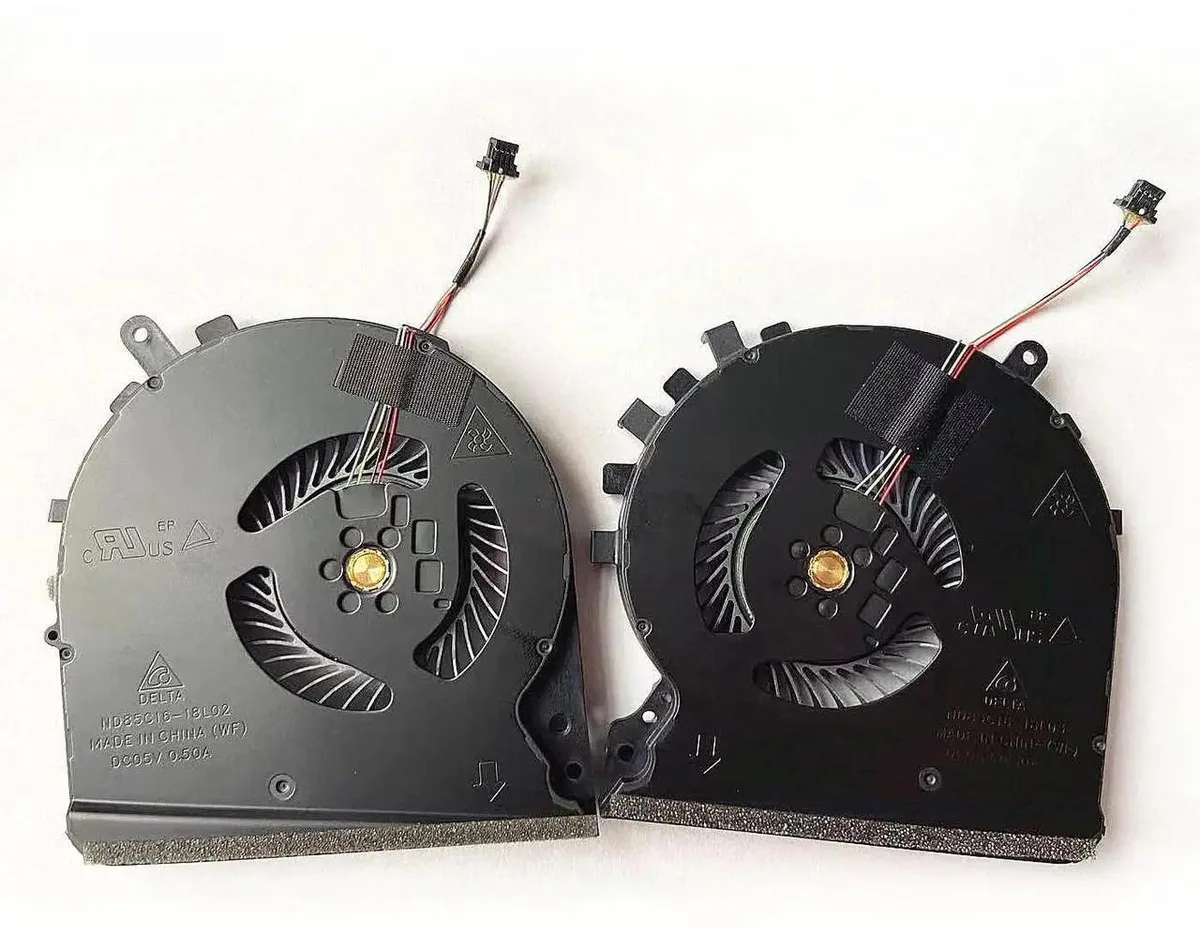
Replacement CPU and GPU fan kit for HP Pavilion 15-DK series laptops, includes both fans and matches part numbers L57170-001 and L56900-001
- Replaces both CPU and GPU fans with one kit
- Fits HP Pavilion 15-DK models including 15-DK0010NR and 15-DK0018CA
- Matches part numbers L57170-001 and L56900-001 for exact fit
- Includes one CPU fan and one GPU fan in package
- Verify part number and photo before ordering to ensure compatibility
Vszerda Dual-Fan Kit for HP Pavilion 15-DK
This replacement set includes one CPU fan and one GPU fan designed for HP Pavilion 15-DK series laptops. It matches part numbers L57170-001 and L56900-001 for direct compatibility. The kit suits owners of listed models such as 15-DK0010NR, 15-DK0018CA, 15-DK0020NR, and 15-DK0068VM needing original cooling performance.
Installation requires laptop disassembly
Installers must remove the bottom case, disconnect the old fans, and fit the new units using the existing screw points and cables. The supplier advises confirming the part number and comparing the confirmation picture before purchase to avoid mismatched connectors or mounting holes. Professional fitting is recommended if you lack repair experience.
Two fans restore factory airflow for CPU and GPU
The pair handles heat from both processors under normal workloads such as office tasks, streaming, and light gaming. Thermal headroom diminishes when both chips sustain maximum turbo frequencies for extended periods, a limit set by the laptop's original heatsink design. The kit does not add extra cooling capacity beyond the stock specification.
Highlights
- Replaces both CPU and GPU fans with one kit
- Fits HP Pavilion 15-DK models including 15-DK0010NR and 15-DK0018CA
- Matches part numbers L57170-001 and L56900-001 for exact fit
- Includes one CPU fan and one GPU fan in package
- Verify part number and photo before ordering to ensure compatibility
Specifications
No published specifications for this item yet.
Questions about this item
How can I confirm the CPU and GPU fans are running correctly after installing them in my HP Pavilion 15-DK?
After installation, power on the laptop and listen for both fans spinning; check BIOS hardware monitor or HP diagnostics to verify RPM readings for each fan, and ensure temperatures stay stable under load.
What is included in the package and do I need to buy any extra parts for the replacement?
The package includes one CPU fan and one GPU fan; no additional components are required if the existing heatsinks and mounting screws are reused.
Which part numbers should I match to choose the correct fan set for my specific 15-DK model?
Match your laptop's service tag to part numbers L57170-001 and L56900-001; the set fits the listed 15-DK variants including 15-DK0010NR, 15-DK0018CA, 0020NR, 30NR, 0041NR, 42NR, 0046NR, 15-DK0068VM, 15-DK0055WM and TPN-C141 series.
Also in this aisle
People compared these
Same shelf, same checkout — eight coins and a 30-minute rate lock.


Kensington
Kensington Desk Mount Cable Anchor K64613WW accessory
- Black
- Provides a secure a…
$19.99
0.00023112BTC
In stock
Panasonic
Panasonic CF-VDR291U laptop cooling pad
- Optical Drive
- Buffer Size: 2 MB B…
$213.99
0.0024741BTC
In stock
eReplacements
eReplacements PB992A-ER laptop battery 14.4V
- Battery
- Lithium-Ion
$65.99
0.00076296BTC
In stock