


Vszerda
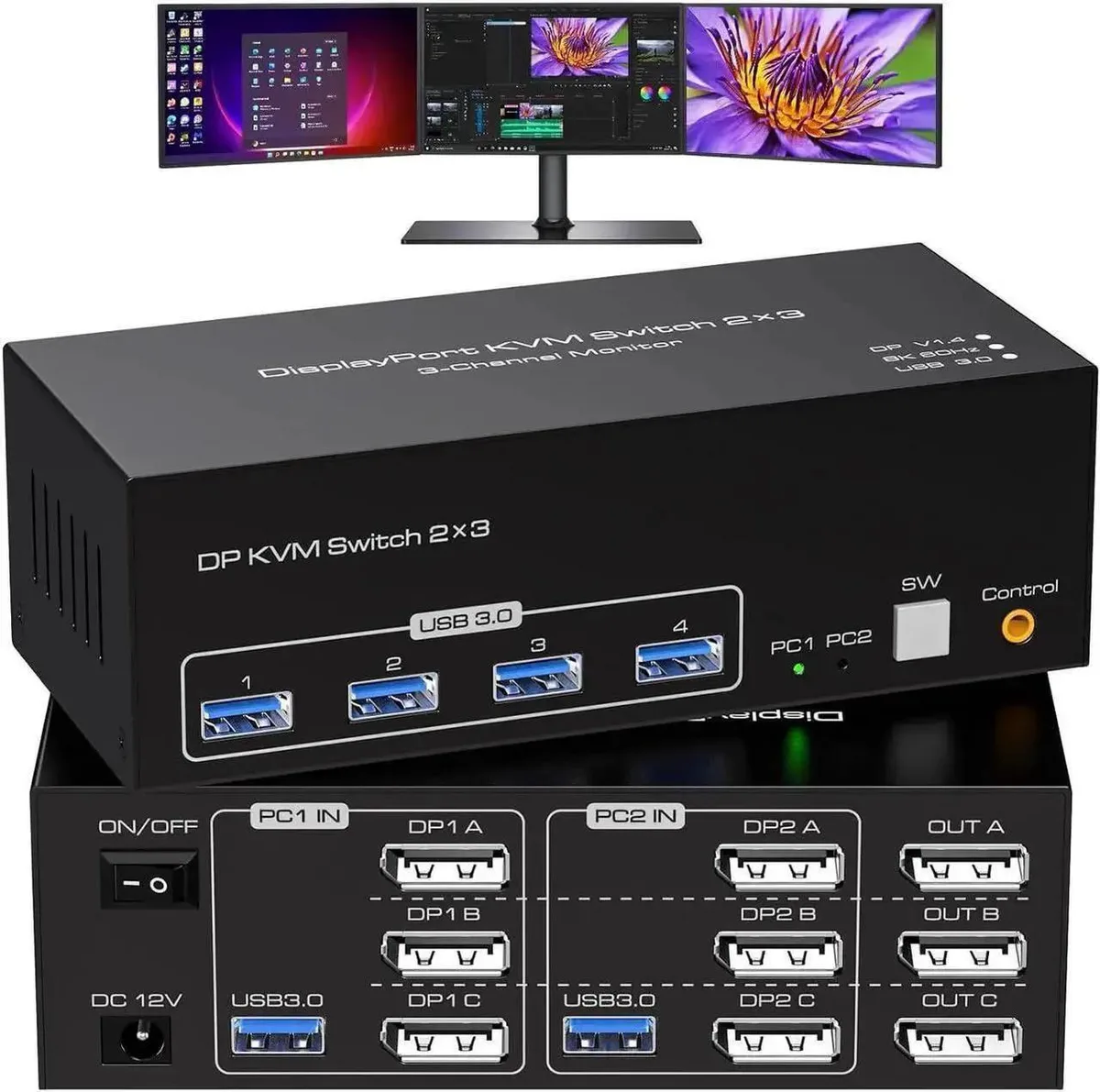
Vszerda 8K KVM Switch 3 Monitors 2 Computers DP 1.4 4K@120Hz USB 3.0
Share one keyboard, mouse and three DisplayPort monitors between two computers with 8K 60 Hz or 4K 120 Hz support and four USB 3.0 ports
- Share one keyboard, mouse and three monitors across two computers
- Switch between duplicate and extend display modes for flexible layouts
- Drive resolutions up to 8K at 60 Hz with backward compatibility
- Connect scanners, drives and peripherals through four USB 3.0 ports
- Powered by included 12 V DC adapter for stable high-power operation
Three-Monitor Dual-Computer KVM
This DisplayPort 1.4 KVM switch lets two desktops or laptops share one keyboard, one mouse and three monitors. Each connected computer must be able to drive three displays simultaneously and support extended-desktop mode. The switch handles duplicate and extend configurations across all three screens.
Replaces Separate Peripheral Sets
Instead of duplicate keyboards, mice and monitor cables for each workstation, a single console controls both systems. The upgrade is worthwhile when you regularly move between two computers that each output three DisplayPort signals and you need 4K at 120 Hz or 8K at 60 Hz without re-plugging devices.
Build Integration
Four USB 3.0 ports provide shared access to scanners, drives and other peripherals from either computer. A bundled 12 V DC adapter powers the switch so high-draw USB devices remain stable. Plug-and-play operation works with Windows, Mac OS, Linux and Unix without driver installation.
Highlights
- Share one keyboard, mouse and three monitors across two computers
- Switch between duplicate and extend display modes for flexible layouts
- Drive resolutions up to 8K at 60 Hz with backward compatibility
- Connect scanners, drives and peripherals through four USB 3.0 ports
- Powered by included 12 V DC adapter for stable high-power operation
Specifications
No published specifications for this item yet.
Questions about this item
What DisplayPort version and cable count does this KVM need for three monitors?
It uses DisplayPort 1.4 and requires three cables from each computer to drive the three displays.
How is the switch powered and what is the common oversight?
A 12 V/1 A DC adapter is included; the step often missed is connecting the adapter before linking the computers.
Which parts may need replacement after heavy daily use?
The four USB 3.0 ports and the three DisplayPort connectors on the front panel are the items most likely to wear out.
Also in this aisle
People compared these
Same shelf, same checkout — eight coins and a 30-minute rate lock.


Black Box Corporation
Black Box Corporation 4K60 HDMI Dual-Head KVM Switch 4 Port
$774.99
0.00922849BTC
In stock