


Vszerda
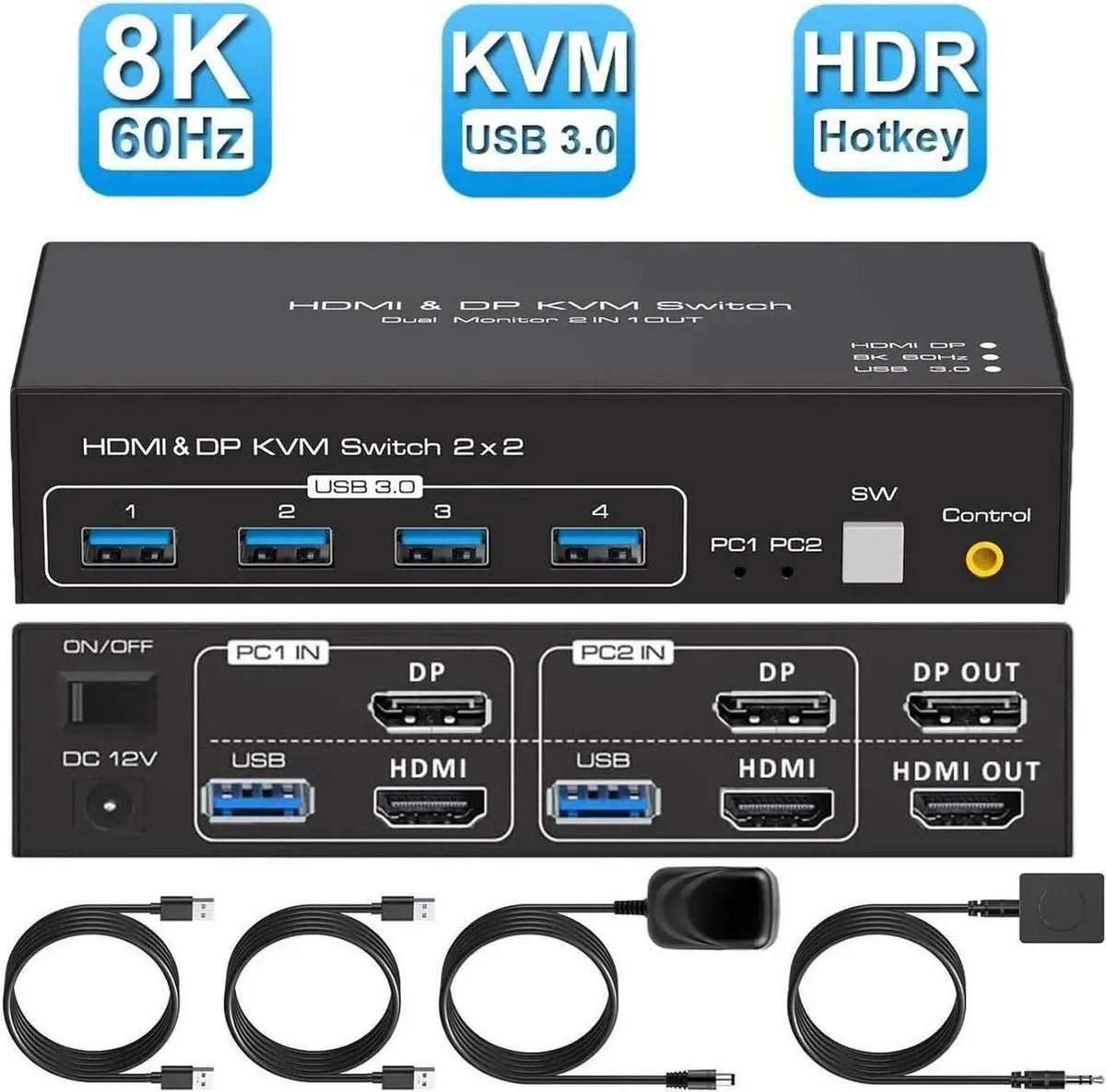
Vszerda 8K Dual Monitor KVM Switch HDMI 2.1 DP 1.4 2 Computers 4 USB 3.0
A dual-monitor KVM switch lets two computers share two displays and four USB 3.0 devices at up to 8K60Hz or 4K120Hz
- Supports 8K at 60 Hz resolution on two monitors
- Switches two computers with one keyboard and mouse set
- Four USB 3.0 ports share peripherals at 5 Gbps
- Extended and copy display modes for flexible workflows
- Front-panel and external buttons for instant source switching
Dual-monitor KVM for two computers
This Vszerda KVM switch lets two computers share two monitors and four USB 3.0 peripherals. It connects over HDMI 2.1 and DisplayPort 1.4 and supports resolutions up to 8K at 60 Hz or 4K at 120 Hz. The unit works with Windows, macOS, Linux and Unix without extra drivers. A desktop controller and the required cables are included.
Suits dual-screen workflows, not hotkey users
The switch is built for users who need extended or duplicate desktop modes across two displays from a single keyboard and mouse. It requires both DP and HDMI cables connected on each computer and a graphics card that can drive multiple screens. Buyers who rely on hotkey switching should look elsewhere because this model only changes inputs via front-panel or external buttons.
Plug-and-play with cabling discipline
Installation is straightforward: connect the supplied cables, attach monitors and USB devices, then select the active computer with the buttons. The most common issue is forgetting to plug in both the DP and HDMI links for each system, which prevents the second monitor from appearing. Ensure each computer supports multi-screen output and use the Windows+P shortcut to toggle between extended and copy modes.
Highlights
- Supports 8K at 60 Hz resolution on two monitors
- Switches two computers with one keyboard and mouse set
- Four USB 3.0 ports share peripherals at 5 Gbps
- Extended and copy display modes for flexible workflows
- Front-panel and external buttons for instant source switching
Specifications
No published specifications for this item yet.
Questions about this item
Do I need both HDMI 2.1 and DP 1.4 cables to use the two-monitor extended mode?
Yes, the unit requires one HDMI and one DisplayPort connection per computer to drive two independent screens in extended mode.
Will my older 1080P monitors work with the 8K@60Hz and 4K@120Hz capability?
The switch is backward compatible with 1080P and 720P resolutions, so existing monitors will display correctly.
How can I verify the USB 3.0 hub is running at 5Gbps after setup?
Connect a USB 3.0 storage device and check the transfer speed in your operating system; it should report up to 5Gbps.
Also in this aisle
People compared these
Same shelf, same checkout — eight coins and a 30-minute rate lock.


Black Box Corporation
Black Box Corporation 4K60 HDMI Dual-Head KVM Switch 4 Port
$774.99
0.00924732BTC
In stock