


Vszerda
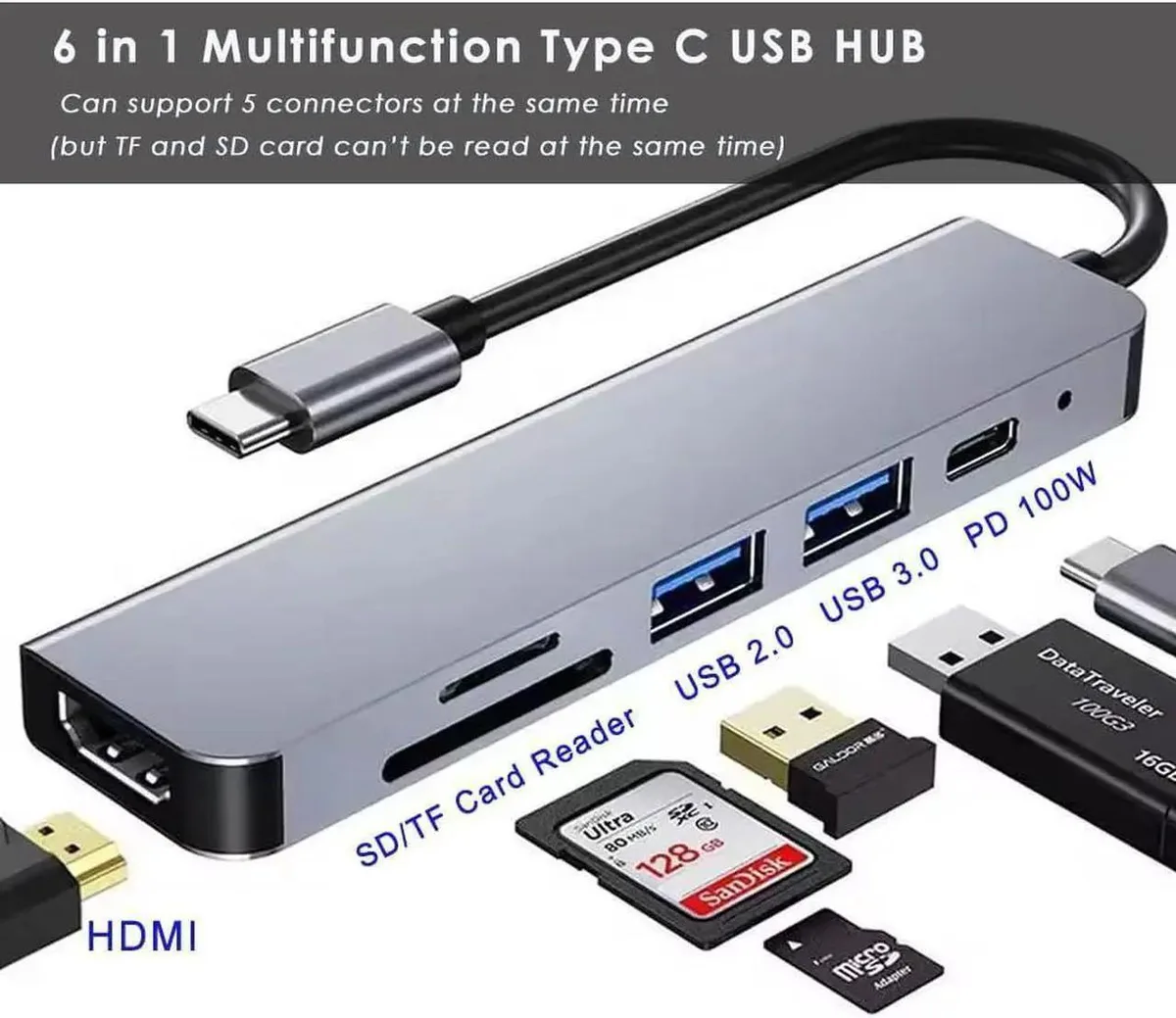
Vszerda 6-in-1 USB C Hub 4K HDMI 100W PD USB 3.0 USB 2.0 SD TF Card Reader
A six-port USB-C adapter adds 4K HDMI at 30 Hz, 100 W pass-through charging, 5 Gbps USB 3.0, 480 Mbps USB 2.0, and SD or TF card slots at 104 MB/s
- 4K@30Hz video via HDMI 3840x2160
- 100W PD pass-through charging keeps laptop powered
- 5 Gbps USB 3.0 port for fast transfers
- 480 Mbps USB 2.0 port for peripherals
- 104 MB/s SD and TF card reader slots
6-in-1 USB-C Hub with 4K HDMI
The Vszerda 6-in-1 USB C Hub adds a 4K HDMI output, two USB-A ports and SD plus TF card readers to a single USB-C connection. It is aimed at laptop owners who need extra display and peripheral ports without carrying several separate adapters. The compact design suits mobile professionals and students who move between desks. A USB-C PD input keeps the host device charged while the hub is in use.
Thermals noise and power draw
The aluminium casing dissipates heat during typical office workloads so the hub stays comfortable to touch. No fan is present, so operation is completely silent. The PD-IN port accepts up to 100 W pass-through charging for the host laptop but does not carry data. Each port draws only the power required by the attached device, keeping overall consumption low.
Sustained load behaviour
During extended file transfers the USB 3.0 port maintains its 5 Gbps link while the USB 2.0 port runs at 480 Mbps for peripherals. The HDMI output holds a steady 3840x2160 resolution at 30 Hz for long presentations. SD and TF slots each reach 104 MB/s but cannot operate simultaneously. The hub remains stable provided the total connected power draw stays within the limits of the host USB-C supply.
Highlights
- 4K@30Hz video via HDMI 3840x2160
- 100W PD pass-through charging keeps laptop powered
- 5 Gbps USB 3.0 port for fast transfers
- 480 Mbps USB 2.0 port for peripherals
- 104 MB/s SD and TF card reader slots
Specifications
No published specifications for this item yet.
Questions about this item
How do I connect the hub to my laptop and which port do people forget to plug in?
Plug the hub's USB-C connector into your laptop; then connect your charger to the hub's 100W PD-IN port so the laptop receives power while the hub runs.
Will the SD or TF card slots wear out and need replacement?
The slots are passive connectors rated for 104 MB/s reads; they have no moving parts and no user-replaceable components.
What limits 4K video output during long sessions?
The HDMI port is capped at 4K 3840x2160 at 30 Hz; sustained use cannot exceed that refresh rate.
New to this? Which coin should you pay with — what to check, what it costs to pay, and what is never asked for.
Also in this aisle
People compared these
Same shelf, same checkout — eight coins and a 30-minute rate lock.



Black Box Corporation
Black Box Corporation CAT6 EZ-RJ45 Modular Plugs 100-Pack
$95.99
0.0011497BTC
In stock
