


Vszerda
Vszerda 4K@60Hz 2-Port USB-C KVM Switch Dual Monitor
Lets two computers share dual monitors, keyboard, mouse, audio and one USB 2.0 device at 4K 60 Hz
- Switch two computers across dual 4K monitors at 60 Hz
- Share one keyboard, mouse, audio and USB 2.0 hub between both systems
- Thunderbolt 4, 3, 2 and 1 compatible for broad laptop support
- Auto-scan and memory function keep your layout after power loss
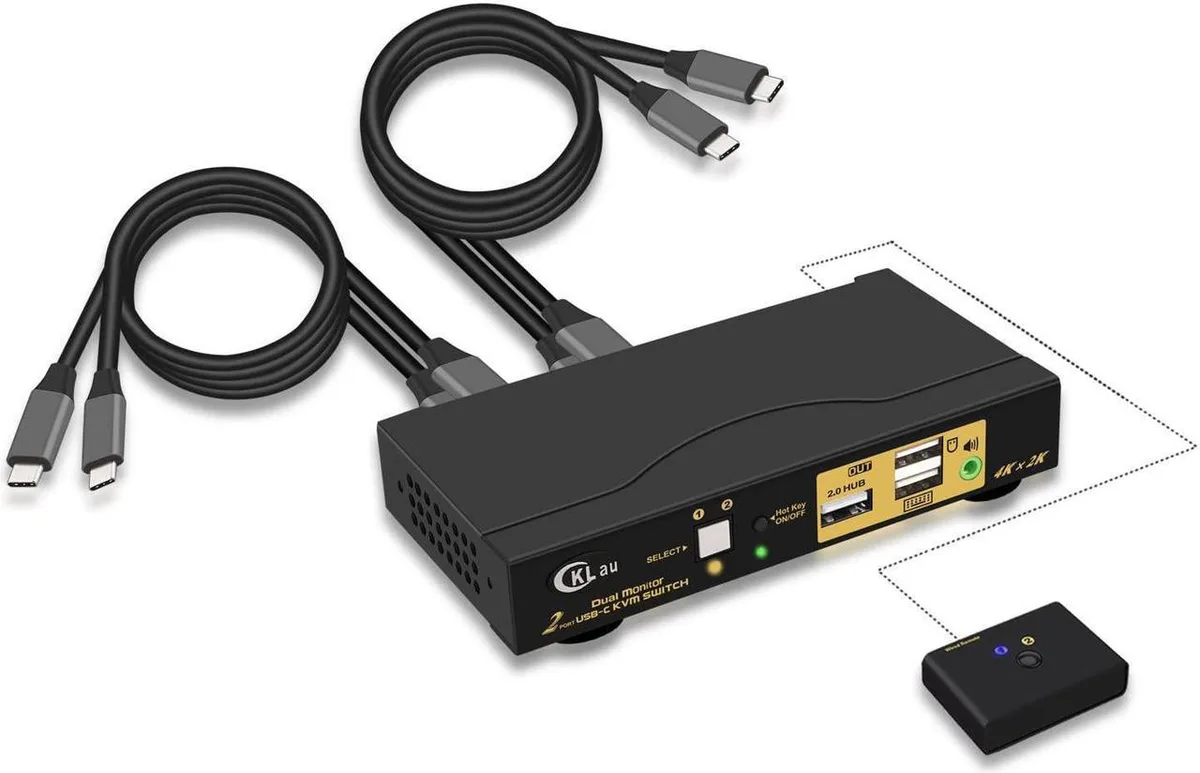
- Wired remote button and four USB-C cables included for instant setup
Dual-computer KVM for two monitors
The switch connects two USB-C hosts such as laptops, desktops or phones to a shared pair of HDMI displays, a single keyboard and mouse, one USB 2.0 peripheral and audio. It is aimed at users who move between two systems at the same desk and want instant switching without re-plugging cables.
Aluminium chassis with front push-button and wired
The unit ships with four USB-C cables, a 5V 2A power adapter and a wired remote button for convenient placement. Thunderbolt 4, 3, 2 and 1 hosts are supported, and the switch remembers the last active port after a power loss. EDID and HDR 10 pass-through keep colour and resolution settings stable across switches.
Dual 4K 60 Hz HDMI 2.0 output
Each HDMI port delivers up to 3840x2160 at 60 Hz and scales down to lower resolutions automatically. The 16:9 and 21:9 aspect ratios are both handled. Buyers who need more than two video outputs or higher refresh rates should look elsewhere.
Highlights
- Switch two computers across dual 4K monitors at 60 Hz
- Share one keyboard, mouse, audio and USB 2.0 hub between both systems
- Thunderbolt 4, 3, 2 and 1 compatible for broad laptop support
- Auto-scan and memory function keep your layout after power loss
- Wired remote button and four USB-C cables included for instant setup
Specifications
No published specifications for this item yet.
Questions about this item
What resolution and refresh rate does the Thunderbolt 4 connection support on the dual HDMI outputs?
Thunderbolt 4 devices output up to 3840x2160 at 60Hz across both monitors.
Which cables and power supply are required to connect two computers and two monitors?
The package includes four Type-C cables, a wired remote button and a DC5V 2A power adapter for the switch.
In what order should the switch, cables and peripherals be powered up during installation?
Connect the power adapter first, then all Type-C and HDMI cables, then keyboard and mouse, then switch on the KVM, finally the computers.
Also in this aisle
People compared these
Same shelf, same checkout — eight coins and a 30-minute rate lock.


Black Box Corporation
Black Box Corporation 4K60 HDMI Dual-Head KVM Switch 4 Port
$774.99
0.00923333BTC
In stock