


Vszerda
Vszerda 2-Port 3-Monitor USB-C KVM Switch
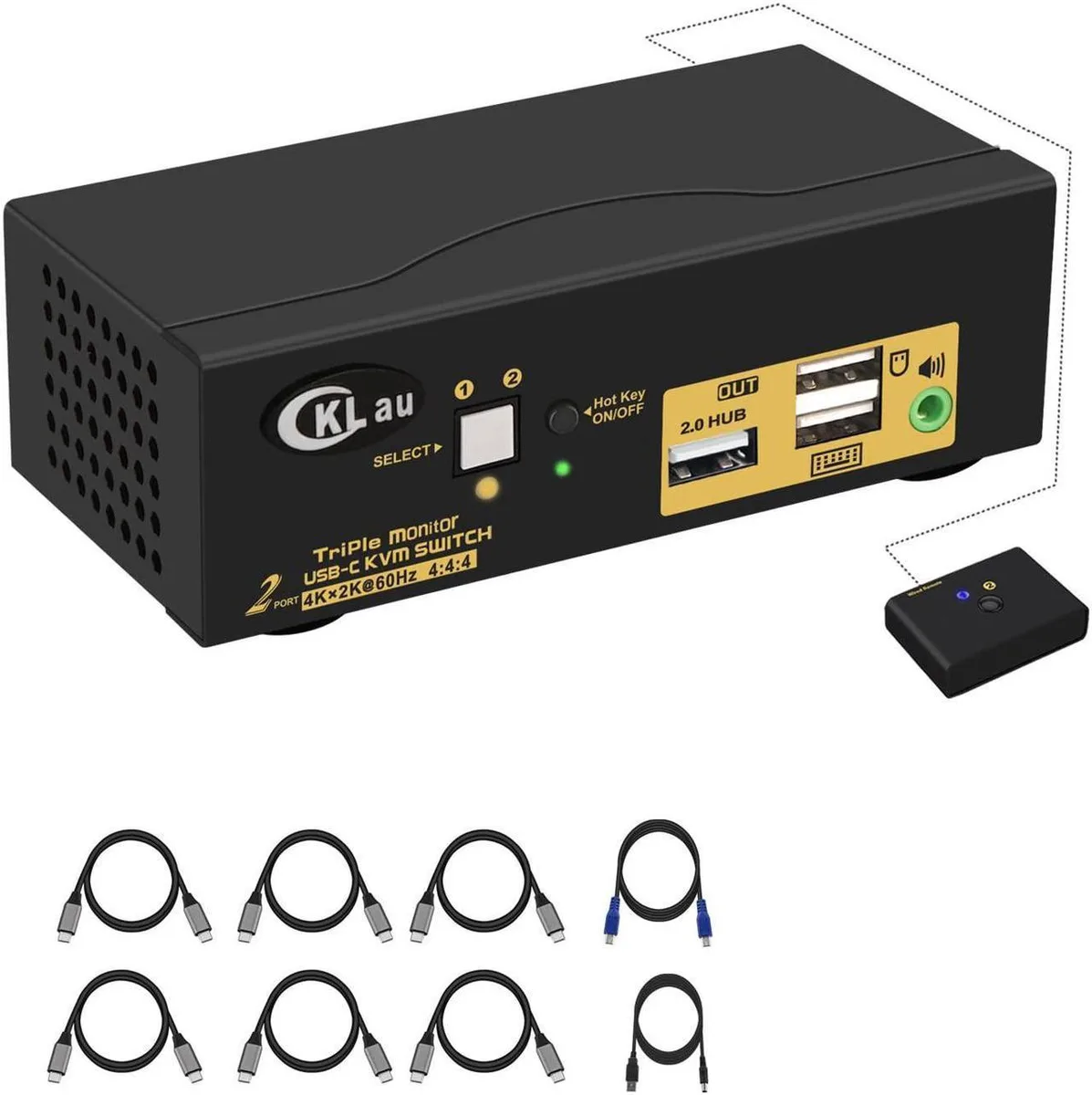
Lets two computers share three monitors, keyboard, mouse, audio and one USB 2.0 device with 4K 60 Hz output
- Share two computers across three monitors with one keyboard and mouse
- 4K 60 Hz output on every HDMI port for sharp detail
- Thunderbolt 4, 3, 2, 1 compatible for broad laptop support
- Auto-scan and memory function keep your layout after power loss
- Includes four Type-C cables, remote button and 5 V power adapter
2-Port 3-Monitor USB-C KVM Switch
The Vszerda 2-Port 3-Monitor USB-C KVM Switch lets two computers, Macs, laptops or mobile phones share one keyboard, one mouse, three monitors, audio and a single USB 2.0 peripheral. Two USB-C inputs connect to the hosts while three HDMI outputs drive the displays. A DC 5V 2A adapter powers the unit for stable operation.
Upgrade from single-monitor or dual-monitor switches
This switch replaces any KVM limited to one or two external screens. The jump is worth it when your workflow spans three monitors and you need simultaneous 4K output at 60 Hz across all three. It also adds audio passthrough and a USB 2.0 hub port that simpler switches omit. Buyers who need only one or two displays will not use the extra video ports.
Fits a multi-display desk with USB-C hosts
Connect each host with the included USB-C cables, link three monitors via HDMI, then plug keyboard and mouse into the dedicated console ports. The switch supports Thunderbolt 4, 3, 2 and 1 hosts, auto-detection and scan modes, plus a wired remote button for instant switching. It frees up desk space by consolidating three monitor cables, audio and a USB peripheral into one device. Buyers whose hosts lack USB-C video output cannot use this switch.
Highlights
- Share two computers across three monitors with one keyboard and mouse
- 4K 60 Hz output on every HDMI port for sharp detail
- Thunderbolt 4, 3, 2, 1 compatible for broad laptop support
- Auto-scan and memory function keep your layout after power loss
- Includes four Type-C cables, remote button and 5 V power adapter
Specifications
No published specifications for this item yet.
Questions about this item
What cables and power supply come in the box for the 2-Port 3-Monitor USB-C KVM Switch?
The package includes four Type-C cables, one wired remote push button, one DC5V 2A power adapter and a manual.
What is the correct order to connect the KVM switch, computers and monitors before powering on?
Turn off all devices, connect the DC5V 2A adapter to the KVM and mains, attach Type-C cables to the two computers or phones and HDMI cables to the three monitors, plug keyboard and mouse into the dedicated KVM ports, then power on the KVM followed by the computers.
Which USB standard does the shared peripheral port on this KVM switch support for devices like a headset or wired remote?
The shared peripheral port operates at USB 2.0 speed for headsets, the included wired remote push button or other USB 2.0 devices.
Also in this aisle
People compared these
Same shelf, same checkout — eight coins and a 30-minute rate lock.


Black Box Corporation
Black Box Corporation 4K60 HDMI Dual-Head KVM Switch 4 Port
$774.99
0.00916757BTC
In stock