


Vszerda
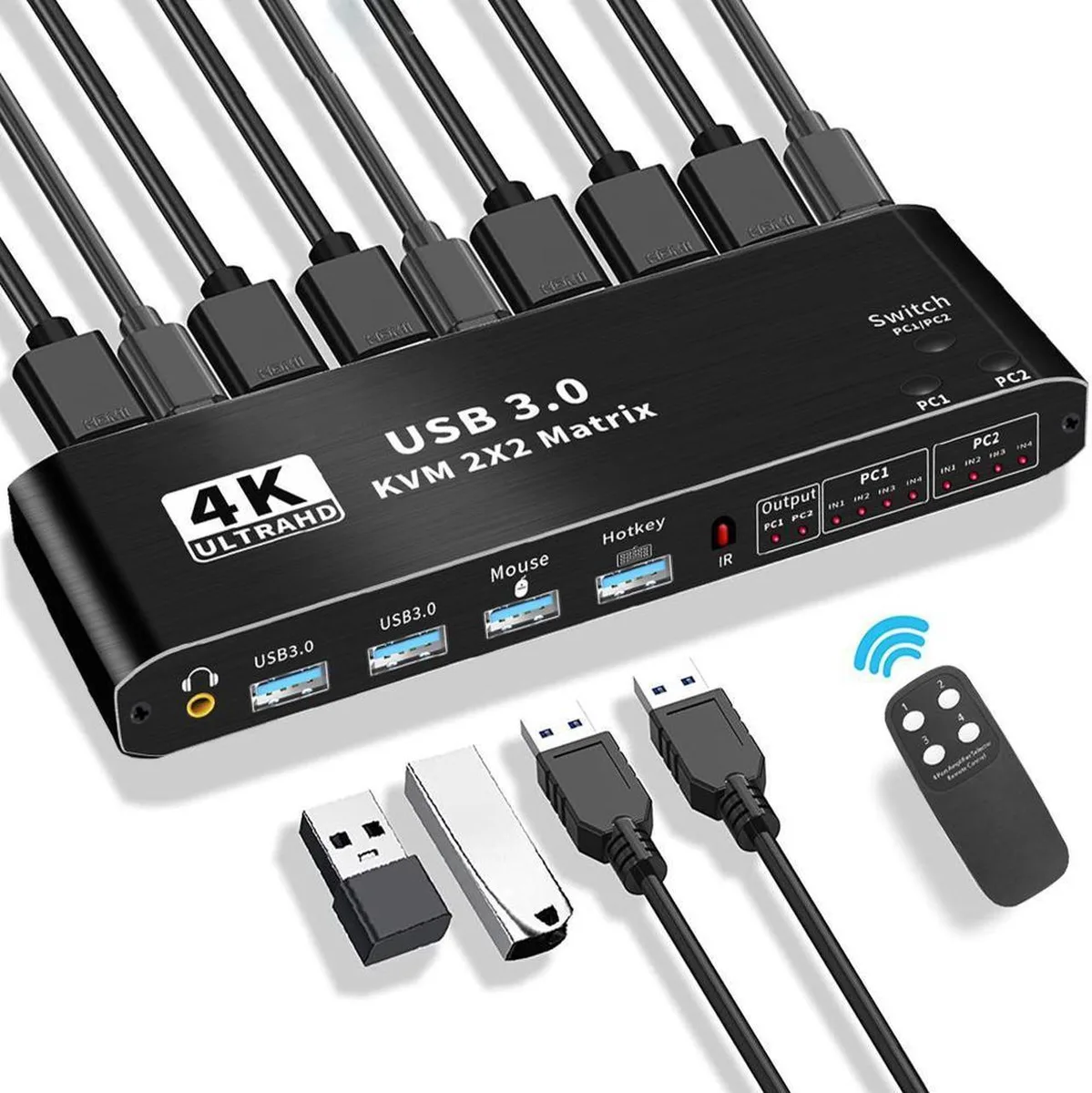
Vszerda 2×2 HDMI Matrix KVM Switch 4K@60Hz USB 3.0
Connects two computers to dual monitors with 4K 60Hz video and USB 3.0 peripheral sharing
- Share two computers across dual monitors with 4K@60Hz clarity
- Switch instantly via front button, hot-keys or IR remote
- Connect USB 3.0 peripherals like printers or cameras to both PCs
- Aluminium-alloy chassis resists corrosion and interference
- Supports 1080p@144Hz for smooth gaming visuals
Dual-Monitor Matrix Switch
The Vszerda 2×2 HDMI matrix KVM switch lets two computers share one keyboard, one mouse and two HDMI displays. It supports HDMI 2.0b with HDCP 2.3 and passes resolutions up to 3840×2160 at 60 Hz as well as 1080p at 120 Hz or 144 Hz. Audio is extracted through a stereo L/R output and USB 3.0 peripheral ports are provided for devices such as printers, scanners or cameras. The aluminium-alloy enclosure measures 176×51×21 mm.
Ideal For Multi-PC Desks
This unit suits users who operate two computers, laptops or game consoles side by side and want instant switching across dual screens. Switching is done by a front-panel button, keyboard hot-keys or the included IR remote. Buyers who only need a single display, or who require more than two computer inputs, should consider a different configuration. Compatibility spans Windows XP through Windows 10, macOS, Linux and Unix.
Deciding Specification: Dual 4K 60 Hz Output
The defining capability is the ability to drive two independent HDMI monitors at 4K 60 Hz from either connected computer. If your workflow demands simultaneous 4K 60 Hz on both screens, this matrix meets that requirement; if you only need 1080p or a single monitor, a simpler switch may suffice.
Highlights
- Share two computers across dual monitors with 4K@60Hz clarity
- Switch instantly via front button, hot-keys or IR remote
- Connect USB 3.0 peripherals like printers or cameras to both PCs
- Aluminium-alloy chassis resists corrosion and interference
- Supports 1080p@144Hz for smooth gaming visuals
Specifications
No published specifications for this item yet.
Questions about this item
How do I connect two computers and two monitors to this KVM, and which step is most often missed?
Plug each computer into two HDMI 2.0 inputs and one USB 3.0 input, then connect both monitors to the two HDMI 2.0 outputs; the step most often missed is linking the second HDMI cable from each computer so both displays work in extended or crisscross mode.
What part will need replacement first if I use the USB 3.0 hub daily for a scanner and a 3D printer?
The USB 3.0 ports on the front panel see the most insertions; expect the port contacts to wear before the internal switching logic or the HDMI 2.0 connectors.
At what resolution and refresh rate does the HDMI 2.0b link hit its bandwidth ceiling during long sessions?
The HDMI 2.0b interface tops out at 3840x2160p at 60 Hz with RGB 8:8:8; pushing 1080p at 144 Hz is within the same bandwidth envelope and will not exceed the link limit.
Also in this aisle
People compared these
Same shelf, same checkout — eight coins and a 30-minute rate lock.


Black Box Corporation
Black Box Corporation 4K60 HDMI Dual-Head KVM Switch 4 Port
$774.99
0.00897956BTC
In stock