VIVOTEK Inc.
VIVOTEK Inc. AW-IHT-0502 network switch 4 PoE ports 1 SC single-mode 30 km
- IEEE 802.3 10-BASE-…
- 4 x RJ45
$178.99
0.00214436BTC
In stockWe take cryptocurrency — so the coins you hold can buy real hardware.Pay in crypto, spend it on real hardware. Free insured shipping worldwide over $399. Plain, unbranded boxes, sent from Germany.Free insured shipping over $399. Your rate is locked for 30 minutes once checkout opens.Rate locked 30 minutes. Every item sealed, serial-checked and covered by a 24-month warranty.Sealed, 24-month warranty.
VIVOTEK Inc.
24-port managed PoE++ switch delivering up to 90 W on four ports and 30 W on sixteen more with a 380 W budget
Model AW-GEL-285A-380
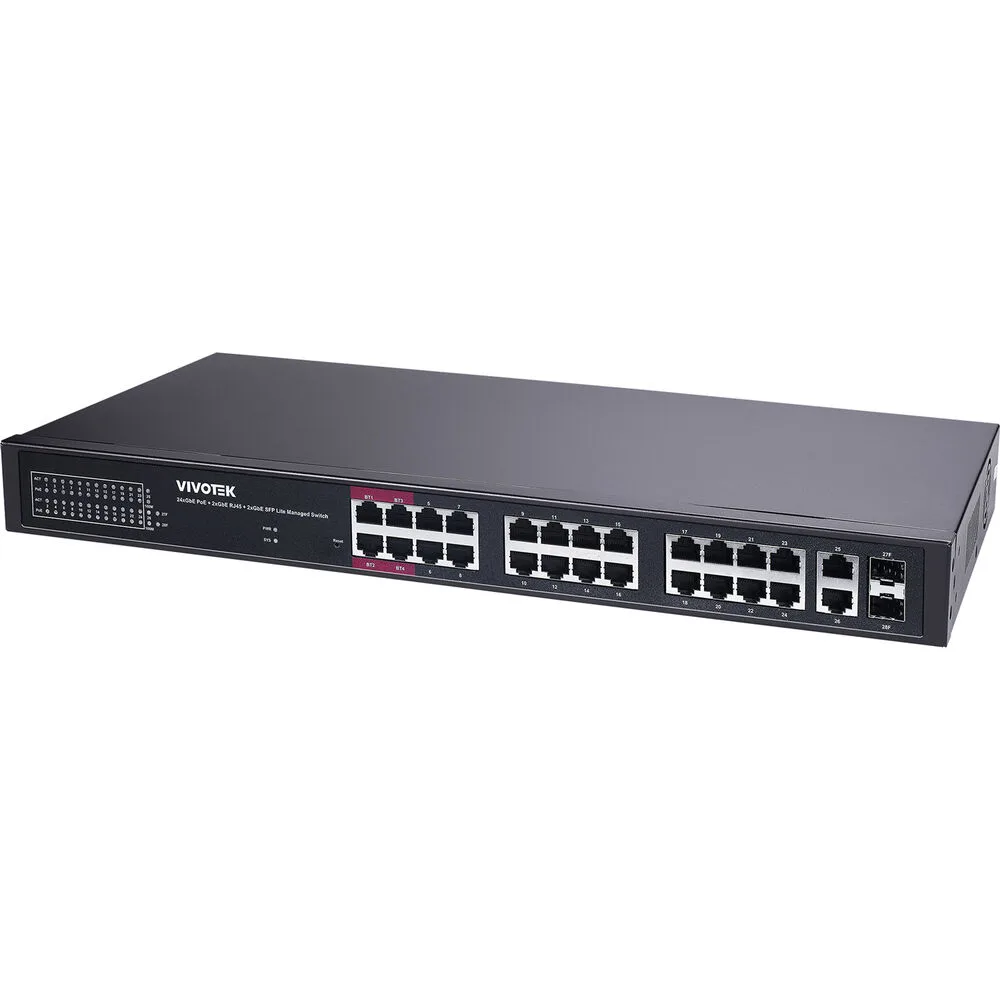
The Vivotek AW-GEL-285A-380 is a rackmount Lite Managed PoE switch with 24 Gigabit Ethernet PoE ports, two RJ45 uplinks and two SFP uplinks. It delivers a 380W PoE budget compliant with 802.3 af/at/bt standards. Layer 2 management, 4096 VLAN IDs, jumbo frames to 9216 bytes and an 8K MAC table support segmented networks.
Four ports supply up to 90W each for high-power PTZ cameras or multi-radio access points, while ports five to sixteen provide 30W each. Ports seventeen to twenty-four remain powered at 30W. The total 380W budget limits simultaneous full-load operation on all high-power ports. Builders requiring Layer 3 routing, 10G uplinks or a larger power budget should look at other models.
The single specification that decides fit is the 380W PoE power budget distributed over twenty-four Gigabit ports with four 90W bt ports and twelve 30W at ports. Calculate the aggregate draw of your powered devices against this ceiling before purchasing.
| Brand | Vivotek |
|---|---|
| Model | AW-GEL-285A-380 |
| Switch Type | Lite Managed PoE Switch |
| Format | Rackmount |
| Standards | 802.3 af/at/bt |
| Network Management Type | Managed |
| Uplink Ports | 2 x RJ45 + 2 x SFP |
| Uplink Interface | SFP & RJ45 |
| Uplink Speed | 10/100/1000 Mbps |
| Primary Ports | 24 x GbE PoE |
| Primary Port Speed | 10/100/1000Mbps |
| MAC Address Table | 8K |
| VLAN Support | 4096 VLAN IDs |
| Jumbo Frames | 9216 bytes |
| Buffer Memory | 4.1Mb |
| PoE | Port 1-4 bt 90W Port 5-16 at 30W |
| Layer | 2 |
| Port Mirroring | Yes |
| PoE Ports | 24 |
| PoE Power Budget | 380W |
| Power | 100~240VAC, 50/60Hz |
| Max Power Consumption | 390W |
| Dimensions | 1.73" x 17.40" x 8.35" |
| Weight | 6.04 lbs. |
| Certification | CE, FCC, UKCA, LVD, VCCI, BSMI |
| Temperature | Operating Temperature: -10°C ~ 50°C (14°F ~ 122°F) Storage Temperature: -20°C ~ 70°C (-4°F ~ 158°F) |
| Humidity | 10 ~ 90% RH |
| Package Contents | Power Cord, QIG, Rack Mount Kit |
| Shipping weight | 3.00 kg |
| Package size | 500 × 260 × 100 mm |
Other versions of this model
Same family, different memory, cooler or clock — compare before you commit.
Ports one to four comply with IEEE 802.3 bt and can deliver up to 90 watts each.
The unit measures 1.73 inches high by 17.40 inches wide by 8.35 inches deep and includes a rack-mount kit in the box.
Connect to the web interface or CLI via an uplink port; the default IP is DHCP, so many forget to set a static address before deploying.
Also in this aisle
Same shelf, same checkout — eight coins and a 30-minute rate lock.
What you pay in, and what you read prices in.
Sent from your wallet at checkout
Display only — the catalogue is priced in USD
No currency matches that.
New here?
Already have one?
There is no automatic reset: this shop sends no mail, so there is no one-time link to ask for. Leave the address on the account and it gets picked up by hand.
Request noted
Nothing is on its way to your inbox — this shop sends no mail at all. Someone picks these up by hand.
Remembered it?