

Knox Gear, Inc.
Knox Gear KN-GC02 39" Hard Shell Guitar Case Gold Hardware
- Guitar Bag
$62.99
0.00073294BTC
In stockWe take cryptocurrency — so the coins you hold can buy real hardware.Pay in crypto, spend it on real hardware. Free insured shipping worldwide over $399. Plain, unbranded boxes, sent from Germany.Free insured shipping over $399. Your rate is locked for 30 minutes once checkout opens.Rate locked 30 minutes. Every item sealed, serial-checked and covered by a 24-month warranty.Sealed, 24-month warranty.


ViewSonic
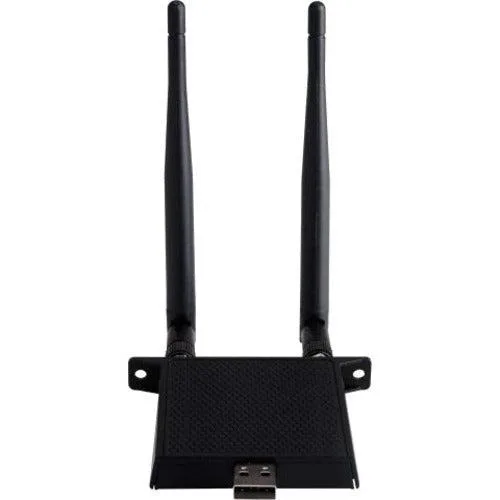
Adds Wi‑Fi 6 connectivity on 2.4 and 5 GHz bands to ViewBoard displays
The ViewSonic VB-WIFI-001 wireless module adds a fast wireless internet connection to compatible ViewBoard and Wireless Presentation Display units. It is designed for classrooms or meeting rooms that need cable-free network access for their display hardware. The module plugs into the display to enable wireless connectivity without extra cabling.
The module operates on dual-frequency 2.4 and 5GHz bandwidth using the Wifi 6 802.11 ax standard. This provides sufficient throughput for typical presentation streaming and web-based content on a single display. Environments with heavy concurrent client traffic or high-density deployments may exceed the practical capacity of a single module.
No published specifications for this item yet.
Yes, the dual-frequency design includes a 2.4 GHz band compatible with legacy 802.11 devices, so your older ViewBoard can join the network without needing a 5 GHz radio.
Open the ViewBoard network settings and verify the connection shows 802.11 ax on the 5 GHz band; that indicates the Wifi 6 module is operating as intended.
Also in this aisle
Same shelf, same checkout — eight coins and a 30-minute rate lock.
What you pay in, and what you read prices in.
Sent from your wallet at checkout
Display only — the catalogue is priced in USD
No currency matches that.
Pick the language the site speaks to you in.
No language matches that.
New here?
Already have one?
There is no automatic reset: this shop sends no mail, so there is no one-time link to ask for. Leave the address on the account and it gets picked up by hand.
Request noted
Nothing is on its way to your inbox — this shop sends no mail at all. Someone picks these up by hand.
Remembered it?


