


V4ink
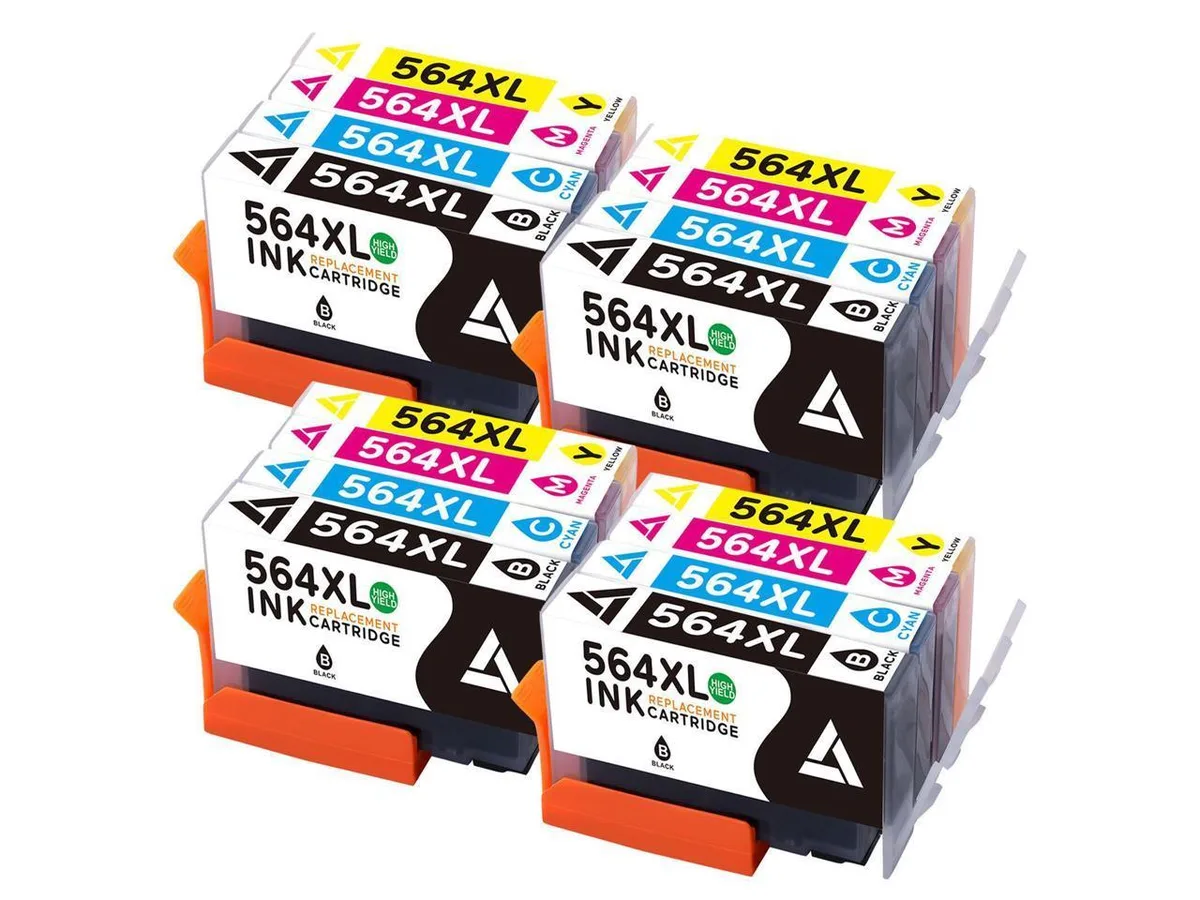
V4ink 564 XL 16PK Ink Cartridge
Sixteen-pack of high-yield replacement cartridges in black, cyan, magenta and yellow for HP 564-series printers
- 16-pack covers every colour needed for high-volume printing
- XL capacity reduces replacement frequency for busy workspaces
- Works with HP 564 and 564 Plus Deskjet and Photosmart models
- Four-part numbers CN684WN CN685WN CN686WN CN687WN match original cartridges
- Brand-new aftermarket units deliver reliable output straight from the box
16-pack HP 564 XL replacement set
This 16-pack contains V4ink 564 XL cartridges in black, cyan, magenta and yellow for compatible HP Deskjet and Photosmart printers. It covers models such as the Deskjet 3070A, 3522, 3526 and Photosmart 5510, 5515, 6510, B109a, B109n, B111j, B111h, Plus B209a, B210a. The pack suits home offices that print regularly and want a full colour set on hand.
Replaces original HP 564 cartridges
The cartridges replace HP part numbers CN684WN, CN685WN, CN686WN and CN687WN. The jump is worth it when your current cartridges run low and you prefer a single bulk order instead of buying colours separately. It is not for buyers who need individual colour replenishment or printers that use a different HP cartridge series.
Simple drop-in install with reset steps
Install by removing the old cartridges and inserting the new ones into the correct slots. Most refilled cartridges require extra steps: clean the copper contacts, unplug the printer power cord for 15 to 30 minutes for a full reset, then reinsert the cartridges a few times until the printer recognises them.
Highlights
- 16-pack covers every colour needed for high-volume printing
- XL capacity reduces replacement frequency for busy workspaces
- Works with HP 564 and 564 Plus Deskjet and Photosmart models
- Four-part numbers CN684WN CN685WN CN686WN CN687WN match original cartridges
- Brand-new aftermarket units deliver reliable output straight from the box
Specifications
| Brand | *HP Deskjet 3070A *HP PhotosmartPlus B209a B210a *HP Deskjet 3522 e-All-in-One Printer *HP Deskjet 3526 e-All-in-One Printer *HP Photosmart 5510 5515 6510 B109a B109n B11 *HP Photosmart 5511 e-All-in-One Printer - B111j *HP Photosmart 5514 e-All-in-One Printer - B111h *HP Photosmart 5522 e-All-in-One Printer |
|---|
Questions about this item
Will the 564 XL cartridges fit my HP Photosmart 5510 printer?
Yes, the 564 XL cartridges are compatible with the HP Photosmart 5510, as well as the 5511, 5514, 5515, 5522, 6510, and B109a/B109n/B111 series models listed.
What is the correct reset procedure before installing these cartridges?
Clean the copper contacts on each cartridge, then unplug the printer power cord for 15 to 30 minutes to perform a full reset before reinserting the cartridges.
How many individual cartridges are included in the 16-pack and when do they need replacing?
The pack contains 16 individual cartridges across the CN684WN black, CN685WN cyan, CN686WN magenta, and CN687WN yellow part numbers; replace each colour when its ink runs low.
Also in this aisle
People compared these
Same shelf, same checkout — eight coins and a 30-minute rate lock.



CHIEF MANUFACTURING
CHIEF MANUFACTURING CMS018 18" 457 mm Fixed Extension Column projector accessory
- Extension Column
- Projector
$22.99$22.99
0.00027228BTC
In stock