


V4ink
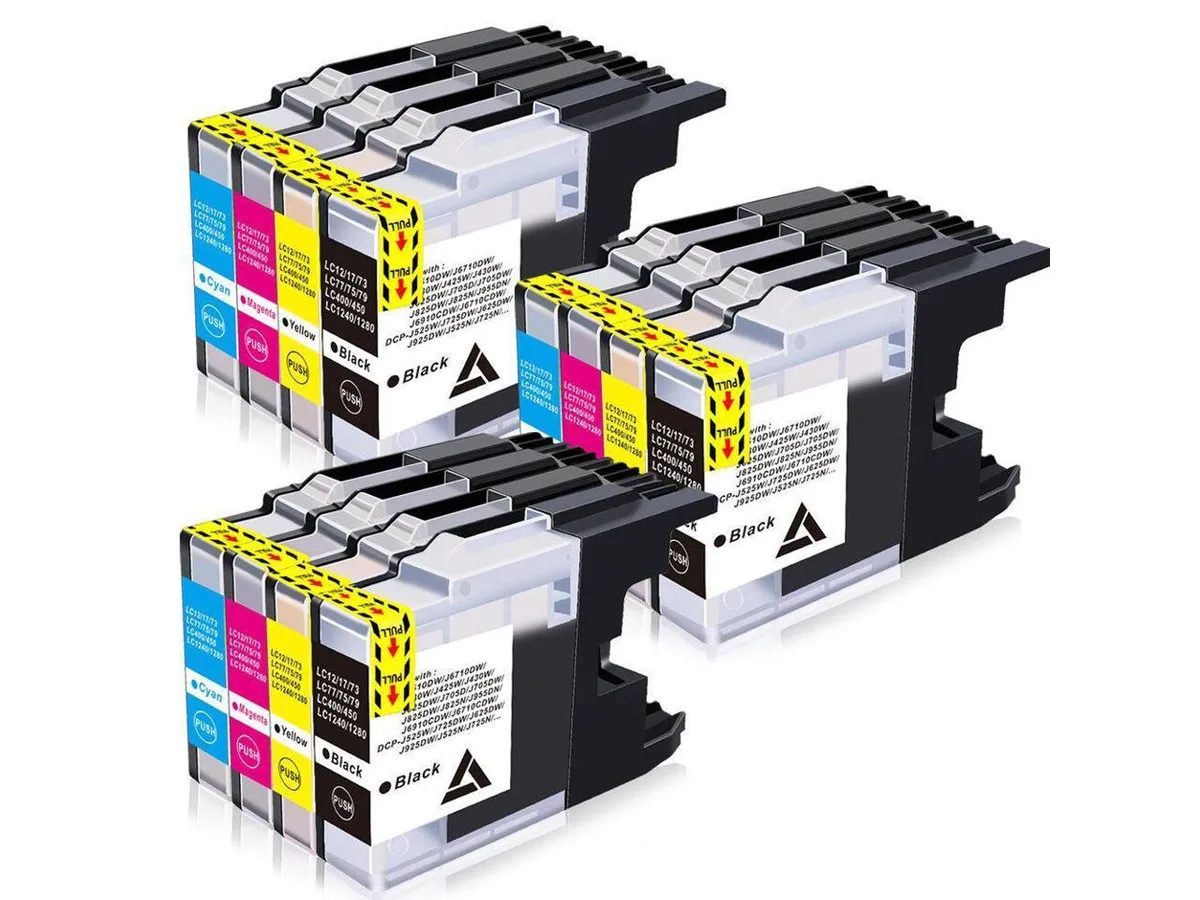
V4ink 12x LC-75/LC-79/LC-71 Ink Cartridge 4-Colour Pack
Twelve replacement cartridges in black, cyan, magenta and yellow for Brother DCP and MFC printers using LC75, LC79 or LC71 inks
- Four-colour printing ready with black, cyan, magenta and yellow cartridges
- Twelve cartridges included so you can replace each colour multiple times
- Brand-new aftermarket cartridges built to fit Brother LC-71, LC-75 and LC-79 slots
- Compatible with a wide range of Brother DCP and MFC inkjet printers
- Drop-in installation matches original cartridge dimensions for immediate use
Compatible Brother LC Cartridge Pack
This twelve-cartridge set contains black cyan magenta and yellow inks for Brother printers using the LC75 LC79 and LC71 series. The pack is designed for owners of compatible DCP and MFC inkjet models who want a full colour replacement supply in one purchase.
Suitable for listed Brother DCP and MFC printers
The cartridges fit the DCP-J525W J725DW J625DW J925N J725N J525N J925DW and MFC-J6510DW J6710DW J6710CDW J825N J705DW J625DW J6910CDW J835DW J5910CDW J955DN J825DW J425W J280W J430W J435W J6910DW. Printers outside this list cannot use these cartridges.
Four-colour LC75 LC79 LC71 set
The package delivers all four colours required for full-colour printing on supported Brother machines. Each cartridge replaces the corresponding original LC part so the printer recognises it normally.
Highlights
- Four-colour printing ready with black, cyan, magenta and yellow cartridges
- Twelve cartridges included so you can replace each colour multiple times
- Brand-new aftermarket cartridges built to fit Brother LC-71, LC-75 and LC-79 slots
- Compatible with a wide range of Brother DCP and MFC inkjet printers
- Drop-in installation matches original cartridge dimensions for immediate use
Specifications
| Brand | DCP-J525W/J725DW/J625DW DCP-J925N/J725N/J525N/J925DW MFC-J6510DW/J6710DW/J6710CDW MFC-J825N/J705DW/J625DW/J6910CDW MFC-J835DW/J5910CDW/J955DN/J825DW MFC-J425W/J280W/J430W/J435W/J6910DW |
|---|
Questions about this item
Will these LC75 cartridges fit my MFC-J280W printer?
Yes, the pack is compatible with the MFC-J280W and other listed Brother models such as the MFC-J435W and DCP-J525W.
How do I install the cartridges, and what mistake should I avoid?
Open the ink cover, remove the orange protective cap from each cartridge, and insert it firmly until it clicks; do not touch the copper contacts or nozzles.
When will I need to replace the black LC71 cartridge versus the colour ones?
Replace each cartridge individually when the printer indicates low ink; the black LC71 and colour LC75 cartridges deplete at different rates depending on usage.
Also in this aisle
People compared these
Same shelf, same checkout — eight coins and a 30-minute rate lock.


microMICR Corporation
microMICR Corporation imaging unit for Lexmark MS310 MS410 MS510 MS610 BK
- Yes
$81.99$111.99−27%
0.00099066BTC
In stock