
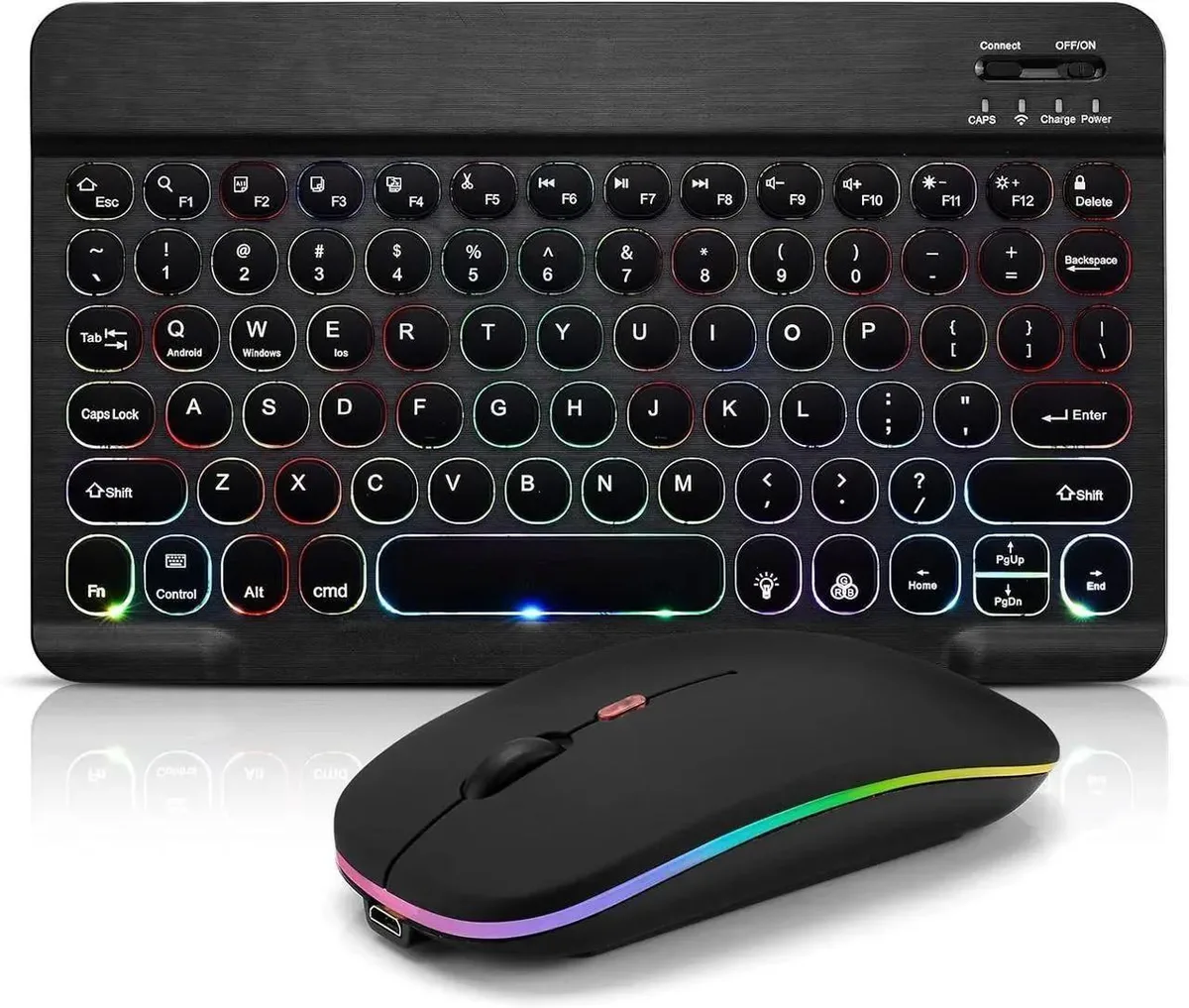


Universal
Universal Bluetooth Keyboard & Mouse Combo 7-Color LED Backlit Rechargeable
A rechargeable Bluetooth keyboard and mouse combo with 7-colour LED backlighting, scissor keys and 10-minute auto-sleep for long battery life
- TypeKeyboard Accessories
- BasePolymer
- SizeBluetooth Keyboard
- 7-color LED backlit keys for low-light typing
- Bluetooth wireless connection removes cable clutter
- Scissor key structure gives responsive keystrokes
- Auto-sleep after 10 minutes idle extends battery life
- Broad compatibility across iOS, Android, Windows devices
Universal Bluetooth Keyboard & Mouse Combo
This wireless keyboard and mouse set connects over Bluetooth and uses a scissor key structure for comfortable typing. A built‑in rechargeable lithium‑polymer battery powers both devices, and the keyboard enters sleep mode after 10 minutes of inactivity to extend runtime. Seven‑color LED backlighting lets you choose a preferred brightness tone. FN hot keys provide quick access to common functions.
Users who want a single cordless set for multiple
The combo pairs with iOS, Android and Windows tablets, phones, laptops and desktops without a separate receiver. It suits anyone who switches between a tablet and a computer and wants one keyboard for both. Buyers who need a wired connection, a dedicated numeric keypad or mechanical key switches should look at other options.
Bluetooth wireless connection with scissor keys
The keyboard and mouse link directly to the host device via Bluetooth, eliminating the need for a USB dongle. Scissor key switches deliver a low‑profile feel similar to laptop keyboards. Automatic sleep after 10 minutes and a charging indicator help manage battery life. No other interface or switch type is included.
Highlights
- 7-color LED backlit keys for low-light typing
- Bluetooth wireless connection removes cable clutter
- Scissor key structure gives responsive keystrokes
- Auto-sleep after 10 minutes idle extends battery life
- Broad compatibility across iOS, Android, Windows devices
Specifications
| Type | Keyboard Accessories |
|---|---|
| Base | Polymer |
| Size | Bluetooth Keyboard |
Questions about this item
Does the keyboard require a USB receiver or dongle to connect?
No, it uses a direct Bluetooth wireless connection so no USB receiver is needed.
What is the exact pairing sequence for a new device?
Turn on the keyboard, hold the Connect button for 3 seconds until the blue light blinks, then select the keyboard in the device Bluetooth settings — no password required.
How often will the built-in rechargeable battery need recharging under normal use?
The keyboard enters sleep mode after 10 minutes of inactivity to extend battery life; recharge via the included cable when the charging LED indicates low power.
Also in this aisle
People compared these
Same shelf, same checkout — eight coins and a 30-minute rate lock.


Lenovo
Lenovo 42T3273 Black Replacement Keyboard for ThinkPad T60 T61
- Thinkpad T60 T61 Ke…
- Black
$29.99
0.00034621BTC
In stock