


Tripp Lite
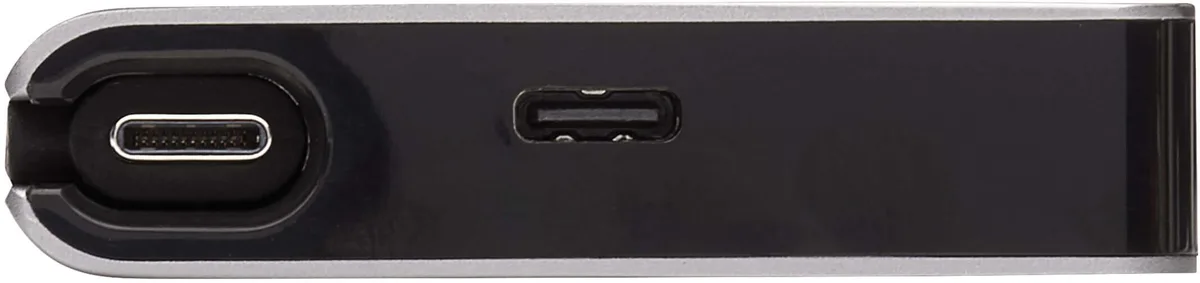
Tripp Lite U442-DOCK5D-GY USB-C Docking Station 4K 30 Hz
Expands a USB-C or Thunderbolt 3 port into a 4K 30 Hz workstation with HDMI video, USB peripherals, PD charging and Gigabit Ethernet
- Weight1
- Turns one USB-C port into a full workstation
- Outputs 4K video at 30 Hz to HDMI displays
- Supports 4:4:4 chroma for accurate colour work
- Adds Gigabit Ethernet for reliable wired networking
- Charges your laptop while you connect peripherals
Portable USB-C Docking Station
The Tripp Lite U442-DOCK5D-GY converts a single USB-C or Thunderbolt 3 port into a multi-port workstation for laptops, tablets, Chromebooks, MacBooks and smartphones. It adds an HDMI display output, USB peripherals, Gigabit Ethernet and Power Delivery charging through one built-in cable. The dock is designed for mobile professionals who need expanded connectivity without a bulky desktop hub.
Sustained Multi-Port Operation
The dock handles simultaneous 4K video output, data transfers, wired networking and PD charging continuously rather than in short bursts. Its aluminium housing dissipates heat during extended sessions so performance remains stable when driving a display at 4096 x 2160 resolution at 30 Hz with 4:4:4 chroma subsampling. No special drivers are required for devices that support USB DisplayPort Alternate Mode.
Upgrade from Basic Adapters
This dock replaces single-function dongles that only provide video or only add a USB port. The jump is worth it when you regularly connect a monitor, a wired network, multiple USB devices and need pass-through charging all at once. It is not for users who only need occasional HDMI output or who require 4K at 60 Hz or higher refresh rates.
Highlights
- Turns one USB-C port into a full workstation
- Outputs 4K video at 30 Hz to HDMI displays
- Supports 4:4:4 chroma for accurate colour work
- Adds Gigabit Ethernet for reliable wired networking
- Charges your laptop while you connect peripherals
Specifications
| Brand | Tripp Lite |
|---|---|
| Weight | 1 |
Questions about this item
Does the U442-DOCK5D-GY run hot or make noise when I keep it connected all day?
The compact dock has no fan and draws little power, so it stays silent and only warm to the touch during continuous use.
What must my laptop already have for this dock to work?
Your laptop needs a USB-C or Thunderbolt 3 port that supports DisplayPort Alternate Mode and Power Delivery charging.
Will the 4K 30 Hz HDMI output work properly with my older 1080p monitor?
Yes, the dock down-scales automatically, so a 1080p display receives its native resolution without extra setup.
Also in this aisle
People compared these
Same shelf, same checkout — eight coins and a 30-minute rate lock.


Kensington
Kensington Desk Mount Cable Anchor K64613WW accessory
- Black
- Provides a secure a…
$19.99
0.00023755BTC
In stock
Panasonic
Panasonic CF-VDR291U laptop cooling pad
- Optical Drive
- Buffer Size: 2 MB B…
$213.99
0.00254296BTC
In stock
eReplacements
eReplacements PB992A-ER laptop battery 14.4V
- Battery
- Lithium-Ion
$65.99
0.00078419BTC
In stock