


Tripp Lite
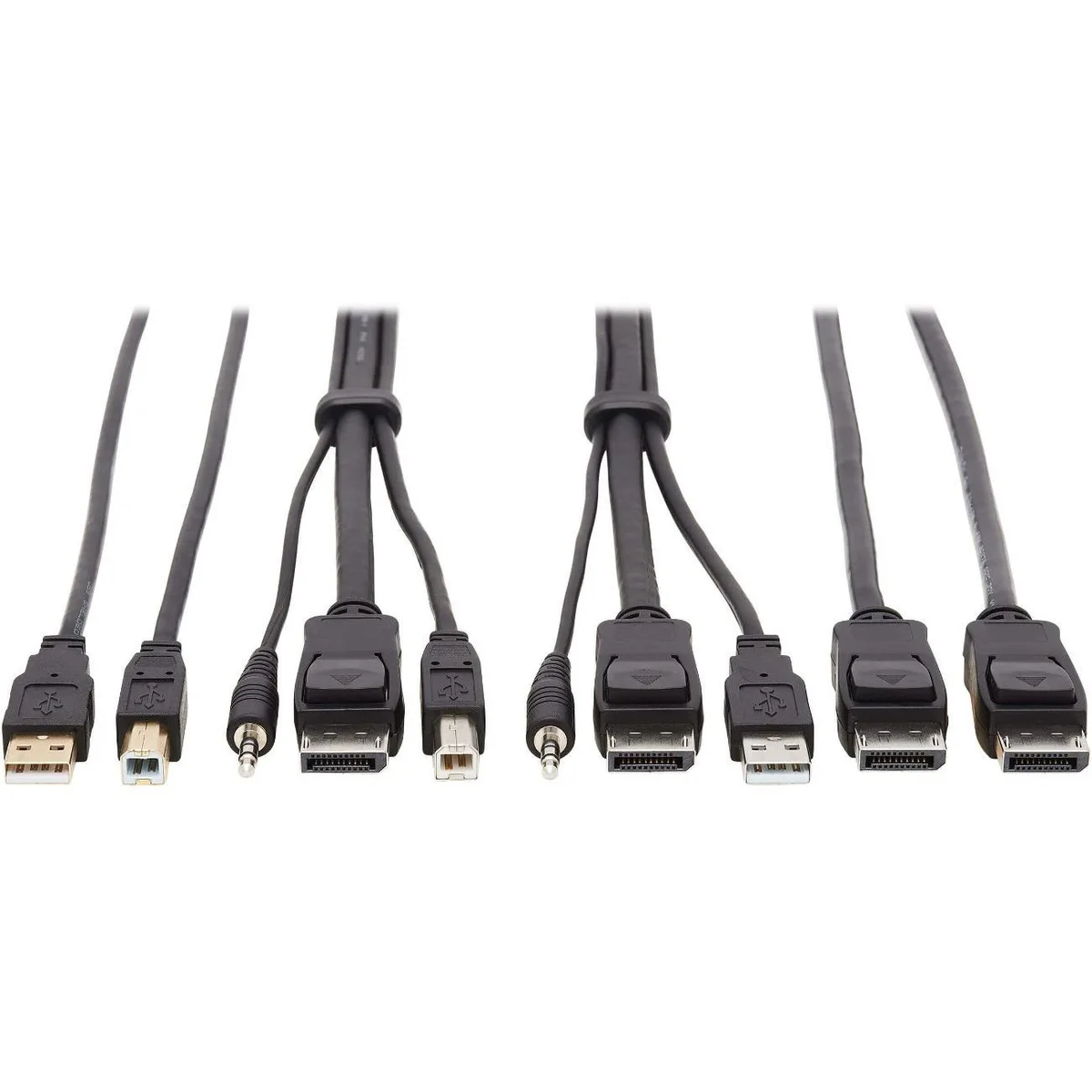
Tripp Lite P783-010-DPU 10 ft KVM USB cable
A 10 ft DisplayPort and USB cable kit connects a dual-monitor computer with CAC reader to compatible Tripp Lite NIAP KVM switches, supporting 3840 x 2160 at 60 Hz and USB 2.0 up to 480 Mbps
- Length10 ft
- ColorBlack
- Option10 ft.
- Combines multiple cables into one kit reducing clutter
- 10 ft length connects computer to KVM switch conveniently
- Supports 3840 x 2160 resolution at 60 Hz for clear video
- USB 2.0 data transfer up to 480 Mbps for peripheral connectivity
- Includes 3.5 mm audio connectors for sound pass-through
10 ft KVM Cable Kit
The Tripp Lite P783-010-DPU bundles three 10 ft cables into a single kit for administrators connecting a dual-monitor DisplayPort computer to a compatible NIAP KVM switch with a CAC port. It carries 3840 x 2160 video at 60 Hz with 4:4:4 chroma, USB 2.0 data at 480 Mbps and 3.5 mm audio.
Replaces Separate DisplayPort USB and Audio Runs
The kit consolidates a P580-010 DisplayPort cable, a U022-010 USB A/B cable for the CAC port and a 3.5 mm audio cable so you remove two extra cords from the rack. The jump is worth it when you deploy B002-DP2AC4 or B002-HD2AC4 switches and need smart-card or biometric reader support at the console.
Plug-and-Play With Keyed Connectors
Each end uses standard DisplayPort USB A/B and 3.5 mm plugs that seat with a firm click so misalignment is the only common snag. Verify the switch model matches the supported list before cabling because the CAC-port USB lead will not function on switches lacking that port.
Highlights
- Combines multiple cables into one kit reducing clutter
- 10 ft length connects computer to KVM switch conveniently
- Supports 3840 x 2160 resolution at 60 Hz for clear video
- USB 2.0 data transfer up to 480 Mbps for peripheral connectivity
- Includes 3.5 mm audio connectors for sound pass-through
Specifications
| Brand | TRIPP LITE |
|---|---|
| Length | 10 ft |
| Color | Black |
| Option | 10 ft. |
| Shipping weight | 0.64 kg |
| Package size | 280 × 220 × 40 mm |
Questions about this item
What connectors does the 10 ft KVM cable kit need on the computer side?
The kit provides DisplayPort male, USB A/B and 3.5 mm audio plugs that mate with the corresponding ports on your computer.
How is the USB A/B cable for the CAC port connected during installation?
Plug the USB A end into the KVM switch CAC port and the USB B end into the computer; the step often missed is seating both ends firmly before powering on the switch.
Which cable in the kit would be replaced first if a connector fails?
The USB A/B cable (U022-010) sees the most insertions for smart-card readers and is the most likely to need replacement.
Also in this aisle
People compared these
Same shelf, same checkout — eight coins and a 30-minute rate lock.



CHIEF MANUFACTURING
CHIEF MANUFACTURING CMS018 18" 457 mm Fixed Extension Column projector accessory
- Extension Column
- Projector
$22.99$22.99
0.00026553BTC
In stock