
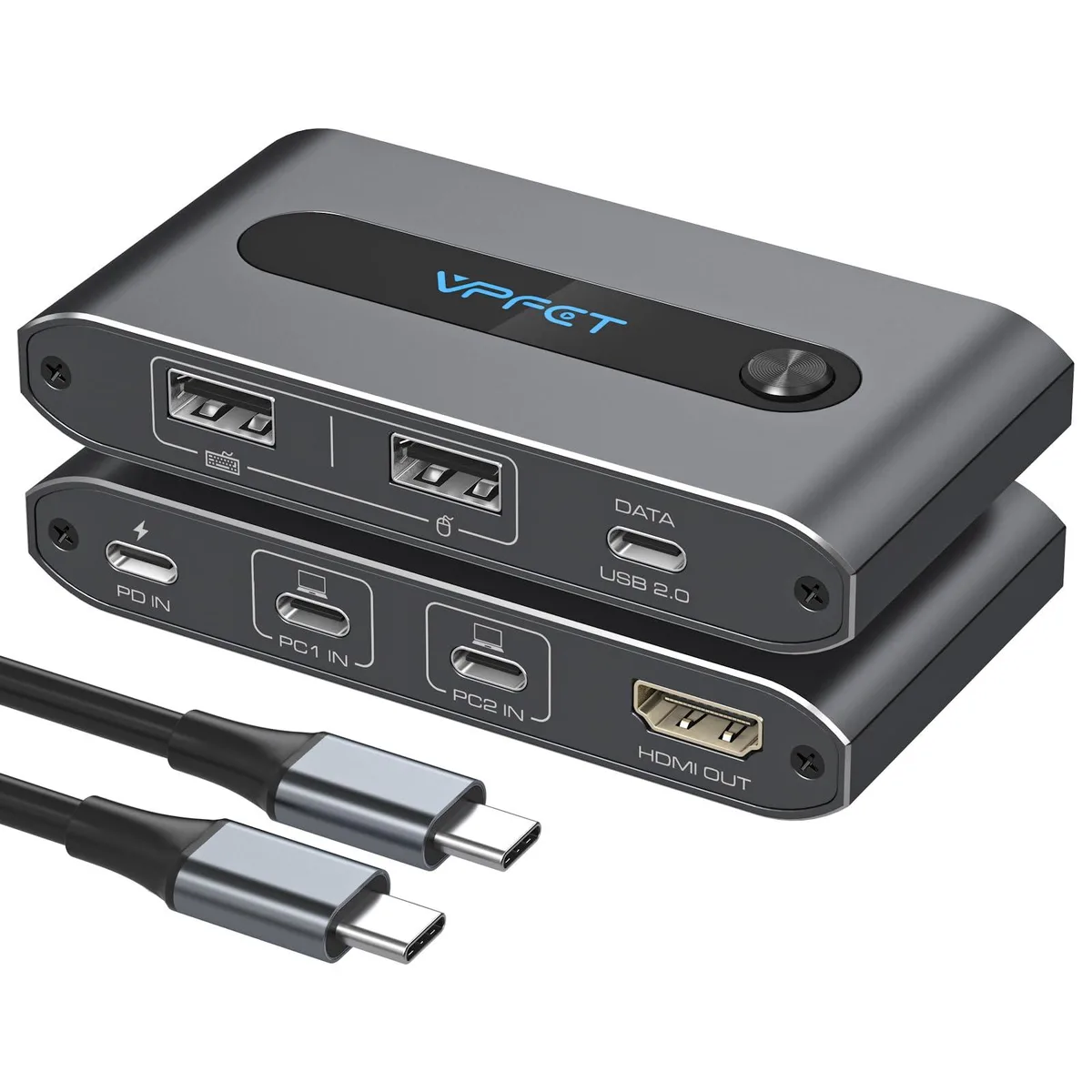


TRENDnet HKMH-HBUS-SW520 USB C KVM Switch 4K@60Hz 100W Charging
A USB-C KVM switch that lets two laptops share one monitor, keyboard, mouse and peripherals at 4K@60Hz while delivering 100W charging
- TypeUSB
- PC ConnectorsPlug In
- Console ConnectorsPlug In
- Computer ConnectionsUSB 2.0
- Monitor Connections4 Ports
- PC SelectionPush Buttons
- Share one monitor, keyboard and mouse between two laptops
- 4K resolution at 60 Hz via HDMI
- 100 W power delivery charges connected laptop
- Supports USB 2.0 peripherals and audio switching
- Push-button switching for instant computer selection
Purpose and audience
This USB-C KVM switch lets two laptops share one monitor, keyboard, mouse and USB peripherals. It is built for users whose laptops provide Thunderbolt 3 or higher and who want a single-cable desktop with 100 W charging. Buyers whose machines lack Thunderbolt cannot use this switch.
Thermals noise and power
The unit draws power from the connected laptops and delivers up to 100 W of charging to the active system. No fan or external power supply is included, so operation is silent and adds no extra heat to the desk. Power consumption scales with the attached devices and the laptop’s own load.
Deciding specification
The switch requires each laptop to have a Thunderbolt 3, 4 or 5 port for video, data and 100 W charging. Without that port the switch will not function, so confirming Thunderbolt support is the single factor that determines compatibility.
Highlights
- Share one monitor, keyboard and mouse between two laptops
- 4K resolution at 60 Hz via HDMI
- 100 W power delivery charges connected laptop
- Supports USB 2.0 peripherals and audio switching
- Push-button switching for instant computer selection
Specifications
| Brand | TRENDnet |
|---|---|
| Model | HKMH-HBUS-SW520 |
| Part Number | HKMH-HBUS-SW520 |
| Type | USB |
| PC Connectors | Plug In |
| Console Connectors | Plug In |
| Computer Connections | USB 2.0 |
| Monitor Connections | 4 Ports |
| PC Selection | Push Buttons |
| Monitors Supported | VGA DDC, DDC2, DDC2B |
| Audio Features | Offers audio and microphone switching |
| USB Features | with USB support |
| SplitterOnly | VGA Monitor Splitter only |
| Application | Plug In |
| Features | Plug In, 1, IP20 |
| Dimensions | 14.33in W x 12.83in H x 9.06in D |
| Package Contents | with Built-in Cables |
Questions about this item
How do I connect two laptops to the HKMH-HBUS-SW520 and which step is often missed?
Connect each laptop via its Thunderbolt 3/4/5 port using the built-in cables, then attach one HDMI monitor and USB peripherals to the console ports; the step often missed is verifying that both laptop USB-C ports actually support Thunderbolt video and data, not just charging.
What maintenance or replacement will the HKMH-HBUS-SW520 need over time?
The integrated cables are not user-replaceable, so if a cable fails the entire switch must be replaced; keep the push-button selector and vents clear of dust to maintain reliable switching.
What limit appears first when the HKMH-HBUS-SW520 runs continuously with two laptops charging?
The 100 W power delivery budget is shared across both laptop ports, so sustained full-speed charging of two high-draw laptops will hit the total power limit before any thermal or video-bandwidth constraint.
Also in this aisle
People compared these
Same shelf, same checkout — eight coins and a 30-minute rate lock.


Black Box Corporation
Black Box Corporation 4K60 HDMI Dual-Head KVM Switch 4 Port
$774.99
0.00935413BTC
In stock