


TP-Link
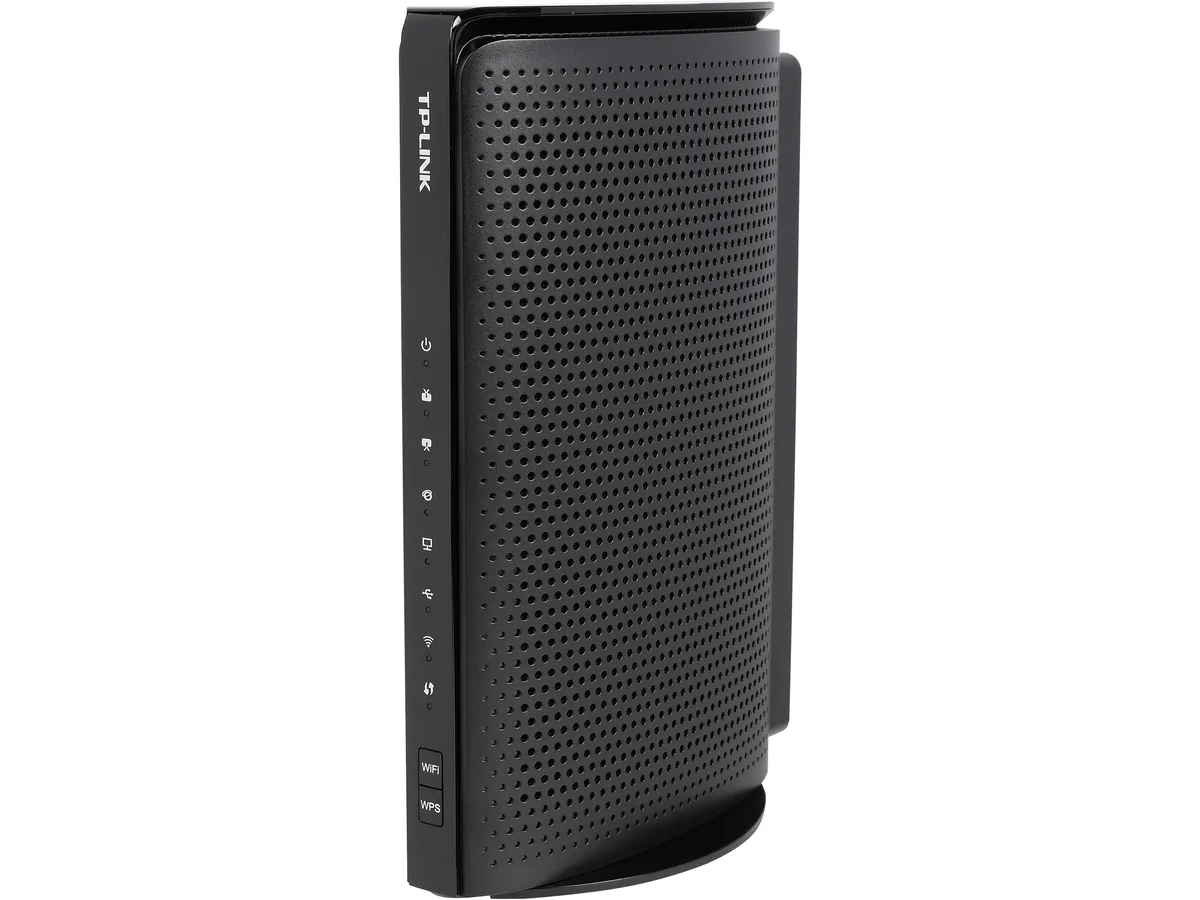
TP-Link TC-W7960 DOCSIS 3.0 300 Mbps Cable Modem Router
Combines a DOCSIS 3.0 cable modem with 802.11n Wi-Fi and four Gigabit Ethernet ports for cable plans up to 150 Mbps
- TypeCable Modem
- InterfaceRJ-45
- Cable Interface4 10/100/1000 Mbps RJ45 LAN Ports 1 Coax Port 1 USB 2.0 Port
- StandardsDOCSIS 3.0
- Windows VistaWindows 8 / Windows 7 / Windows Vista , Service Pack 1 or la
- FeaturesMemory: 16 MB flash and 128MB DDR3 SDRAM b button: 1 Power O
- DOCSIS 3.0 delivers up to 343 Mbps download and 143 Mbps upload
- 300 Mbps wireless N covers everyday streaming and browsing
- Certified for Comcast XFINITY, Spectrum, Cox and other major providers
- Four Gigabit LAN ports give wired devices full-speed local access
- USB 2.0 port enables network file or printer sharing
Modem-router for cable plans up to 150 Mbps
The TP-Link TC-W7960 combines a DOCSIS 3.0 cable modem with an N300 wireless router. It is certified for major providers including Comcast XFINITY, Spectrum, Cox and others. The unit delivers up to 343 Mbps downstream and 143 Mbps upstream on the cable side, while Wi-Fi reaches 300 Mbps. Four Gigabit LAN ports and a USB 2.0 port handle wired and shared devices.
Replaces a rented gateway on 8x4 channel service
This device substitutes the cable-company gateway when your plan tops out around 150 Mbps and the network uses 8 downstream by 4 upstream bonding. The jump is worth it if you want to stop the monthly rental fee and keep a separate router you already own in bridge mode. It will not help if your provider requires DOCSIS 3.1 or more than 8x4 channels for your tier.
Check coax wiring and provider activation steps
Verify the outlet provides a clean signal and that the ISP will activate a customer-owned modem with MAC registration. Ensure you have a 12 V DC 1.5 A power source and space for the 8.2 x 5.9 x 2.9 inch chassis. The package includes an RJ-45 cable, power adapter and quick guide. No telephone or fibre ports are present.
Highlights
- DOCSIS 3.0 delivers up to 343 Mbps download and 143 Mbps upload
- 300 Mbps wireless N covers everyday streaming and browsing
- Certified for Comcast XFINITY, Spectrum, Cox and other major providers
- Four Gigabit LAN ports give wired devices full-speed local access
- USB 2.0 port enables network file or printer sharing
Specifications
| Brand | TP-Link |
|---|---|
| Model | TC-W7960 |
| Type | Cable Modem |
| Interface | RJ-45 |
| Cable Interface | 4 10/100/1000 Mbps RJ45 LAN Ports 1 Coax Port 1 USB 2.0 Port |
| Standards | DOCSIS 3.0 |
| Windows Vista | Windows 8 / Windows 7 / Windows Vista , Service Pack 1 or later / Windows XP, Service Pack 2 or later / Mac 10.4 or later (Ethernet connection only) UNIX Linux |
| Features | Memory: 16 MB flash and 128MB DDR3 SDRAM b button: 1 Power On / Off Button 1 WPS Button 1 Wi-Fi, On / Off Button 1 Reset Button External Power Supply: 12V DC / 1.5A IEEE Standards: IEEE802.3, 802.3u, 802.3ab, 802.1p, 802.1q DOC SIS Standards: DOCSIS 1.0, 1.1, 2.0, & 3.0 Antenna Type: 2 Internal Antennas Wireless Standards: IEEE 802.11n/g/b 2.4 GHz Wireless Speeds: Up to 300 Mbps Frequency: 2.4 GHz Transmit Power: <30 dBm (EIRP) Wireless Security: Support 64 / 128 bit WEP, WPA / WPA2, WPA-PSK / WPA2-PSK 300 Mbps wireless speeds provides a ultra-wireless experience Channel bonding of u |
| Package Contents | 300 Mbps Wireless N DOCSIS 3.0 Cable Modem Router RJ-45 Ethernet Cable Quick Installation Guide Power Adapter |
| Shipping weight | 0.91 kg |
| Package size | 259 × 244 × 91 mm |
Questions about this item
How much desk space does the 8.2 x 5.9 x 2.9 inch unit need?
The device measures 8.2 by 5.9 by 2.9 inches and weighs 1.7 pounds, so it fits on a small shelf or desk corner with room for the coax and power cables.
Which step do users often miss when activating the modem with their cable provider?
After connecting the coax cable and powering on, you must call your provider and give them the MAC address printed on the bottom label to provision the modem on their network.
When should the external 12V 1.5A power adapter be replaced?
Replace the adapter if the modem loses power intermittently, the LED indicators flicker, or the unit fails to boot while the outlet and coax connection are confirmed good.
Also in this aisle
People compared these
Same shelf, same checkout — eight coins and a 30-minute rate lock.


