

TOPKTEAM
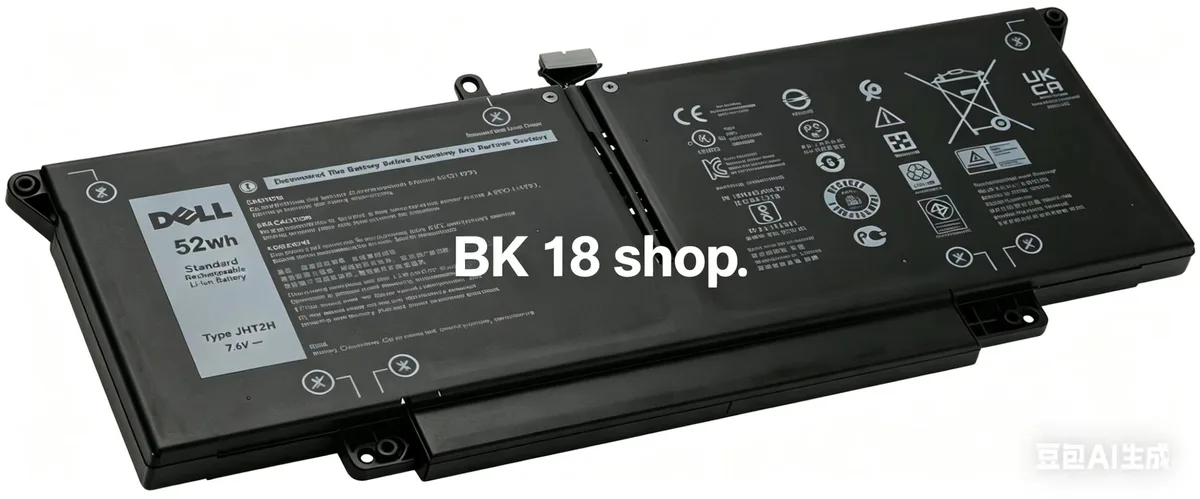
TOPKTEAM 52WH JHT2H Laptop Battery For Dell Latitude 7310 7410
A 52WH lithium-ion battery compatible with Dell Latitude 7310 and 7410 series
- Battery TypeLithium-Ion
- 52WH capacity supports extended mobile work sessions
- 6V lithium-ion chemistry delivers stable power output
- Compatible with Latitude 7310 and 7410 series laptops
- Replaces OEM part numbers JHT2H, 04V5X2, 0HRGYV and others
- New condition with one-year manufacturer warranty
Genuine 52WH JHT2H Battery
This genuine 52WH JHT2H lithium-ion battery is built for Dell Latitude 7310 and 7410 series laptops, including 2-in-1 and Chromebook Enterprise variants. It restores factory runtime for professionals who rely on consistent mobile power.
Replaces worn 7.6V Dell packs
The unit replaces Dell part numbers 04V5X2, 0HRGYV, 07CXN6, 35J09, 0YJ9RP and 009YYF. The upgrade is worth it when the original cell no longer holds a full charge or triggers a capacity warning in the BIOS.
Verify exact model and part number
Confirm your laptop is a Latitude 7310 or 7410 series and that the existing battery carries one of the listed Dell part numbers. Different sub-models use different packs, so matching the part number prevents a mismatch.
Highlights
- 52WH capacity supports extended mobile work sessions
- 6V lithium-ion chemistry delivers stable power output
- Compatible with Latitude 7310 and 7410 series laptops
- Replaces OEM part numbers JHT2H, 04V5X2, 0HRGYV and others
- New condition with one-year manufacturer warranty
Specifications
| Battery Type | Lithium-Ion |
|---|
Questions about this item
Will the 7.6 V 52 WH JHT2H pack fit inside a Dell Latitude 7310 chassis without modification?
Yes, the battery is built to the exact dimensions of the original 04V5X2 and 0HRGYV modules used in the Latitude 7310 and 7410 series, so it seats in the standard bay with no case changes.
What is the correct order to install the JHT2H battery in a Latitude 7410 2-in-1, and which step is most often missed?
Power off the laptop, disconnect the AC adapter, remove the base cover screws, unplug the old battery connector, fit the new pack, reconnect the cable, replace the cover and screws; the step most often missed is unplugging the old battery connector before lifting the pack out.
When should the 52 WH Li-ion unit be replaced, and what part number do I reorder?
Replace it when runtime falls well below the original 52 WH rating or the pack swells; reorder using the JHT2H, 04V5X2 or 0HRGYV part numbers listed for the Latitude 7310 and 7410 families.
Also in this aisle
People compared these
Same shelf, same checkout — eight coins and a 30-minute rate lock.


Kensington
Kensington K50421WW laptop stand accessory
- Stand
- SmartFit System Sim…
$23.99
0.00028956BTC
In stock
Kensington
Kensington 52795 24" 16:9 Privacy Screen Accessory
- Screen Protector
- Designed for 16:9 a…
$77.99
0.00094134BTC
In stock
Ergotron
Ergotron 80-107-200 CPU Mount for Thin Client and Flat Panel Display accessory
- Black
$51.99
0.00062752BTC
In stock