


Timoom
Timoom SM-X620 Magnetic Keyboard Case with Mouse for Tab S10 FE+ 13.1" 2025 Black
Magnetic case holds a 13.1" 2025 tablet with a detachable backlit Bluetooth keyboard and a dual-mode wireless mouse for 23 hours of use
- ColorBlack
- FeaturesBacklit
- Package ContentsBluetooth keyboard*1, Tablet Case*1, USB Cable, Wireless mou
- Custom-fit for Samsung Tab S10 FE+ 13.1" 2025 models
- Detachable Bluetooth touchpad keyboard converts tablet to laptop instantly
- Dual-mode wireless mouse works via Bluetooth and 2.4G
- Backlit keys with RGB colour support for low-light typing
- 23-hour charge delivers 80 working hours or 30-day standby
Custom-fit for Tab S10 FE+ 13.1
The Timoom SM-X620 is a magnetic keyboard case designed exclusively for the Samsung Galaxy Tab S10 FE+ 13.1 inch 2025 models SM-X620 and X626B. It transforms the tablet into a laptop-like workstation with a detachable 78-key backlit keyboard and integrated touchpad. The bundle also includes a dual-mode wireless mouse and a protective case shell. This set is not for buyers who need compatibility with other tablet models or sizes.
23-hour charge and auto-sleep
The keyboard delivers 23 hours of use per full charge and up to 80 working hours or 30 days of standby time with its power-saving design. It enters auto-sleep after 15 minutes of inactivity and wakes with any key press. Bluetooth disconnects when the tablet sleeps to conserve energy. No figures for mouse battery life or charging time are provided in the specifications.
Detachable keyboard and dual-mode mouse
The bundled Bluetooth keyboard detaches magnetically for flexible use and features RGB backlighting with an Android mode toggle via FN+Q. The included wireless mouse supports both Bluetooth and 2.4G connectivity for use with the tablet or a laptop. A built-in stylus slot is provided at the bottom of the case, though the stylus itself is not included. A USB cable is supplied for charging.
Highlights
- Custom-fit for Samsung Tab S10 FE+ 13.1" 2025 models
- Detachable Bluetooth touchpad keyboard converts tablet to laptop instantly
- Dual-mode wireless mouse works via Bluetooth and 2.4G
- Backlit keys with RGB colour support for low-light typing
- 23-hour charge delivers 80 working hours or 30-day standby
Specifications
| Brand | Timoom |
|---|---|
| Color | Black |
| Features | Backlit |
| Package Contents | Bluetooth keyboard*1, Tablet Case*1, USB Cable, Wireless mouse*1 |
Other versions of this model
5 more in the same range
Same family, different memory, cooler or clock — compare before you commit.


Timoom
Timoom SM-X620 Magnetic Keyboard Case with Mouse for Samsung Tab S10 FE+ 13.1" 2025 Pink accessory
- Pink
- Bluetooth keyboard*…
$46.99
0.0005575BTC
In stock
Timoom
Timoom SM-X620 keyboard case with mouse, Dark Green
- Dark Green
- Backlit
$47.99
0.00056936BTC
In stock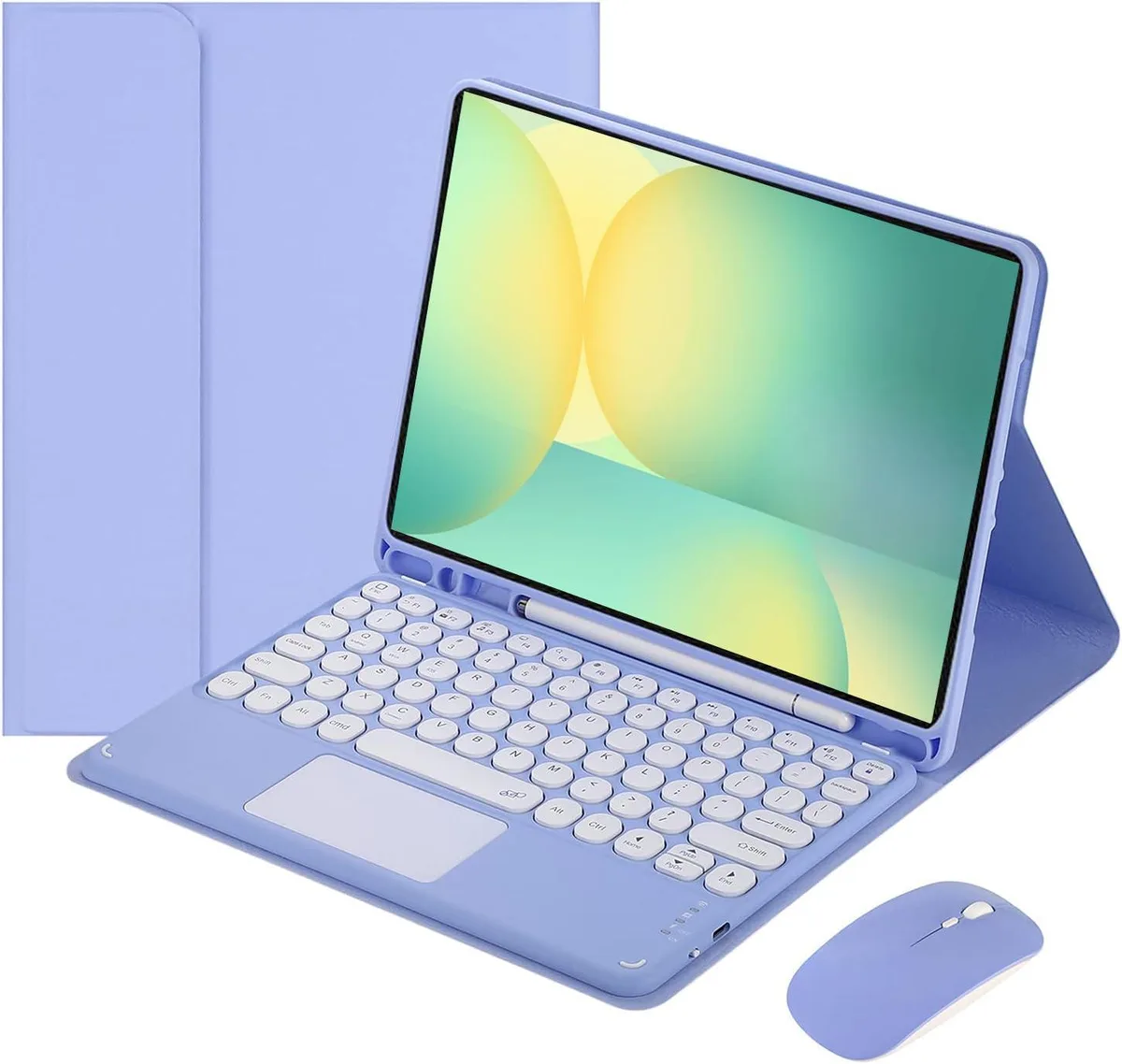
Timoom
Timoom SM-X620 Keyboard Case with Mouse Purple 13.1 2025
- Purple
- Backlit
$49.99
0.00059309BTC
In stock
Timoom
Timoom SM-X620 Keyboard Case with Mouse Green accessory
- Green
- Bluetooth keyboard*…
$51.99
0.00061682BTC
In stockQuestions about this item
How do I pair the keyboard with my Samsung Tab S10 FE+ 13.1" 2025?
Fully charge the keyboard, power it on, then press FN+C to enter Bluetooth pairing mode. Open the tablet's Bluetooth settings, select the keyboard, and press FN+Q to switch to Android mode for normal use.
What battery life can I expect from the keyboard and mouse during daily use?
The keyboard delivers 23 hours on a full charge, or up to 80 working hours and 30-day standby with the power-saving design. The wireless mouse runs on the same dual-mode connection and shares the same charging cycle.
When does the auto-sleep feature activate and how do I wake the keyboard?
The keyboard enters auto-sleep after 15 minutes of inactivity. Press any key to wake it; note that Bluetooth disconnects when the tablet itself goes to sleep.
Also in this aisle
People compared these
Same shelf, same checkout — eight coins and a 30-minute rate lock.


Kensington
Kensington Desk Mount Cable Anchor K64613WW accessory
- Black
- Provides a secure a…
$19.99
0.00023717BTC
In stock
Panasonic
Panasonic CF-VDR291U laptop cooling pad
- Optical Drive
- Buffer Size: 2 MB B…
$213.99
0.00253883BTC
In stock
eReplacements
eReplacements PB992A-ER laptop battery 14.4V
- Battery
- Lithium-Ion
$65.99
0.00078292BTC
In stock