Timoom
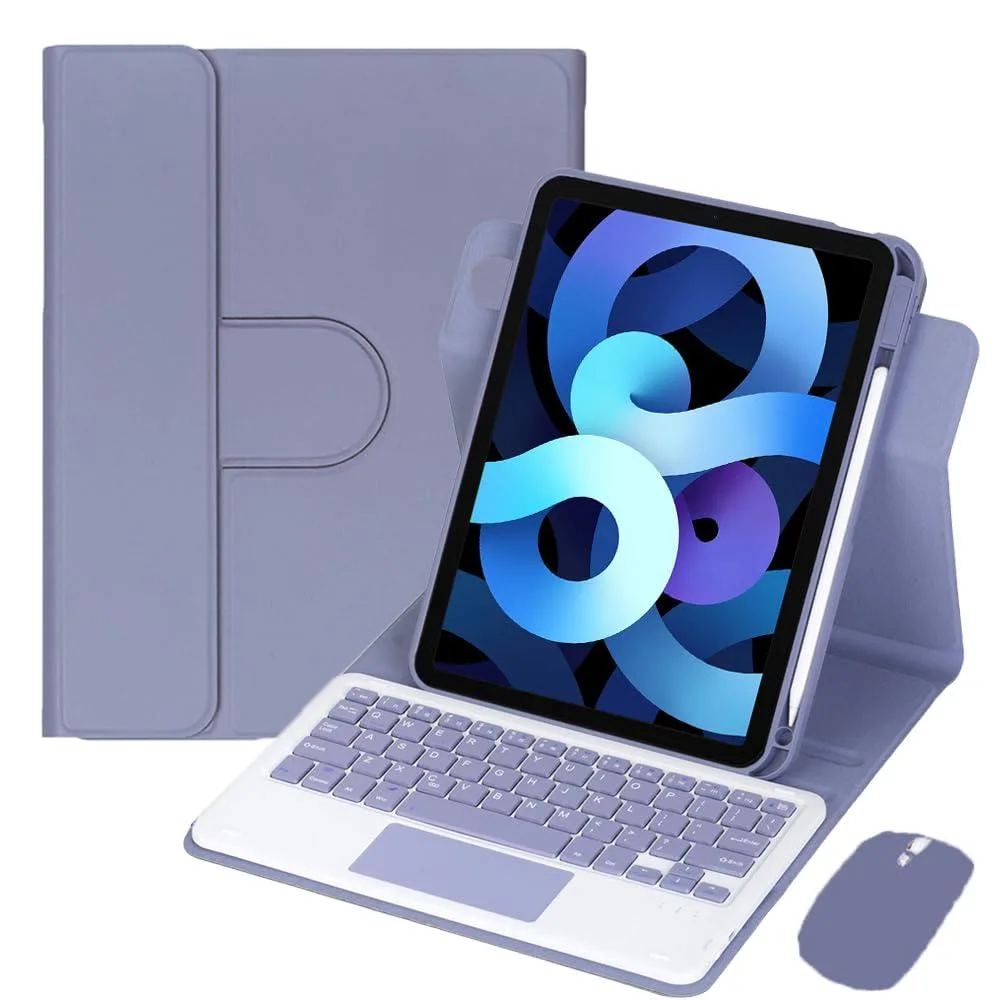
Timoom 360° Rotating Keyboard Case for iPad 10th Gen 10.9" (2022) Gray
- Gray
- 10.9"
$36.99
0.00044013BTC
In stockWe take cryptocurrency — so the coins you hold can buy real hardware.Pay in crypto, spend it on real hardware. Free insured shipping worldwide over $399. Plain, unbranded boxes, sent from Germany.Free insured shipping over $399. Your rate is locked for 30 minutes once checkout opens.Rate locked 30 minutes. Every item sealed, serial-checked and covered by a 24-month warranty.Sealed, 24-month warranty.


Timoom
A 360° rotatable keyboard case with detachable Bluetooth keyboard, trackpad and pencil slot turns the 10.9" iPad Air into a laptop-style device
color pink
The Timoom keyboard case fits iPad Air 4th generation 2020 and 5th generation 2022 models with a 10.9 inch screen. A detachable Bluetooth keyboard with US English layout and an integrated trackpad transform the tablet into a laptop-style device. The cover rotates 360 degrees for horizontal or vertical viewing. A built-in pencil holder and precise cutouts keep ports accessible.
This case serves users who need a physical keyboard and trackpad for productivity tasks such as writing, email or video calls. The rechargeable keyboard enters sleep mode automatically to conserve power. Buyers who want a case without a keyboard, or who require a non-US keyboard layout, should look at something else. The tablet and stylus are not included.
The keyboard connects via Bluetooth and pairs by pressing Fn+C. It recharges using the supplied USB cables and features an auto-sleep function. Enabling AssistiveTouch in iPadOS activates the trackpad. This single component determines whether the case matches your typing and navigation needs.
| Brand | Timoom |
|---|---|
| Color | Pink |
| Maximum support size | 10.9" |
| Windows Vista | Certified for Windows Vista |
| Features | Standalone, Bluetooth |
Other versions of this model
Same family, different memory, cooler or clock — compare before you commit.
Yes, the cover includes a built-in stylus holder that fits the Apple Pencil for iPad Air 10.9" models.
Power on the keyboard, then press Fn + C (Fn is next to Ctrl) to enter Bluetooth pairing mode.
Turn on AssistiveTouch in Settings > Touch > AssistiveTouch to activate trackpad operation.
Also in this aisle
Same shelf, same checkout — eight coins and a 30-minute rate lock.
What you pay in, and what you read prices in.
Sent from your wallet at checkout
Display only — the catalogue is priced in USD
No currency matches that.
Pick the language the site speaks to you in.
No language matches that.
New here?
Already have one?
There is no automatic reset: this shop sends no mail, so there is no one-time link to ask for. Leave the address on the account and it gets picked up by hand.
Request noted
Nothing is on its way to your inbox — this shop sends no mail at all. Someone picks these up by hand.
Remembered it?