Timoom
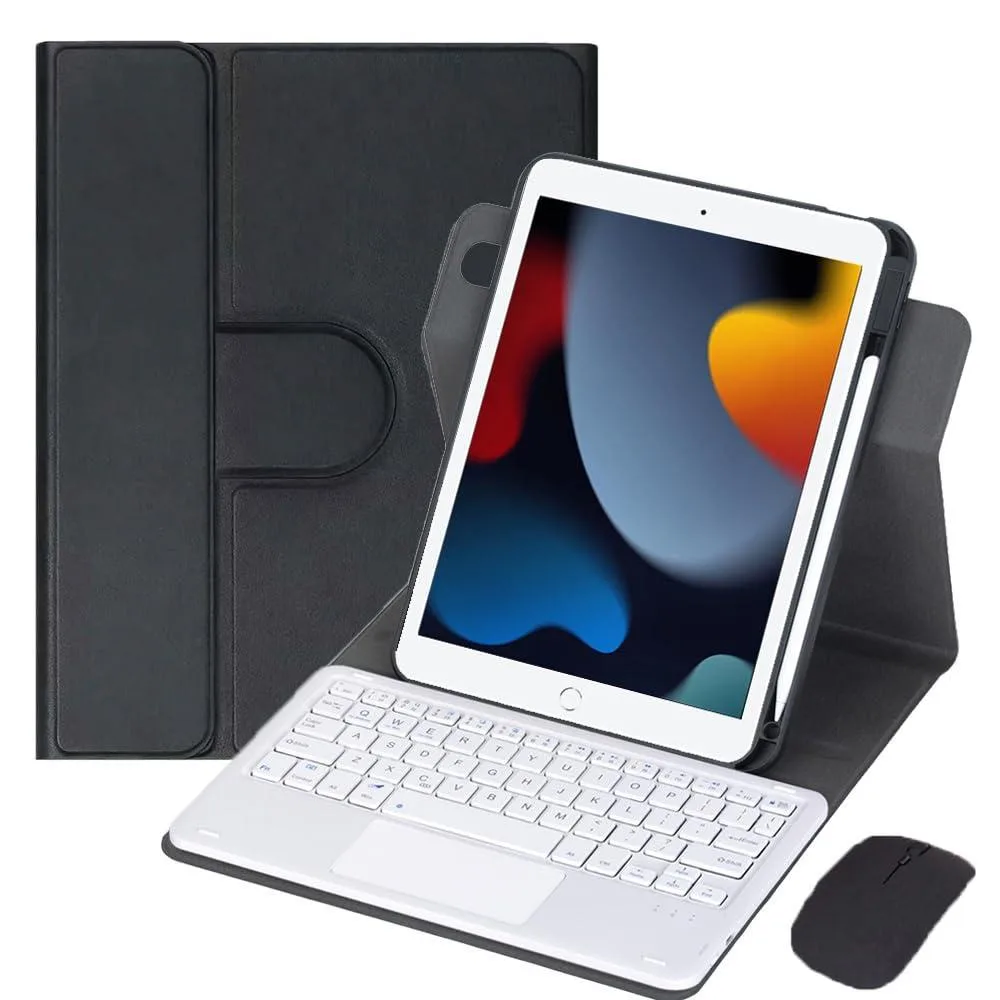
Timoom 10.2" iPad 7/8/9 Gen 360 Keyboard Case with Trackpad Green
- Green
- 10.2"
$35.99
0.0004284BTC
In stockWe take cryptocurrency — so the coins you hold can buy real hardware.Pay in crypto, spend it on real hardware. Free insured shipping worldwide over $399. Plain, unbranded boxes, sent from Germany.Free insured shipping over $399. Your rate is locked for 30 minutes once checkout opens.Rate locked 30 minutes. Every item sealed, serial-checked and covered by a 24-month warranty.Sealed, 24-month warranty.


Timoom
Detachable Bluetooth keyboard with trackpad and 360° rotating stand for 10.2" iPad 7th/8th/9th Gen in lavender gray
color lavendergray
The Timoom keyboard case is built for the 10.2-inch iPad 7th, 8th and 9th generation models including A2197, A2198, A2200, A2270, A2428, A2429, A2603, A2604 and A2605. It adds a detachable Bluetooth keyboard, integrated trackpad and a 360° rotating stand so students and mobile professionals can type, browse and stream in either orientation.
The keyboard connects over Bluetooth and requires the iPad AssistiveTouch setting to be enabled before the trackpad becomes active. Pressing Fn+C puts the keypad into pairing mode and the auto-sleep function conserves power when the keyboard is idle.
The case fits only the 10.2-inch 7th, 8th and 9th generation iPads listed above; it will not accommodate other iPad sizes or generations. Buyers with a different model need a case matched to their specific device.
| Brand | Timoom |
|---|---|
| Color | lavender gray |
| Maximum support size | 10.2" |
| Features | Standalone, Bluetooth |
| Package Contents | true |
Other versions of this model
Same family, different memory, cooler or clock — compare before you commit.
This single lavender gray version fits all three generations — A2197, A2198, A2200, A2270, A2428, A2429, A2603, A2604 and A2605 — so you simply pick the one colour and capacity shown.
The stand rotates a full 360 degrees, letting you switch between portrait and landscape orientations for typing, reading, watching video or drawing without removing the tablet.
Power on the keyboard, press Fn + C to enter pairing mode, then enable AssistiveTouch in Settings > Accessibility > Touch to activate the built-in trackpad.
Also in this aisle
Same shelf, same checkout — eight coins and a 30-minute rate lock.
What you pay in, and what you read prices in.
Sent from your wallet at checkout
Display only — the catalogue is priced in USD
No currency matches that.
Pick the language the site speaks to you in.
No language matches that.
New here?
Already have one?
There is no automatic reset: this shop sends no mail, so there is no one-time link to ask for. Leave the address on the account and it gets picked up by hand.
Request noted
Nothing is on its way to your inbox — this shop sends no mail at all. Someone picks these up by hand.
Remembered it?