


Timetec
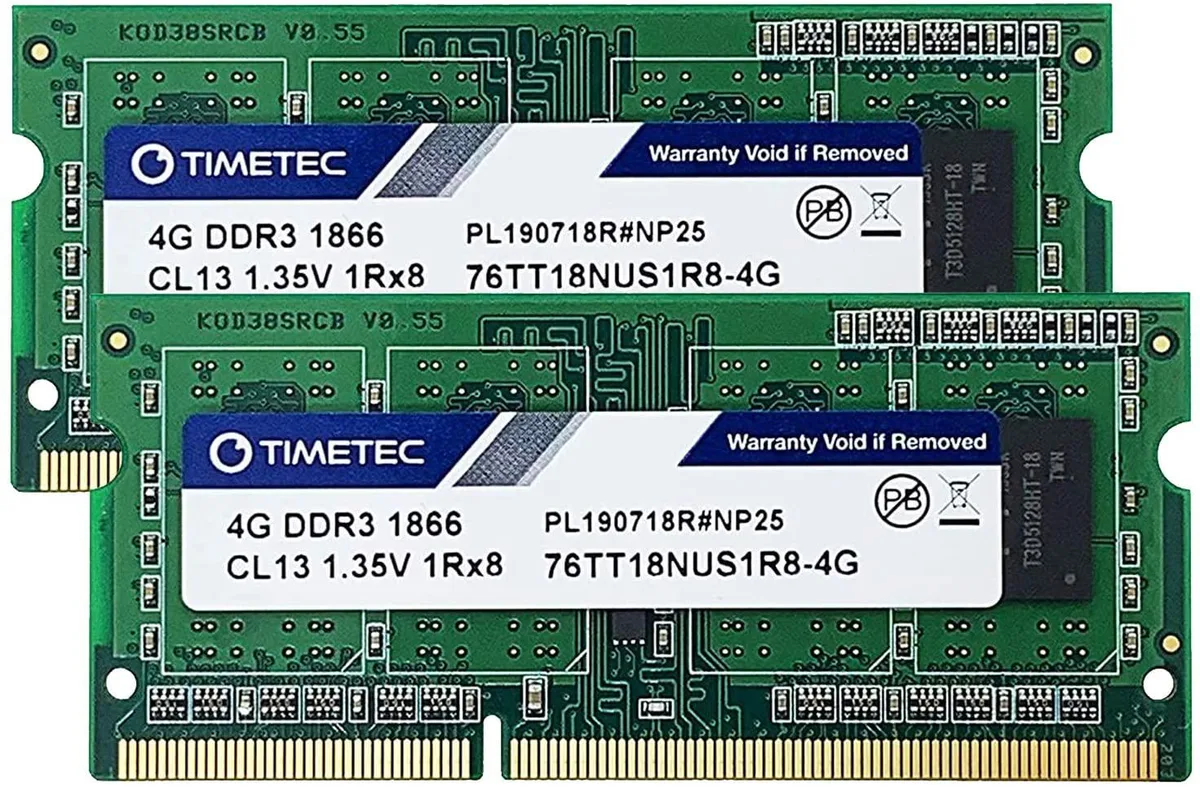
Timetec 8GB Kit (2x4GB) DDR3L 1866MHz CL13 204-Pin SODIMM Laptop RAM
Dual-channel 8 GB DDR3L kit running at 1866 MHz with CL13 latency and 1.35 V operation
- Capacity8GB (2 x 4GB)
- Type204-Pin DDR3 SO-DIMM
- SpeedDDR3 1866 (PC3 15000)
- CAS LatencyCL13
- 8GB dual-channel kit boosts multitasking with two 4GB modules
- DDR3L 1866MHz speed delivers responsive performance for everyday computing
- CL13 latency ensures quick data access for smooth operation
- Dual-voltage 1.35V/1.5V design works with both DDR3L and DDR3 slots
- 204-pin SODIMM form factor fits standard laptop memory sockets
8 GB DDR3L SODIMM Kit
This Timetec kit supplies eight gigabytes of laptop memory as two 4 GB modules. The sticks use 204-pin DDR3L SO-DIMM form factor and run at 1866 MHz with a CAS latency of 13. They operate at the JEDEC standard 1.35 V and can also run at 1.5 V.
Suits DDR3L laptop upgrades.
The dual-voltage design works in notebooks that accept DDR3L or DDR3 SO-DIMMs. Systems that require registered ECC memory, desktop DIMM slots or a different DDR generation cannot use these modules. Buyers needing higher capacity per stick or a different pin count should look elsewhere.
1866 MHz CL13 speed rating
The rated frequency of 1866 MHz (PC3-14900) with CL13 timing is the key figure to match against the laptop's memory controller specification. If the platform supports this speed and timing the kit will run at its rated performance.
Highlights
- 8GB dual-channel kit boosts multitasking with two 4GB modules
- DDR3L 1866MHz speed delivers responsive performance for everyday computing
- CL13 latency ensures quick data access for smooth operation
- Dual-voltage 1.35V/1.5V design works with both DDR3L and DDR3 slots
- 204-pin SODIMM form factor fits standard laptop memory sockets
Specifications
| Brand | Timetec |
|---|---|
| Capacity | 8GB (2 x 4GB) |
| Type | 204-Pin DDR3 SO-DIMM |
| Speed | DDR3 1866 (PC3 15000) |
| CAS Latency | CL13 |
Questions about this item
Will my laptop need a 204‑pin DDR3 SODIMM slot to use this kit?
Yes, the modules are 204‑pin DDR3L SODIMMs, so the notebook must provide a matching DDR3 SODIMM socket.
Can the 1866 MHz CL13 sticks run with slower DDR3 memory I keep installed?
The kit operates at 1866 MHz CL13 and is dual‑voltage (1.35 V/1.5 V); it will down‑clock to match any slower DDR3 modules already in the system.
How can I confirm the RAM is running at 1866 MHz CL13 after installation?
Check the memory speed and CAS latency in the BIOS or with a tool such as CPU‑Z; they should show 1866 MHz and CL13.
New to this? Buying memory and SSDs with crypto — what to check, what it costs to pay, and what is never asked for.
Also in this aisle
People compared these
Same shelf, same checkout — eight coins and a 30-minute rate lock.



Sunfounder
Sunfounder Raspberry Pi Ultimate Kit with PiCrawler AI Robot 337 components 131 projects
$174.99
0.00210831BTC
In stock
minisforum
minisforum MF-SRP01 SSD Heatsink accessories barebone
- SSD Heatsink
$6.99
0.00008422BTC
In stock