

Sunfounder
Sunfounder Raspberry Pi Ultimate Kit with PiCrawler AI Robot 337 components 131 projects
$174.99
0.00208019BTC
In stockWe take cryptocurrency — so the coins you hold can buy real hardware.Pay in crypto, spend it on real hardware. Free insured shipping worldwide over $399. Plain, unbranded boxes, sent from Germany.Free insured shipping over $399. Your rate is locked for 30 minutes once checkout opens.Rate locked 30 minutes. Every item sealed, serial-checked and covered by a 24-month warranty.Sealed, 24-month warranty.
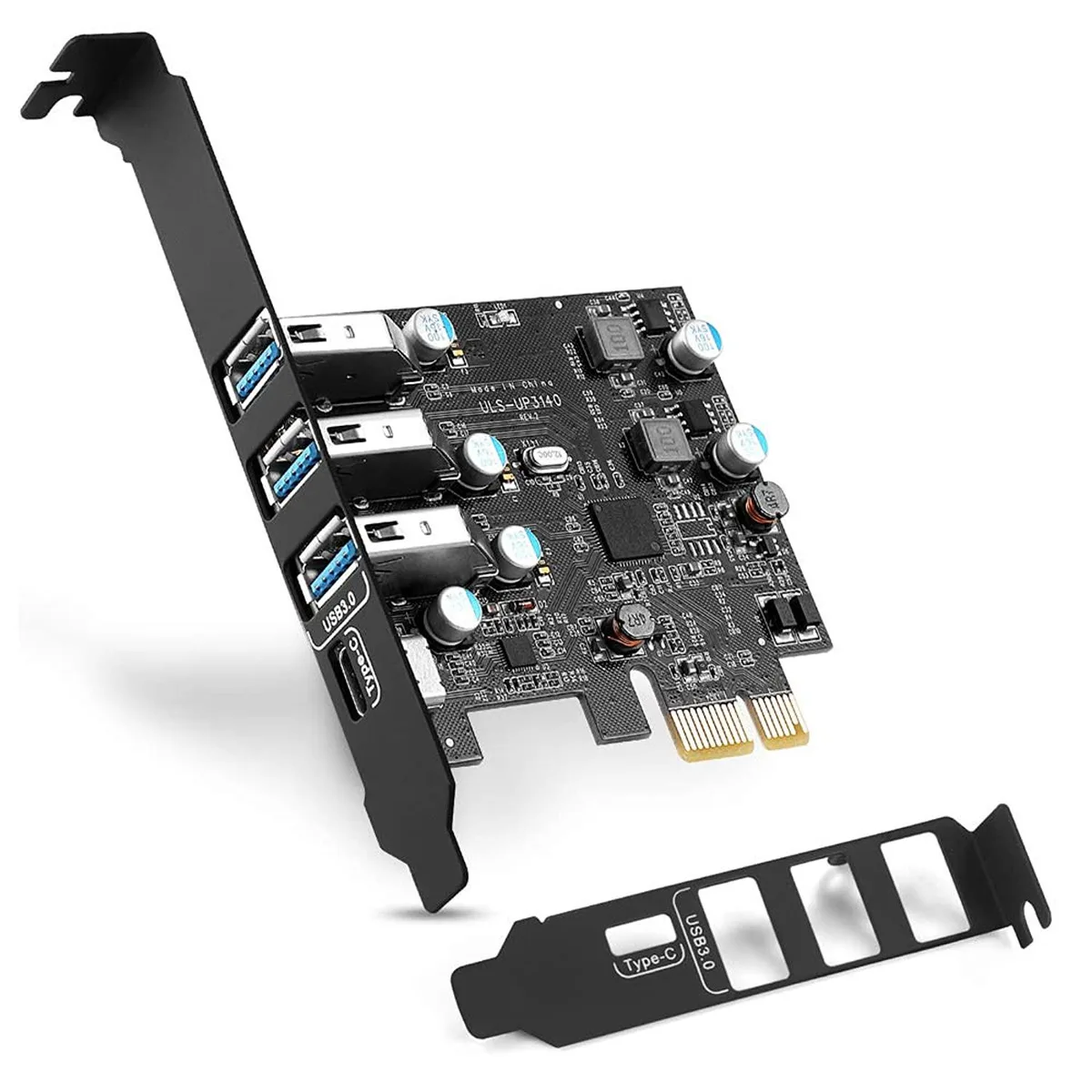


Thinkstar
Adds four USB 3.0 ports — one Type-C and three Type-A — to a desktop PC via a PCIe slot, supporting Windows and macOS 10.8.2 or later
This Thinkstar add-in card adds one USB-C and three USB-A ports to a desktop PC through a single PCI Express slot. It supports Windows 10, 8, 7, XP and macOS 10.8.2 or later. The card targets users who need more high-speed ports for external drives, peripherals or VR headsets without replacing the motherboard.
The card replaces a shortage of native USB 3.0 connectors on older or budget motherboards. The jump is worth it when you regularly move large media files or run multiple USB 3.0 devices simultaneously and the board only offers USB 2.0 or too few 3.0 ports.
Shut down the PC, disconnect power, open the case and seat the card in a free PCIe slot, then secure it with the two supplied screws. A driver CD and manual are included. The main pitfall is forgetting to install the driver after reboot, which leaves the new ports inactive.
| Type | No |
|---|
The board measures 4.13 by 3.17 inches and mounts in a regular PCIe slot using the two screws supplied.
After pushing the card into the slot you must secure it with the two included screws before closing the case and booting.
A driver CD is included for the initial setup; no periodic maintenance or replacement component is required for the card itself.
New to this? Buying PC parts with Monero — what to check, what it costs to pay, and what is never asked for.
Also in this aisle
Same shelf, same checkout — eight coins and a 30-minute rate lock.
What you pay in, and what you read prices in.
Sent from your wallet at checkout
Display only — the catalogue is priced in USD
No currency matches that.
Pick the language the site speaks to you in.
No language matches that.
New here?
Already have one?
There is no automatic reset: this shop sends no mail, so there is no one-time link to ask for. Leave the address on the account and it gets picked up by hand.
Request noted
Nothing is on its way to your inbox — this shop sends no mail at all. Someone picks these up by hand.
Remembered it?



