


TAURKENAM
TAURKENAM 10-in-1 USB-C Docking Station 4K HDMI 100W PD
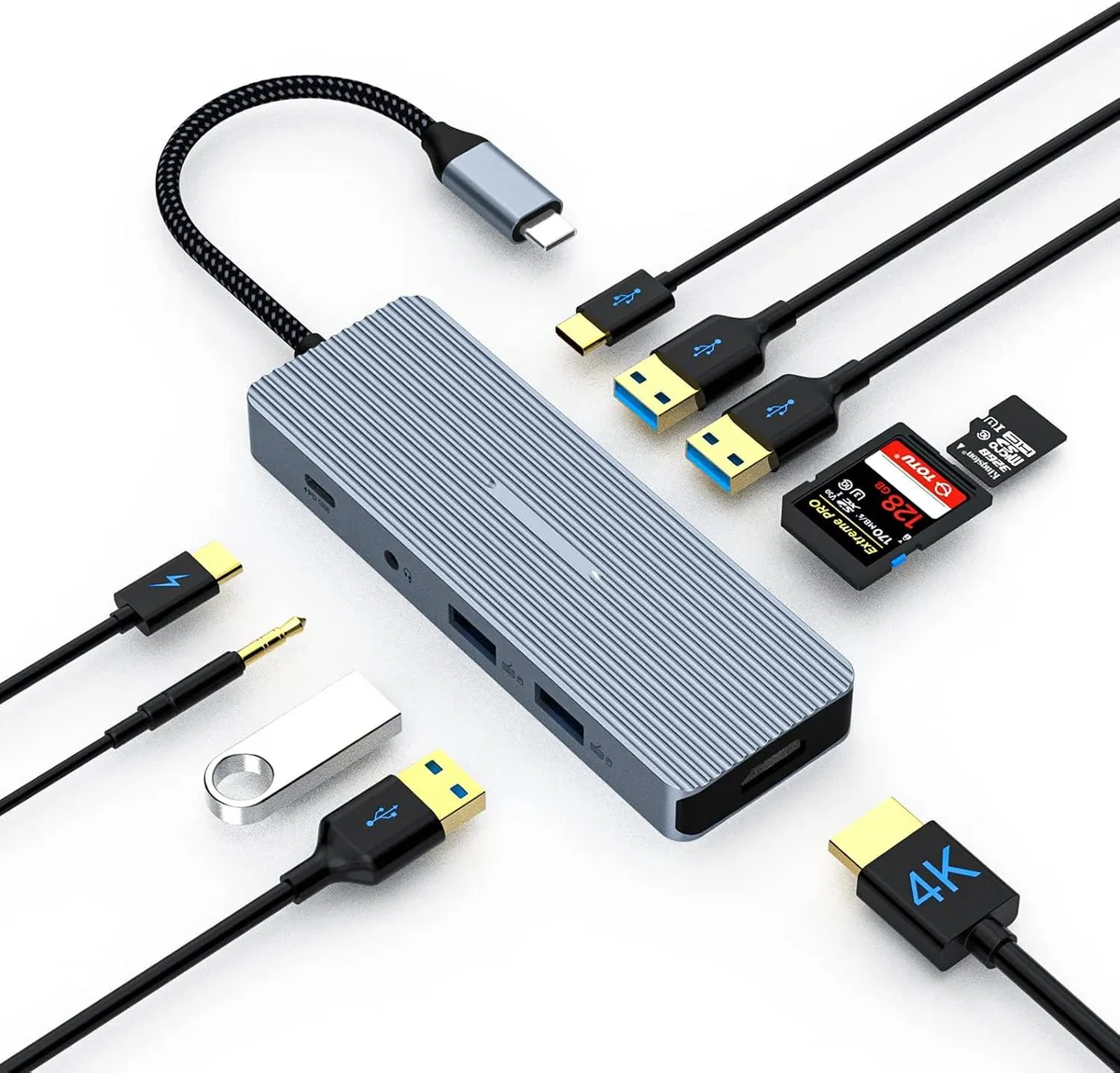
A 10-in-1 USB-C docking station adds 4K HDMI at 30Hz, 100W power delivery, multiple USB ports, card readers and audio
- 4K HDMI extends or mirrors display at 30Hz
- 100W PD charges laptop while dock is in use
- 10 ports include USB-C 3.0 two USB-A 3.0 two USB-A 2.0 SD TF audio jack
- Unibody aluminium resists fingerprints and stays cool with overload protection
- Plug-and-play works instantly without driver installation
10-in-1 USB-C Dock with 4K HDMI
The TAURKENAM docking station adds ten ports through a single USB-C connection. It provides 4K HDMI video at 30Hz, two USB 3.0 ports, two USB 2.0 ports, one USB-C 3.0 data port, a 100W Power Delivery input, a 3.5mm audio jack, and SD plus TF card readers. The unibody aluminium housing is plug-and-play with no drivers required.
Suits mobile workers needing legacy ports
This hub fits users who want to connect an external monitor, wired peripherals, memory cards and headphones while keeping their laptop powered. It is not for buyers who need more than one video output or who require USB-C video-out from the data port.
4K HDMI limited to 30Hz refresh rate
The single HDMI port drives a 4K display at 30Hz only. If your workflow demands 4K at higher refresh rates or dual-monitor support, this dock will not meet that requirement.
Highlights
- 4K HDMI extends or mirrors display at 30Hz
- 100W PD charges laptop while dock is in use
- 10 ports include USB-C 3.0 two USB-A 3.0 two USB-A 2.0 SD TF audio jack
- Unibody aluminium resists fingerprints and stays cool with overload protection
- Plug-and-play works instantly without driver installation
Specifications
No published specifications for this item yet.
Questions about this item
How do I connect the TAURKENAM 10-in-1 USB-C Docking Station to my laptop, and which port is often confused?
Plug the host USB-C cable into a port that supports video and power delivery; the USB-C 3.0 port on the hub is for data only and will not drive the 4K HDMI output.
What maintenance or replacement will the docking station need over time?
No scheduled maintenance is required; keep the unibody aluminum casing and the SD/TF card slots free of dust, and replace the unit only if the overload or overheat protection triggers permanently.
What limit appears first when I run the 4K HDMI at 30 Hz while charging at 100 W PD for hours?
The HDMI port is capped at 30 Hz, so sustained 4K output cannot exceed that refresh rate regardless of the 100 W PD load.
Also in this aisle
People compared these
Same shelf, same checkout — eight coins and a 30-minute rate lock.


Kensington
Kensington Desk Mount Cable Anchor K64613WW accessory
- Black
- Provides a secure a…
$19.99
0.00023542BTC
In stock
Panasonic
Panasonic CF-VDR291U laptop cooling pad
- Optical Drive
- Buffer Size: 2 MB B…
$213.99
0.00252017BTC
In stock
eReplacements
eReplacements PB992A-ER laptop battery 14.4V
- Battery
- Lithium-Ion
$65.99
0.00077717BTC
In stock