

Targus
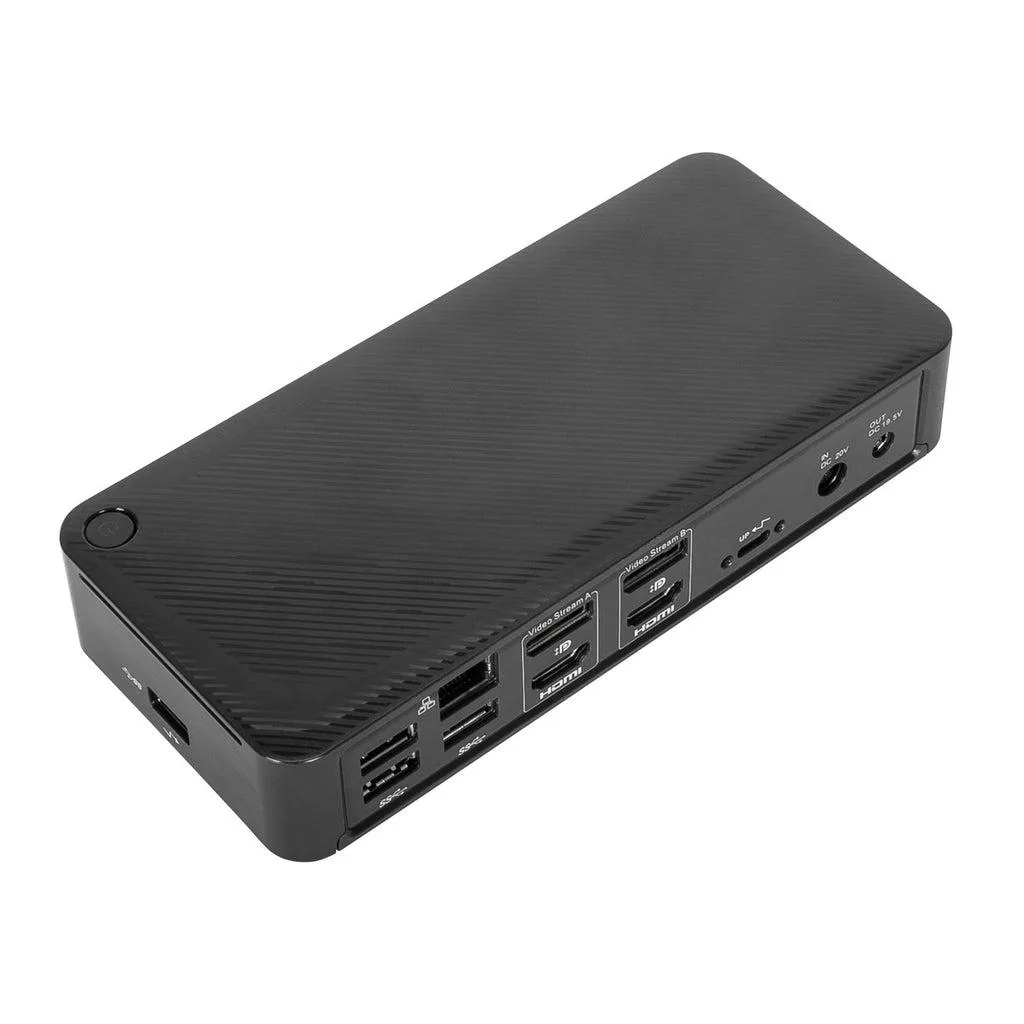
Targus USB-C Universal DV4K Docking Station 100W
A universal dock driving dual 4K 60 Hz displays, delivering 100 W power, and adding Gigabit Ethernet plus five USB ports
- Dual 4K 60 Hz video via two DisplayPort 1.2a or HDMI 2.0 ports
- 100W Power Delivery 3.0 keeps a USB-C laptop charged while working
- 10 Gbps USB 3.2 Gen 2 Type-C plus four USB 3.2 Gen 1 Type-A ports, one fast-charging
- Gigabit Ethernet and 3.5 mm combo audio for wired network and headset
- Kensington T-bar lock slot secures the dock in shared spaces
Universal 4K Docking Station
The Targus USB-C Universal DV4K Docking Station delivers dual 4K UHD video at 60 Hz through two DisplayPort 1.2a and two HDMI 2.0 outputs. It supplies up to 100 W of Power Delivery 3.0 to the host laptop while providing a Gigabit Ethernet connection and a 3.5 mm combo audio jack. A Kensington T-bar lock slot adds physical security for shared or mobile workspaces.
Professionals needing dual 4K displays
This dock suits users who want a single-cable setup for two external monitors, wired networking and peripheral expansion with 100 W host charging. It works with Windows, macOS, Android, Chrome OS and Linux Ubuntu hosts that support USB-C DisplayPort Alt Mode or Thunderbolt 3. Buyers whose laptops lack USB-C video output or require Thunderbolt 4 bandwidth should consider other solutions.
Detachable 1 m host cable
The package includes a 1 metre USB-C to USB-C detachable host cable and a tethered USB-C female to USB-A male adapter, enabling connection to both USB-C and legacy USB-A ports. Four USB 3.2 Gen 1 Type-A ports (one fast-charging) and one USB 3.2 Gen 2 Type-C port at 10 Gbps provide ample peripheral connectivity without extra hubs.
Highlights
- Dual 4K 60 Hz video via two DisplayPort 1.2a or HDMI 2.0 ports
- 100W Power Delivery 3.0 keeps a USB-C laptop charged while working
- 10 Gbps USB 3.2 Gen 2 Type-C plus four USB 3.2 Gen 1 Type-A ports, one fast-charging
- Gigabit Ethernet and 3.5 mm combo audio for wired network and headset
- Kensington T-bar lock slot secures the dock in shared spaces
Specifications
No published specifications for this item yet.
Questions about this item
Does my laptop need a USB-C port with DisplayPort Alt Mode or Thunderbolt to drive two 4K displays at 60 Hz?
Yes — the dock requires a USB-C host that supports DisplayPort Alt Mode or Thunderbolt 3 to enable dual 4K UHD at 60 Hz over its two DisplayPort 1.2a or HDMI 2.0 outputs.
Can I still use my older USB-A laptop with the included adapter and keep the 100 W charging?
The bundled USB-C female to USB-A male adapter lets you connect a USB-A host, but Power Delivery up to 100 W only works when the dock is attached to a USB-C port that supports PD 3.0.
How can I confirm the dock is delivering the full 100 W to my laptop after I plug it in?
Check your operating system’s power or battery settings — it should report 20 V at 5 A (100 W) when the dock’s 100 W PD 3.0 profile is actively negotiated.
Also in this aisle
People compared these
Same shelf, same checkout — eight coins and a 30-minute rate lock.


IXJYLCPC
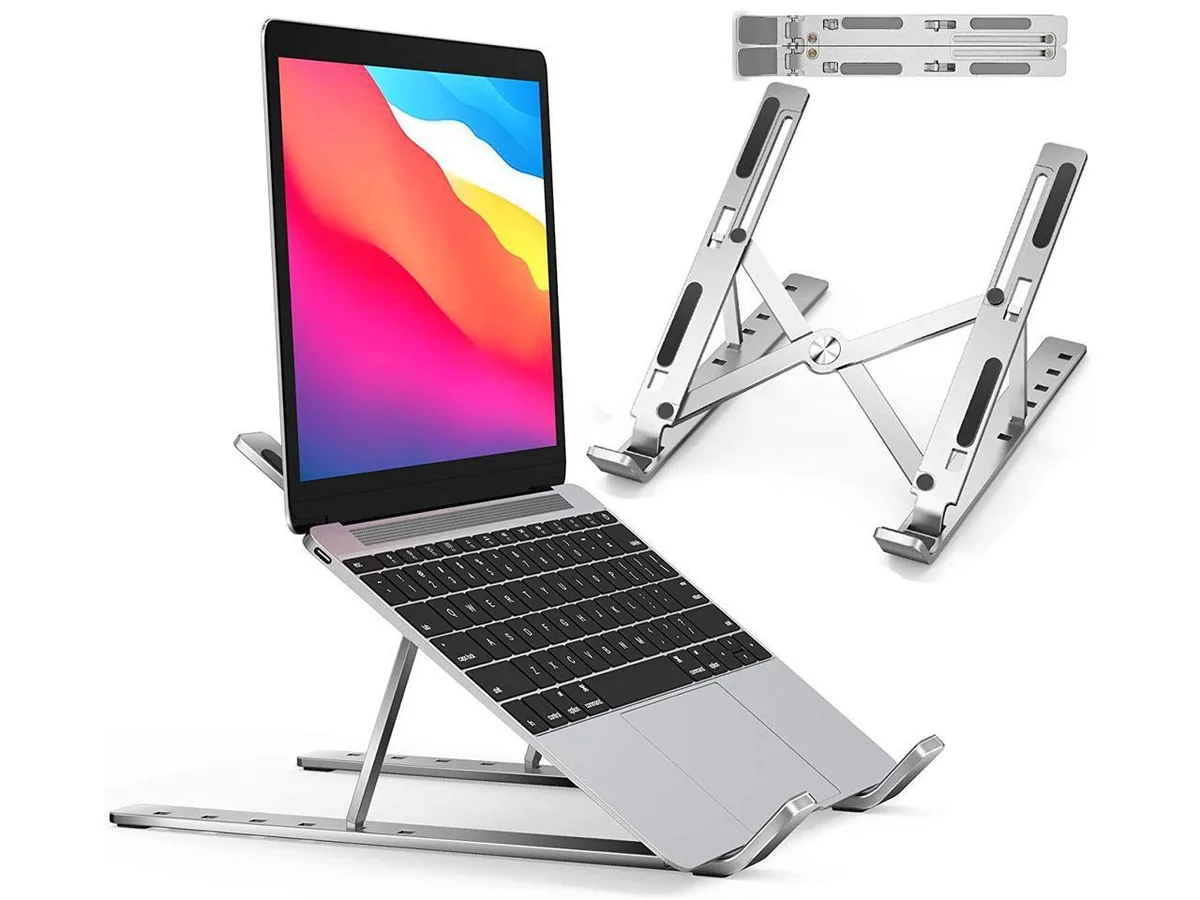
IXJYLCPC C08LS Adjustable Ergonomic Riser Stand Black 10-15.6
- Stand
$31.99
0.00036882BTC
In stock