

Astro Gaming
Astro Gaming Wireless Keyboard Mouse Combo Silver White 2 in 1 Accessories
$43.99
0.00052748BTC
In stockWe take cryptocurrency — so the coins you hold can buy real hardware.Pay in crypto, spend it on real hardware. Free insured shipping worldwide over $399. Plain, unbranded boxes, sent from Germany.Free insured shipping over $399. Your rate is locked for 30 minutes once checkout opens.Rate locked 30 minutes. Every item sealed, serial-checked and covered by a 24-month warranty.Sealed, 24-month warranty.
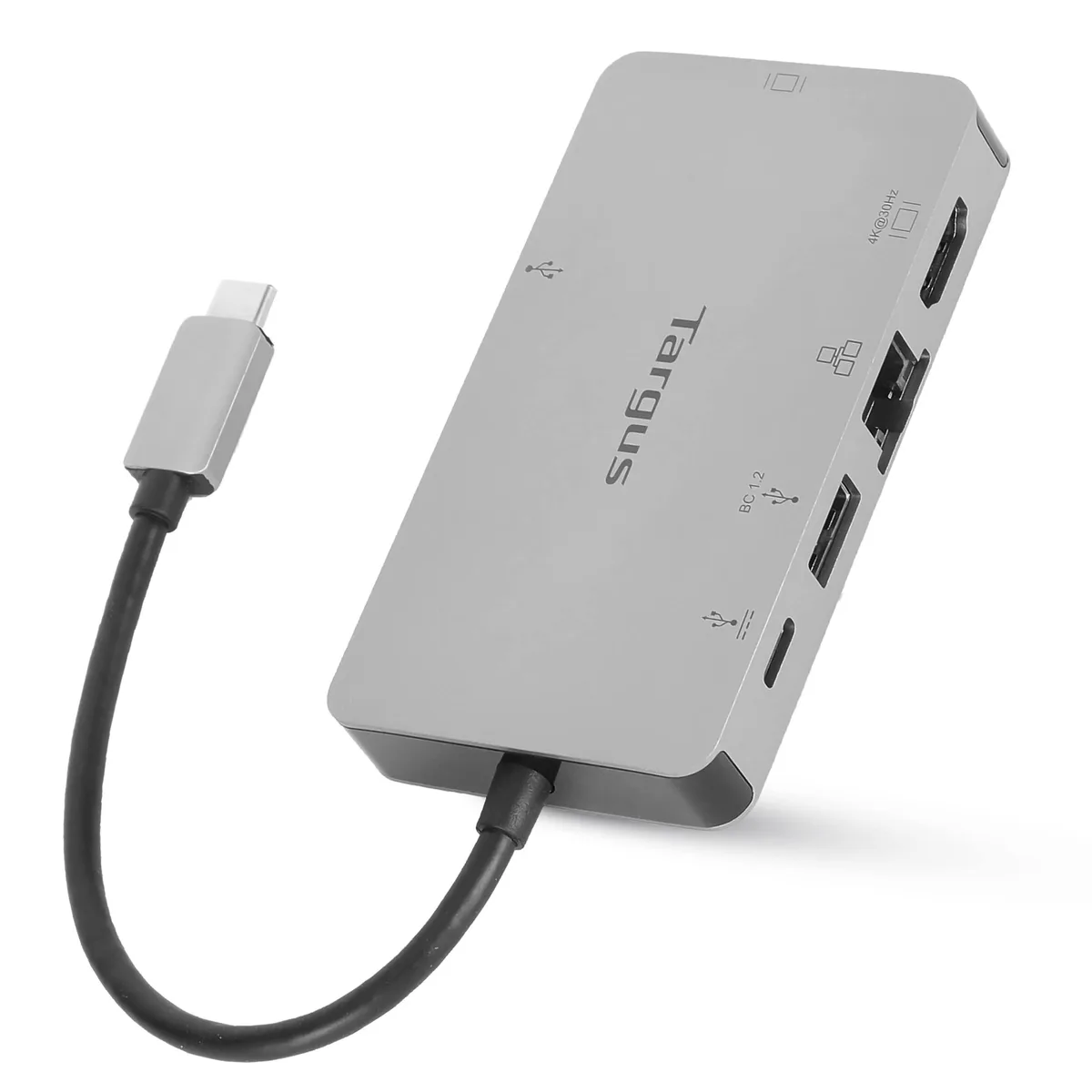


Targus
Adds HDMI 4K@30Hz or VGA 1920x1200@60Hz, three USB 3.2 ports, and 100W pass-through charging through a single USB-C connection
The Targus DOCK419USZ adds HDMI, VGA, wired networking and three USB ports through a single USB-C connection with DP Alt Mode. It delivers up to 100W Power Delivery pass-through so the host laptop charges while the dock is in use. The slim silver enclosure suits hot-desking, hoteling and home-office setups without extra drivers on Windows, MacOS or Chrome OS.
This dock replaces the frustration of a lone USB-C socket by breaking out video, data and Ethernet in one compact unit. The jump is worth it when you regularly connect to an external display, a wired network and multiple peripherals at the same desk or meeting room. It also removes the need to carry separate video adapters and a USB hub.
One external monitor runs at 4K@30Hz via HDMI or 1920x1200@60Hz via VGA, but only one display is supported at a time. Two USB-A 3.2 Gen 1 ports and one USB-C 3.2 Gen 1 port handle mice, keyboards, drives and 1.5A BC 1.2 fast charging on one USB-A port. The 100W pass-through covers most ultraportable laptops, though larger workstations may need their own charger.
No published specifications for this item yet.
The dock connects through a single USB-C or Thunderbolt 3 port that supports DisplayPort Alt Mode and Power Delivery.
No driver or firmware installation is needed; the dock works immediately once the USB-C cable is plugged into a compatible host.
Replace the fixed cable if the connector becomes loose, the sheath shows damage, or power delivery and video output become unreliable.
Also in this aisle
Same shelf, same checkout — eight coins and a 30-minute rate lock.
What you pay in, and what you read prices in.
Sent from your wallet at checkout
Display only — the catalogue is priced in USD
No currency matches that.
Pick the language the site speaks to you in.
No language matches that.
New here?
Already have one?
There is no automatic reset: this shop sends no mail, so there is no one-time link to ask for. Leave the address on the account and it gets picked up by hand.
Request noted
Nothing is on its way to your inbox — this shop sends no mail at all. Someone picks these up by hand.
Remembered it?


