Targus
Targus DOCK160USZ USB 3.0 DV4K Docking Station
A compact USB 3.0 dock adds dual 4K video at 60 Hz, Gigabit Ethernet, four USB 3.0 ports and audio to PCs, Macs or Android devices
- ColorBlack/Gray
- CompatibilityWorks With: PCs, Macs, and Android Devices Software Compatib
- Ports Spec2 x HDMI Ports 2 x DisplayPort Ports 1 x USB-C Port (USB 3.0
- Dimension6.75" x 3.50" x 1.50" (W x H x D)
- Weight0.75 lb.
- FeaturesDual DisplayPort (DP 1.2a) or Dual HDMI (HDMI 2.0) video or
- Dual 4K Ultra HD at 4096x2160 60Hz with 5.1 audio
- Connect two displays via DisplayPort 1.2a or HDMI 2.0
- Four USB 3.0 ports including one BC1.2 fast-charging port
- Gigabit Ethernet plus USB-C 3.0 data and 3.5mm audio
- Compact wedge design 6.75 x 3.50 x 1.50 in weighing 0.75 lb
Universal Dual 4K Dock
The Targus DOCK160USZ is a compact USB 3.0 docking station that adds dual video outputs, four USB 3.0 ports, Gigabit Ethernet and a combo audio jack to PCs, Macs or Android devices. Its wedge footprint measures 6.75 by 3.50 by 1.50 inches and weighs 0.75 lb. A detachable one-metre USB 3.0 cable connects the dock to the host.
Suits multi-screen workflows.
Workers who need two external displays at up to 4096 x 2160 60 Hz and extra USB peripherals will benefit from the stacked port layout. One USB 3.0 port supports BC1.2 fast device charging. The dock does not supply power to the host computer, so users whose laptop requires USB Power Delivery charging must keep their original adapter connected.
Dual 4K at 60 Hz via DP 1.2a or HDMI 2.0
The decisive specification is the video subsystem: two DisplayPort 1.2a and two HDMI 2.0 ports drive either dual DisplayPort, dual HDMI or one of each at 4096 x 2160 60 Hz 24 bpp with 6-channel audio. If the host graphics can only drive a single external monitor, the second video output will remain unused.
Highlights
- Dual 4K Ultra HD at 4096x2160 60Hz with 5.1 audio
- Connect two displays via DisplayPort 1.2a or HDMI 2.0
- Four USB 3.0 ports including one BC1.2 fast-charging port
- Gigabit Ethernet plus USB-C 3.0 data and 3.5mm audio
- Compact wedge design 6.75 x 3.50 x 1.50 in weighing 0.75 lb
Specifications
| Brand | Targus |
|---|---|
| Model | DOCK160USZ |
| Color | Black/Gray |
| Compatibility | Works With: PCs, Macs, and Android Devices Software Compatibility: Windows (10/8.1/7), Mac OS X 10.8 or later, Android (5.1/5.0) |
| Ports Spec | 2 x HDMI Ports 2 x DisplayPort Ports 1 x USB-C Port (USB 3.0 data only), 4 x USB 3.0 SuperSpeed Ports (1 powered for fast device charging) 1 x Audio In/Out Port |
| Dimension | 6.75" x 3.50" x 1.50" (W x H x D) |
| Weight | 0.75 lb. |
| Features | Dual DisplayPort (DP 1.2a) or Dual HDMI (HDMI 2.0) video or one of each Dual 4K Ultra HD video 4096x2160 60Hz (p60) 24 bpp with 6-Channel (5.1) Audio 1 USB-C device port (USB 3.0 5Gbps data only) 1 Gigabit Ethernet port for wired connectivity 4 USB 3.0 ports for the latest peripherals (1 BC1.2 fast device-charging port) 1 3.5mm combo Audio In/Out port for mics, speakers, and earphones Includes 1-meter USB-µB/M to A/M cable (detachable) Includes 45W AC adapter Ergonomic wedge design for comfortable typing Integrated lock slot accommodates standard industry-security locks to safeguard |
| Shipping weight | 0.95 kg |
| Package size | 292 × 178 × 89 mm |
Questions about this item
How much desk space does the 6.75 x 3.50 x 1.50 inch wedge-shaped dock need?
The compact wedge design measures 6.75 inches wide, 3.50 inches deep and 1.50 inches high, occupying roughly half the footprint of a typical desktop dock.
Which driver must be installed before connecting the USB 3.0 cable to a Windows 10 or Mac OS X 10.8 host?
Install the DisplayLink driver from the Targus support site first; plugging the dock in before the driver is ready often leaves the video ports inactive.
When should the included 1-meter USB 3.0 Micro-B to Type-A cable be replaced?
Replace the detachable 1-meter cable if the connectors become loose, the sheath shows fraying, or the host no longer detects the dock reliably.
Also in this aisle
People compared these
Same shelf, same checkout — eight coins and a 30-minute rate lock.
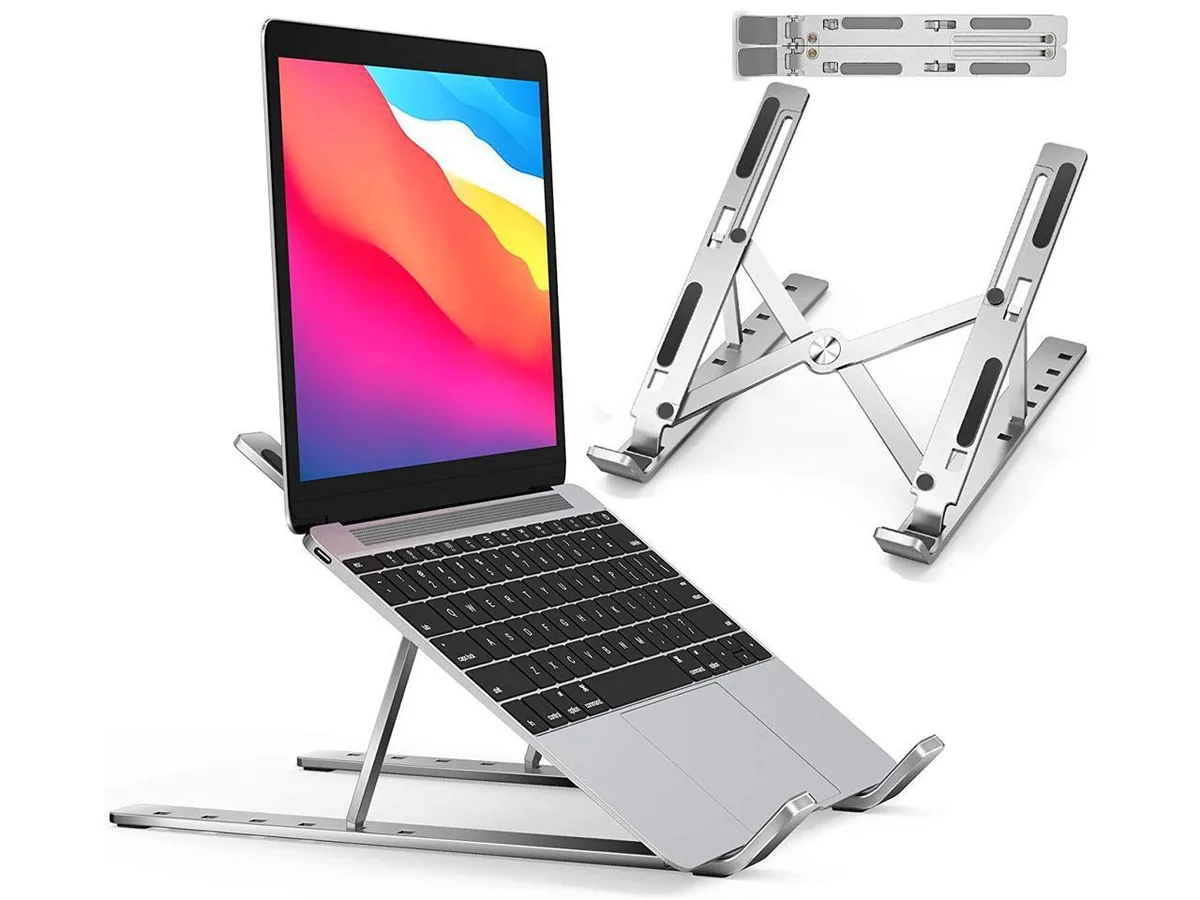


IXJYLCPC
IXJYLCPC C08LS Adjustable Ergonomic Riser Stand Black 10-15.6
- Stand
$31.99
0.00036795BTC
In stock