
Klipsch
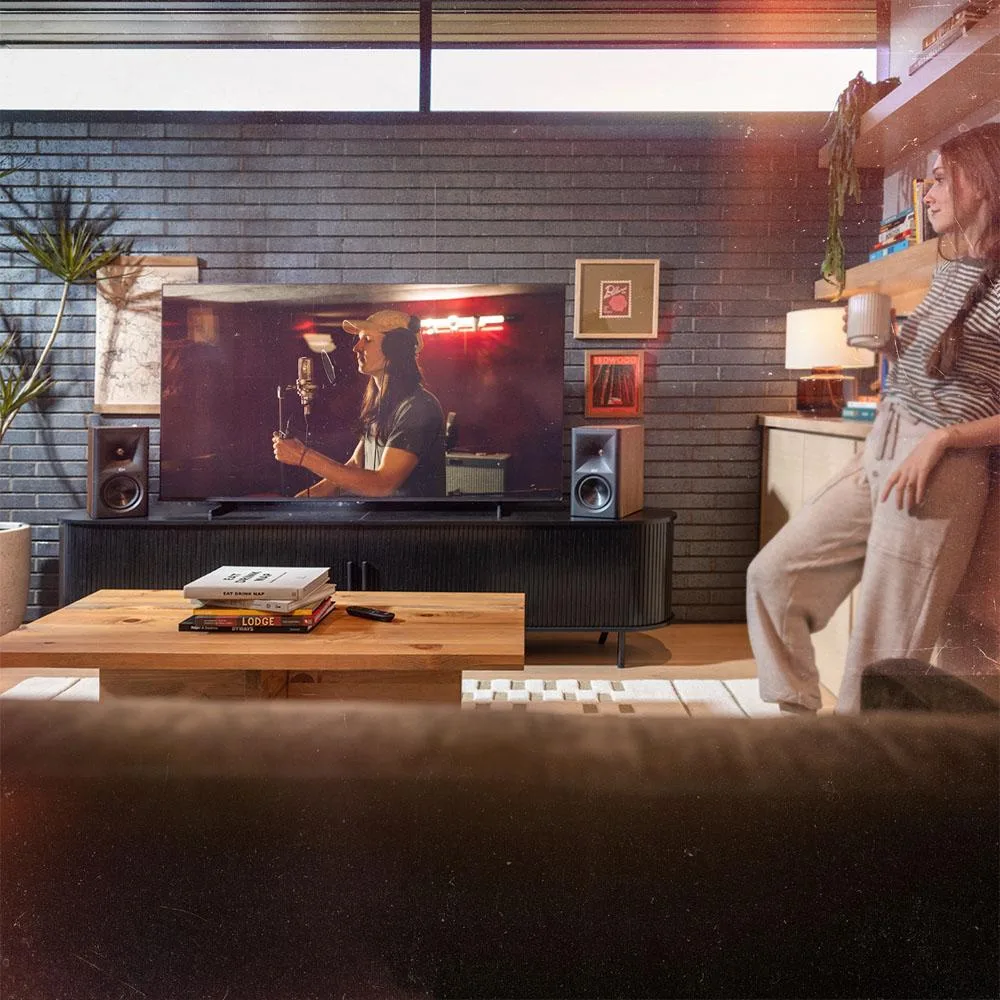
Klipsch The Fives II 5.25" Powered Bookshelf Speaker Pair Walnut
$1,123.99
0.0129797BTC
In stockWe take cryptocurrency — so the coins you hold can buy real hardware.Pay in crypto, spend it on real hardware. Free insured shipping worldwide over $399. Plain, unbranded boxes, sent from Germany.Free insured shipping over $399. Your rate is locked for 30 minutes once checkout opens.Rate locked 30 minutes. Every item sealed, serial-checked and covered by a 24-month warranty.Sealed, 24-month warranty.


STARTECH
A powder-coated steel bracket secures desktop towers up to 39.6 lbs to walls or desks with tool-less width adjustment and included mounting hardware
This StarTech bracket mounts a desktop computer to a wall or desk side, freeing up floor and surface space in a workstation setup. It supports towers weighing up to 39.6 lbs (18 kg) and fits various chassis widths including SFF models. The open design keeps drive bays, ports and power buttons accessible after installation. It is suited for offices or homes where desk area is limited.
The bracket is made from 0.09 in (2.5 mm) powder-coated SPCC steel for a heavy-duty hold. Keyhole mounting allows quick deployment on wood or concrete walls using the supplied screws and anchors. No fan or active cooling is present, so the unit adds no noise or power draw to the system. The tool-less width adjustment uses hand knobs for a secure, vibration-free fit.
Hand knobs let you widen or narrow the sliding bracket without tools, while included rubber spacers and pads protect the case and prevent slipping. The open frame does not block front or top I/O, so cables and peripherals connect normally. Mounting hardware for both drywall and concrete is provided in the box. Builders needing a lockable enclosure or a mount for ultra-wide chassis should verify dimensions before purchase.
| Brand | StarTech |
|---|---|
| Type | See Description |
Mount the bracket to the wall using the two supplied screws and concrete anchors through the keyhole slots, then slide the computer into the adjustable arms and tighten the hand knobs; the step most often missed is applying the self-adhesive rubber spacers and pads so the chassis sits snug without metal-on-metal contact.
The powder-coated SPCC steel frame is maintenance-free, but the rubber self-adhesive strips, spacers and pads can lose grip or compress after prolonged use; keep the spare adhesive pieces from the kit to replace them when the computer starts to shift.
The 39.6 lb (18 kg) weight capacity is the hard limit — exceeding it risks bending the 0.09 in (2.5 mm) steel arms or pulling the anchors from the wall, so verify the desktop mass before mounting.
Also in this aisle
Same shelf, same checkout — eight coins and a 30-minute rate lock.
What you pay in, and what you read prices in.
Sent from your wallet at checkout
Display only — the catalogue is priced in USD
No currency matches that.
Pick the language the site speaks to you in.
No language matches that.
New here?
Already have one?
There is no automatic reset: this shop sends no mail, so there is no one-time link to ask for. Leave the address on the account and it gets picked up by hand.
Request noted
Nothing is on its way to your inbox — this shop sends no mail at all. Someone picks these up by hand.
Remembered it?


