Corn Electronics
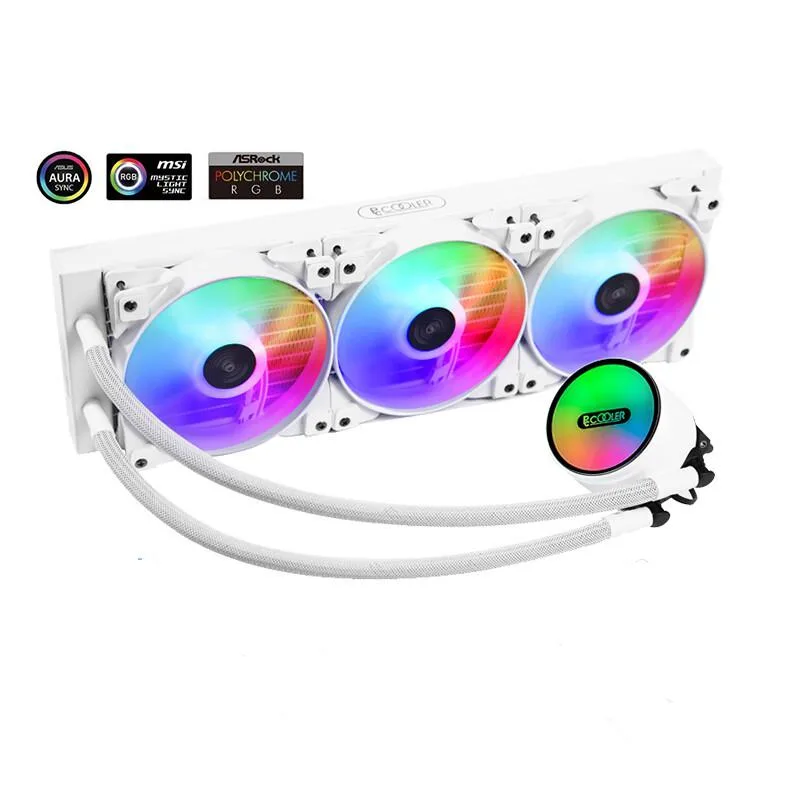
Corn Electronics laptop cooling pad white 360 mm 3 fan 120 mm ARGB
- White
- 3
$162.99
0.00187915BTC
In stockWe take cryptocurrency — so the coins you hold can buy real hardware.Pay in crypto, spend it on real hardware. Free insured shipping worldwide over $399. Plain, unbranded boxes, sent from Germany.Free insured shipping over $399. Your rate is locked for 30 minutes once checkout opens.Rate locked 30 minutes. Every item sealed, serial-checked and covered by a 24-month warranty.Sealed, 24-month warranty.


STARTECH
A 7-port USB-C dock adds 4K 60 Hz video over HDMI or Mini DisplayPort, three 10 Gbps USB-A ports, two USB-C ports, Gigabit Ethernet and 100 W power pass-through on a 30 cm cable
The StarTech DKT31CMDPHPD adds seven ports through a single USB-C connection with a 12-inch attached cable. It delivers 4K 60 Hz video over HDMI 2.0 or Mini DisplayPort 1.4 Alt Mode and falls back to 4K 30 Hz with DisplayPort 1.2. The hub includes three USB-A ports and two USB-C ports running at 10 Gbps. One USB-C port handles up to 100 W Power Delivery pass-through with 15 W reserved for the adapter.
This replaces basic adapters that only mirror a screen or add one USB socket. The jump is worth it when you need simultaneous 4K output, gigabit Ethernet, multiple 10 Gbps peripherals and laptop charging from one compact device. It also supersedes older 5 Gbps hubs that cannot saturate modern external SSDs. Buyers who only need a second monitor or a few low-speed ports will not use the bandwidth or power headroom.
The 6.3 by 1.8 inch footprint and 0.19 lb weight slip into a laptop sleeve without bulk. It draws bus power when no charger is connected and works with Windows 8.1 through 11, macOS 10.13 onward, Chrome OS, Ubuntu 18.04 and 20.04, iPadOS and Android. The single host cable carries video, data and charging so no extra power brick is required for the dock itself. Builds that demand dual-display output or Thunderbolt-certified bandwidth need a larger station.
| Brand | StarTech.com |
|---|---|
| Model | DKT31CMDPHPD |
| Compatibility | Windows 8.1, 10 macOS 10.13 to 10.15, 11 Chrome OS Ubuntu 18.04, 20.04 iPadOS Android |
| Ports Spec | 1 - Connector Type(s) HDMI (19 pin) Mini DisplayPort RJ-45 3 - Connector Type(s) USB Type-C (24 pin) USB 3.1 (10Gbps) 1 - Host Connectors USB Type-C (24 pin) USB 3.0 (5Gbps) 1 - Connector Type(s) USB-C (24 pin) USB Power Delivery only |
| Dimension | 6.30" x 1.80" x 16.70" |
| Weight | 0.19 lb. |
| Features | Displays Supported: 1 4K Support: Yes Fast-Charge Port(s): Yes Ports: 7 Audio: No Interface: USB 3.2 Gen 2 - 10 Gbit/s Bus Type: USB 3.1 Gen 2 USB Pass-Through: Yes Chipset ID: Realtek - RTD2142S VIA Labs - VL103 VIA Labs - VL822 VIA Labs - VL160 Terminus - FE8.1 |
| Shipping weight | 0.15 kg |
| Package size | 170 × 140 × 30 mm |
The unit measures 6.30 inches long, 1.80 inches wide and 16.70 inches deep, so it fits in a compact footprint beside a laptop.
Connect the host USB-C cable to the single port labelled for Power Delivery; the other USB-C port is for data only.
Replace the cable if the USB-C connector becomes loose, the sheath frays, or intermittent video or data errors appear.
Also in this aisle
Same shelf, same checkout — eight coins and a 30-minute rate lock.
What you pay in, and what you read prices in.
Sent from your wallet at checkout
Display only — the catalogue is priced in USD
No currency matches that.
Pick the language the site speaks to you in.
No language matches that.
New here?
Already have one?
There is no automatic reset: this shop sends no mail, so there is no one-time link to ask for. Leave the address on the account and it gets picked up by hand.
Request noted
Nothing is on its way to your inbox — this shop sends no mail at all. Someone picks these up by hand.
Remembered it?