

Accsoon
Accsoon CineView SE Multi-Spectrum Wireless Video Transmitter 1200ft 1080p HDMI SDI
$181.99
0.00211848BTC
In stockWe take cryptocurrency — so the coins you hold can buy real hardware.Pay in crypto, spend it on real hardware. Free insured shipping worldwide over $399. Plain, unbranded boxes, sent from Germany.Free insured shipping over $399. Your rate is locked for 30 minutes once checkout opens.Rate locked 30 minutes. Every item sealed, serial-checked and covered by a 24-month warranty.Sealed, 24-month warranty.
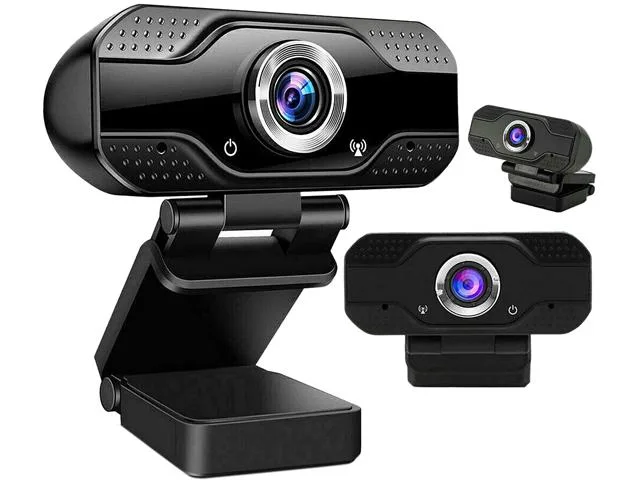


SOEWIOU
1080p USB webcam with built-in microphone, privacy shutter, 360° rotation and tripod for desktop video calls
The SOEWIOU webcam captures video at 1920 x 1080 resolution and 30 fps over a USB connection. It includes a built-in omnidirectional microphone with 3D noise reduction for clear audio pickup. A privacy shutter slides over the lens when the camera is not in use. The package includes a tripod and a flexible clip for versatile mounting on monitors or desks.
The device draws power directly from the USB port with no external adapter required. Operation is silent because there are no moving parts or cooling fans. Surface temperatures stay low during extended video calls or streaming sessions. The plug-and-play design adds no measurable load to the host system.
This webcam replaces grainy integrated laptop cameras that typically max out at 720p resolution. The jump is worth it for remote workers who need sharper facial detail and reliable auto-focus on Zoom or Skype. Streamers gain a wider field of view and a stable tripod mount for consistent framing. Buyers who need 4K capture or 60 fps frame rates should look elsewhere.
| Brand | SOEWIOU |
|---|---|
| Color | Black |
| Interface | USB |
| Max. Image Resolution | 1920 x 1080 |
| Video Capture Resolution | 1920 x 1080 |
| Frame Rate | 30 fps |
Plug the USB connector into the computer, wait for the driver to load, then slide the privacy shutter open before starting a call; the step people forget is opening the shutter.
The built‑in omnidirectional microphone and privacy shutter are the only moving or wear‑prone components; if audio quality drops or the shutter sticks, those are the items to check.
The fixed 30 fps frame rate and 1920 x 1080 resolution cap are the first constraints you hit under sustained use.
Also in this aisle
Same shelf, same checkout — eight coins and a 30-minute rate lock.
What you pay in, and what you read prices in.
Sent from your wallet at checkout
Display only — the catalogue is priced in USD
No currency matches that.
Pick the language the site speaks to you in.
No language matches that.
New here?
Already have one?
There is no automatic reset: this shop sends no mail, so there is no one-time link to ask for. Leave the address on the account and it gets picked up by hand.
Request noted
Nothing is on its way to your inbox — this shop sends no mail at all. Someone picks these up by hand.
Remembered it?



