


SMUGDESK
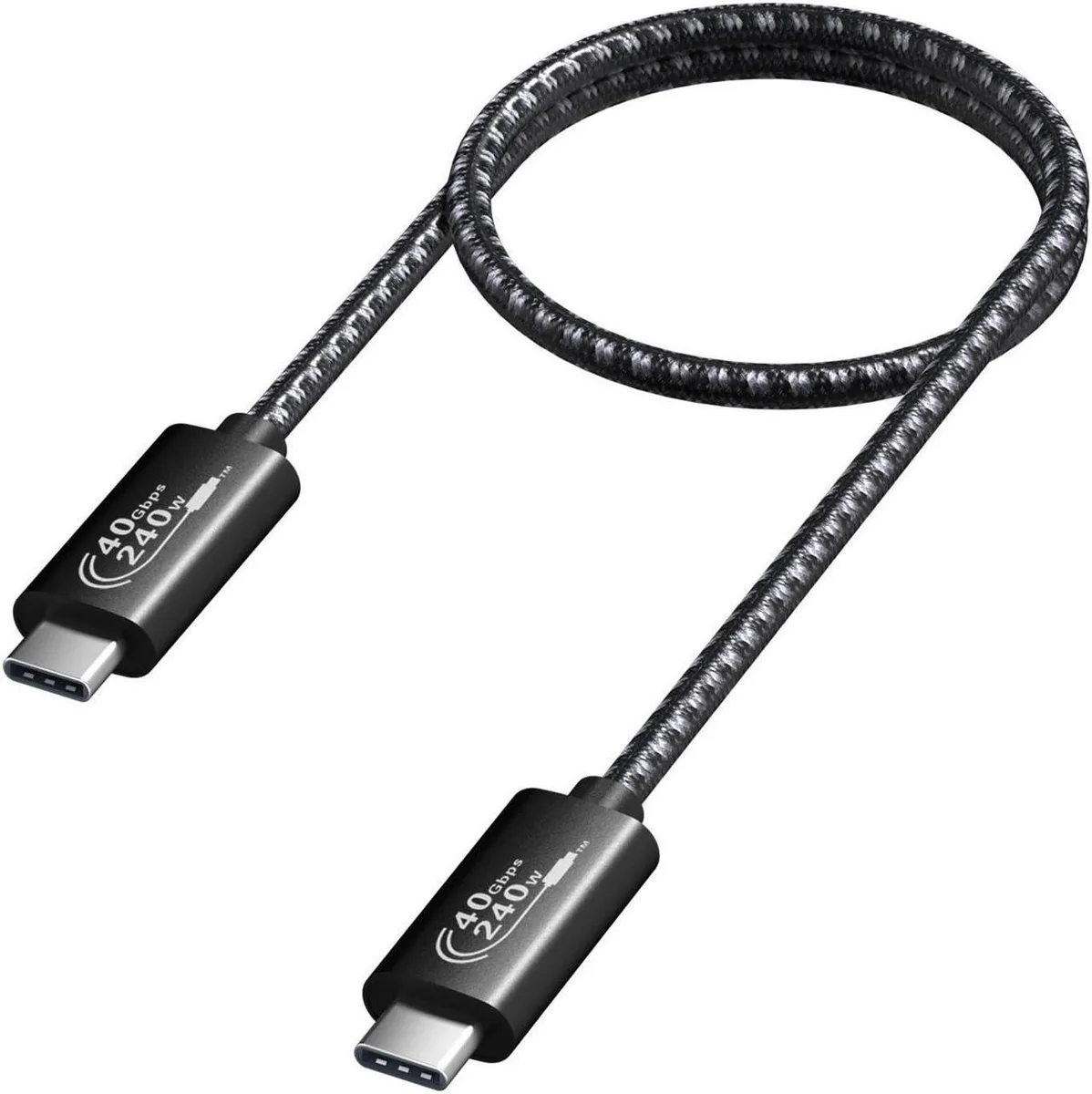
SMUGDESK USB4.0 C to C Cable 1.5FT 40Gbps 240W 8K UHD
A 1.5 ft USB4 cable delivering 40 Gbps data, 8K video and up to 240 W charging
- Charges up to 240W with PD 3.1
- Transfers data at 40Gbps USB4 speed
- Drives 8K@60Hz or dual 4K@60Hz displays
- E-Marker chip regulates power intelligently
- 5FT braided cable for close-range connections
What this cable is and who needs it
This SMUGDESK USB4.0 Gen3 cable carries 40Gbps data, 8K@60Hz video and up to 240W power over a 1.5 ft braided USB-C to USB-C link. It suits anyone connecting a high-wattage laptop, an eGPU enclosure or dual 4K monitors to a single Thunderbolt 3 or USB4 port.
What it replaces and when the upgrade matters
It replaces slower Gen2 cables limited to 20Gbps and 100W charging, and it removes the need for separate power bricks on devices that accept 140W or 240W PD 3.1. The jump is worth it when your host, dock and display all support USB4 Gen3 or Thunderbolt 3 bandwidth and the higher power profile.
Install ease and common pitfalls
Plug both ends into USB-C ports that explicitly support DP Alt Mode and PD 3.1; the built-in E-Marker chip negotiates voltage and current automatically. The cable will fall back to lower speeds or power if either port lacks Gen3 or 240W capability, and video will not appear on hosts without DisplayPort alternate mode.
Highlights
- Charges up to 240W with PD 3.1
- Transfers data at 40Gbps USB4 speed
- Drives 8K@60Hz or dual 4K@60Hz displays
- E-Marker chip regulates power intelligently
- 5FT braided cable for close-range connections
Specifications
No published specifications for this item yet.
Other versions of this model
5 more in the same range
Same family, different memory, cooler or clock — compare before you commit.


SMUGDESK
SMUGDESK USB4 40Gbps 240W USB-C Cable 1.5ft 8K Video Thunderbolt 3/4
$14.99
0.00017973BTC
In stock

Questions about this item
How much clearance does the 1.5FT cable need behind a desk or dock?
The cable is 1.5FT long with a braided jacket, so allow roughly that length plus a gentle bend radius behind the device to avoid sharp kinks.
What is the correct way to plug it in so the E-Marker chip negotiates 240W?
Connect the cable to a PD 3.1 charger first, then to the laptop or phone; the E-Marker chip will automatically identify the device and negotiate up to 48V 5A.
When should the cable be replaced to keep 40Gbps and 8K@60Hz performance?
Replace it if the braided sheath frays, connectors become loose, or data drops below 40Gbps and video falls back from 8K@60Hz or dual 4K@60Hz.
Also in this aisle
People compared these
Same shelf, same checkout — eight coins and a 30-minute rate lock.


Tripp Lite
Tripp Lite U324-003-BK USB 3.0 cable USB-A to USB-A 3 ft
- USB
- Black
$13.99
0.00016774BTC
In stock

MADE IN USA TONER
MADE IN USA TONER TK-8367K Cyan Toner Cartridge 25000 Pages
$48.99
0.0005874BTC
In stock