SMUGDESK
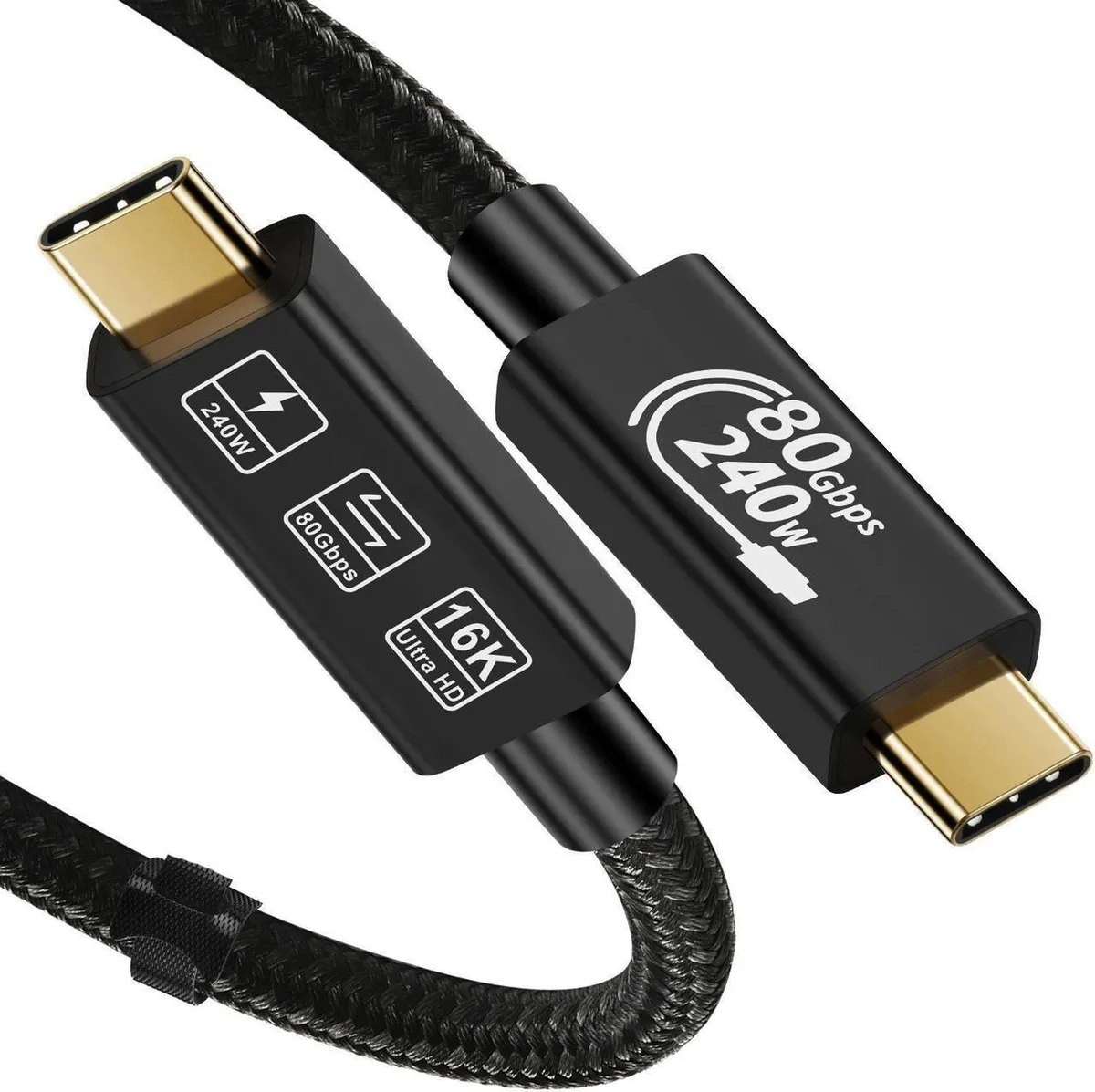
SMUGDESK Upgraded Thunderbolt 5 Cable 1.6ft 80Gbps 240W Charging USB4 Compatible USB-C
$30.99
0.00035742BTC
In stockWe take cryptocurrency — so the coins you hold can buy real hardware.Pay in crypto, spend it on real hardware. Free insured shipping worldwide over $399. Plain, unbranded boxes, sent from Germany.Free insured shipping over $399. Your rate is locked for 30 minutes once checkout opens.Rate locked 30 minutes. Every item sealed, serial-checked and covered by a 24-month warranty.Sealed, 24-month warranty.


SMUGDESK
Thunderbolt 5 cable delivers 80 Gbps data transfer, 240 W charging and 16K video over 3.3 ft
The SMUGDESK Thunderbolt 5 cable is a USB-C to USB-C connector built for professionals and creators who need maximum bandwidth and power delivery. It supports the latest USB4 V2 and DisplayPort 2.1 standards for high-performance workflows. This 3.3ft cable handles demanding display and data tasks in a single link.
Moving from a 40Gbps Thunderbolt 4 or 20Gbps USB 3.2 Gen 2 cable unlocks 80Gbps bi-directional bandwidth and 240W charging. The jump is worth it when you drive dual 8K displays at 60Hz, a single 16K panel at 60Hz, or need 48V/5A power for large laptops. Bandwidth Boost can reach 120Gbps for display-heavy loads.
Verify your host port supports USB4 Gen 4 or Thunderbolt 5 to reach 80Gbps; Gen 3 ports cap at 40Gbps and Gen 2 at 20Gbps. Confirm your USB-C charger delivers up to 240W (48V/5A) for maximum charging speed. The cable is backward compatible with USB 2.0, 3.0, 3.2 and Thunderbolt 3 devices.
No published specifications for this item yet.
Other versions of this model
Same family, different memory, cooler or clock — compare before you commit.
The cable uses USB-C connectors on both ends for direct plug-in connection to compatible ports.
Plug each USB-C end into a Thunderbolt 5 or USB4 port; the step often missed is confirming the host port supports Gen4 80Gbps bandwidth.
Inspect USB-C connectors periodically for debris or bent pins; replace the cable if the sheath frays or charging negotiates below 48V/5A.
Also in this aisle
Same shelf, same checkout — eight coins and a 30-minute rate lock.
What you pay in, and what you read prices in.
Sent from your wallet at checkout
Display only — the catalogue is priced in USD
No currency matches that.
Pick the language the site speaks to you in.
No language matches that.
New here?
Already have one?
There is no automatic reset: this shop sends no mail, so there is no one-time link to ask for. Leave the address on the account and it gets picked up by hand.
Request noted
Nothing is on its way to your inbox — this shop sends no mail at all. Someone picks these up by hand.
Remembered it?