


SMUGDESK
SMUGDESK DisplayPort 1.4 cable 10ft 8K 60Hz 4K 144Hz 2K 165Hz 24K gold
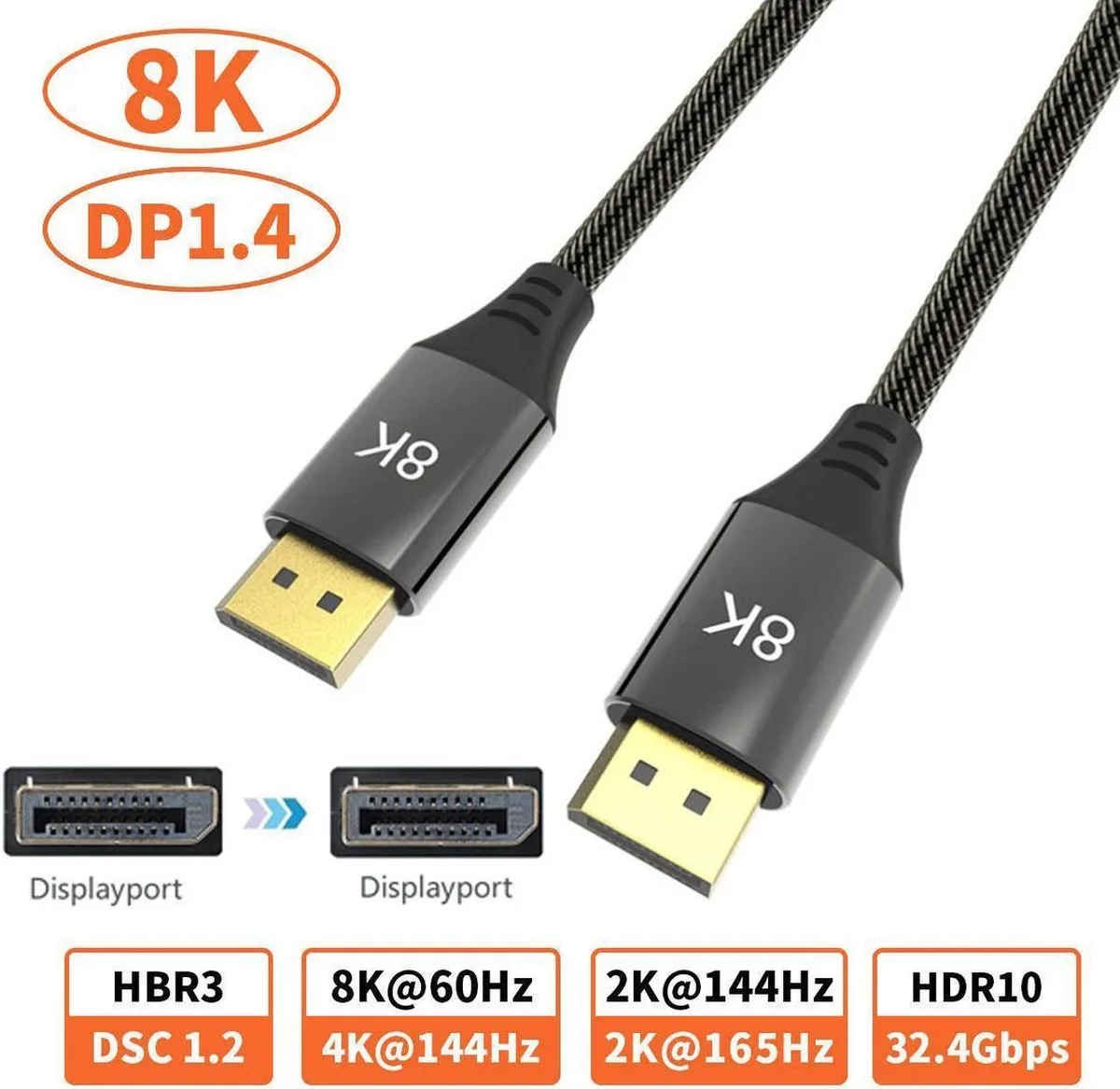
Supports 8K 7680×4320 at 60 Hz, 4K 3840×2160 at 144 Hz and 2K at 165 Hz with 24 K gold connectors
- 8K resolution at 60 Hz with 7680 × 4320 pixels
- 4K gaming at 144 Hz for smooth 3840 × 2160 motion
- 2K high-refresh 165 Hz for competitive play
- 24 K gold-plated connectors resist oxidation and wear
- 10 ft length gives flexible desktop-to-display placement
10 ft DisplayPort 1.4 cable
This 10 ft DisplayPort 1.4 cable carries 8K 7680x4320 at 60 Hz, 4K 3840x2160 at 144 Hz and 2K at 165 Hz. It supports HDR 4:4:4, HDCP and 3D video. Gold-plated connectors resist oxidation. No driver is required for operation.
Gamers and creators needing 8K 60 Hz or 4K 144 Hz
Suitable for PCs, laptops, PS3, set-top boxes, HD players, TVs, monitors and projectors. Buyers who need a longer run than 10 ft or a different connector type should look at other options. The cable is male-to-male only.
Plug-and-play installation
Simply connect each male end to a DisplayPort 1.4 port on source and display. Signal is lossless when fully seated. A loose connector is the most common cause of flicker or no picture. Ensure ports are clean before inserting.
Highlights
- 8K resolution at 60 Hz with 7680 × 4320 pixels
- 4K gaming at 144 Hz for smooth 3840 × 2160 motion
- 2K high-refresh 165 Hz for competitive play
- 24 K gold-plated connectors resist oxidation and wear
- 10 ft length gives flexible desktop-to-display placement
Specifications
No published specifications for this item yet.
Other versions of this model
5 more in the same range
Same family, different memory, cooler or clock — compare before you commit.


SMUGDESK
SMUGDESK 8K DisplayPort 1.4 Cable DP1.4 7680x4320@60Hz 3D HDR 4:4:4 HDCP 10ft
$12.99
0.00015626BTC
In stock

Questions about this item
Does the 10ft DisplayPort 1.4 cable need any drivers or software to start sending video to my monitor?
The cable is plug and play with no driver required; connect the male-to-male ends and the signal passes through immediately.
Will the 8K 7680x4320@60Hz link still work if my graphics card only has a DisplayPort 1.2 port?
The cable is backward compatible, but the 1.2 port limits output to its own maximum resolution and refresh rate.
How can I confirm the cable is delivering 4K 3840x2160@144Hz after I plug it in?
Open the display settings or OSD on your monitor and verify the active resolution reads 3840x2160 at 144Hz.
New to this? Which coin should you pay with — what to check, what it costs to pay, and what is never asked for.
Also in this aisle
People compared these
Same shelf, same checkout — eight coins and a 30-minute rate lock.


Black Box Corporation
Black Box Corporation CAT6 EZ-RJ45 Modular Plugs 100-Pack
$95.99
0.00115471BTC
In stock
