


SMART Technologies
SMART AM60 iQ Appliance Google EDLA Module digital signage media player
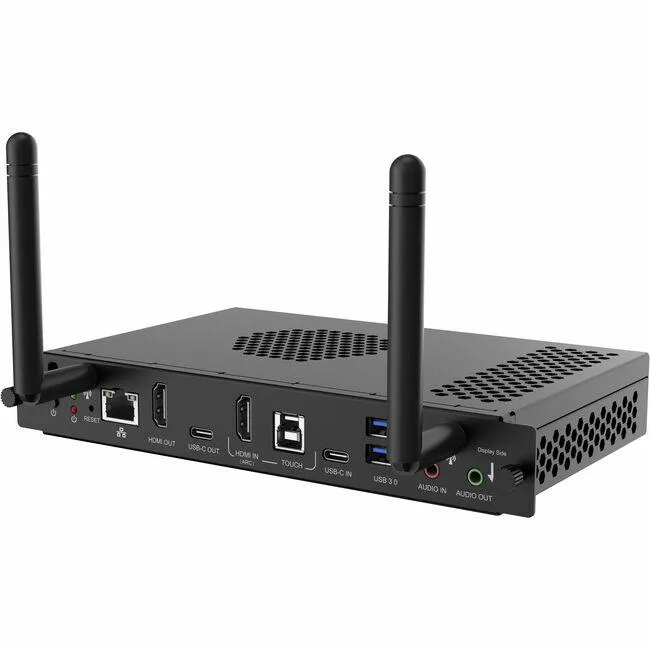
Adds Google-certified Android computing with HDMI output, two USB 3.0 ports and wired networking to compatible interactive displays
- TypeStudent / Home Office
- HDMI output drives interactive displays
- Two USB 3.0 ports connect peripherals fast
- RJ-45 network port ensures stable connectivity
- Android OS runs signage apps natively
- Module design upgrades existing iQ displays
SMART AM60 iQ Appliance module
The SMART AM60 iQ Appliance is a Google EDLA certified module that adds Android computing to compatible SMART interactive displays. It connects through HDMI and provides network access via an RJ-45 port for embedded operation.
Displays needing certified Android apps
This module suits classrooms and meeting rooms that require secure access to the Google Play Store and certified Android applications on an existing iQ enabled display. It is not intended for displays without the iQ expansion slot or for users who need a standalone media player with independent mounting.
Google EDLA certification
The Google EDLA certification is the specification that determines whether this module delivers the licensed Google Mobile Services and Play Store access required by managed environments. Without this certification, the Android environment would lack the security updates and app compatibility the platform promises.
Highlights
- HDMI output drives interactive displays
- Two USB 3.0 ports connect peripherals fast
- RJ-45 network port ensures stable connectivity
- Android OS runs signage apps natively
- Module design upgrades existing iQ displays
Specifications
| Type | Student / Home Office |
|---|
Questions about this item
What does the HDMI interface on this module cap in practice?
The HDMI output carries video and audio from the Android system to the connected iQ-enabled display for embedded computing.
What physical space does the module need to fit inside the display?
It installs as a module directly into compatible SMART iQ-enabled displays without external mounting hardware.
How is the module installed and which step is often missed?
Slide the module into the display's dedicated slot, secure it, then connect the HDMI, RJ-45 network cable and any USB 3.0 peripherals before powering on.
Also in this aisle
People compared these
Same shelf, same checkout — eight coins and a 30-minute rate lock.



CHIEF MANUFACTURING
CHIEF MANUFACTURING CMS018 18" 457 mm Fixed Extension Column projector accessory
- Extension Column
- Projector
$22.99$22.99
0.0002727BTC
In stock