


SMA
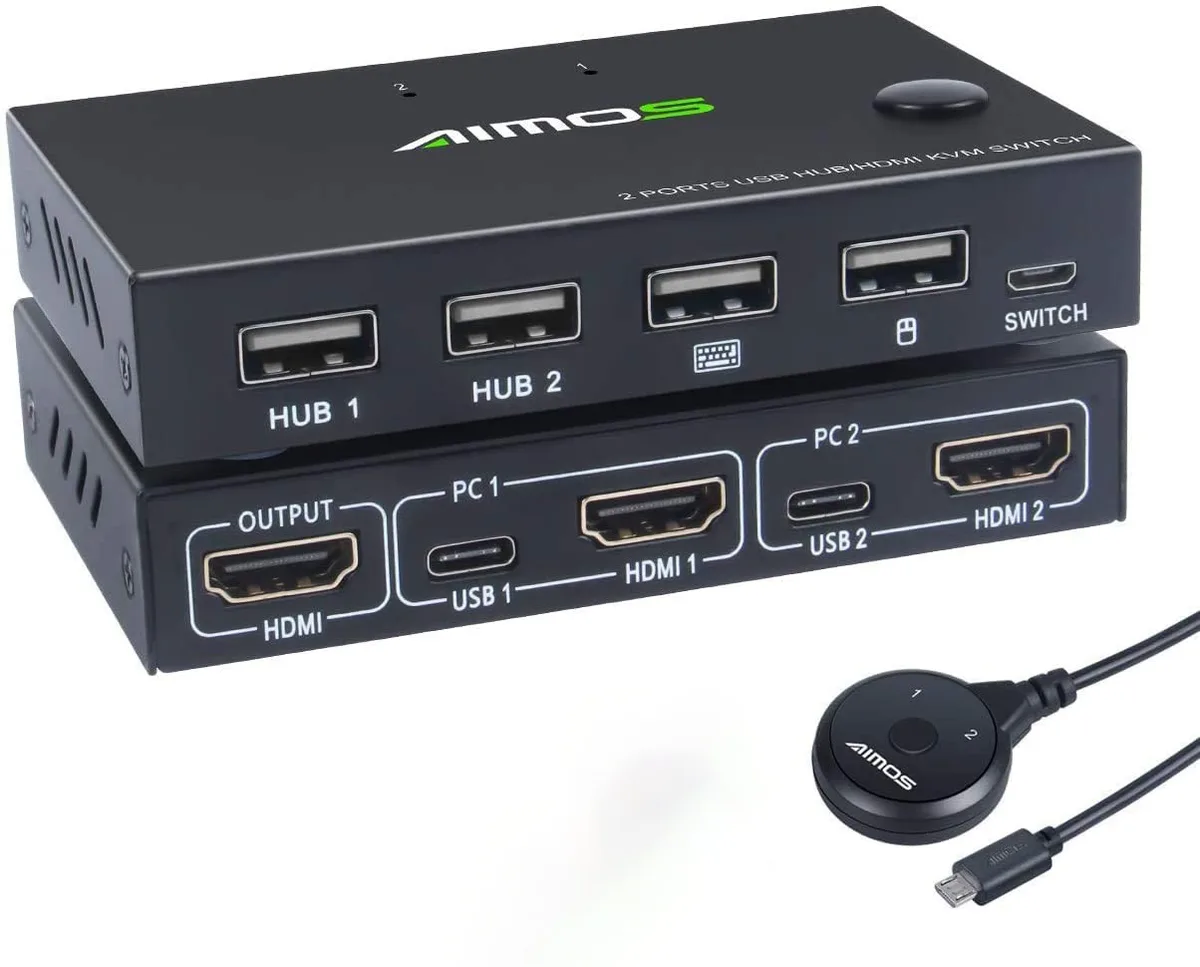
SMA KVM Switch 2 Port HDMI 1920x1080 30Hz HUB Ports
Controls two computers with one keyboard, mouse and monitor at 1920 x 1080 30Hz, plus extra USB hub ports
- TypeHDMI, USB
- Computer Connections2 Port HDMI
- Video Resolution1920 x 1080
- Control two computers with one keyboard and mouse
- 1920 x 1080 video output at 30 Hz
- Built-in hub ports for shared USB peripherals
- Manual switching only — no hotkey support
Two-computer HDMI KVM switch
This SMA KVM switch lets one keyboard and mouse control two HDMI sources. It accepts two computer or console inputs and routes them to a single display at up to 1920 x 1080 resolution. The unit includes additional hub ports for shared USB peripherals and does not support hotkey switching.
Passive desktop operation
The switch draws power from the connected hosts and runs silently with no fan or external adapter. Heat output is negligible during normal desktop use and places no measurable load on the source computers.
Highlights
- Control two computers with one keyboard and mouse
- 1920 x 1080 video output at 30 Hz
- Built-in hub ports for shared USB peripherals
- Manual switching only — no hotkey support
Specifications
| Type | HDMI, USB |
|---|---|
| Computer Connections | 2 Port HDMI |
| Video Resolution | 1920 x 1080 |
Questions about this item
How do I connect two computers to the 2 Port HDMI KVM switch and which step is often missed?
Plug each computer's HDMI output and a USB cable into the switch, then connect your keyboard, mouse, and monitor to the console ports; the step often missed is linking both USB cables so keyboard and mouse control actually switches with the video.
What maintenance or replacement will the SMA 1920x1080 30Hz KVM switch need over time?
The unit has no fan or battery, so no scheduled maintenance is required; only the HDMI or USB cables may need replacement if they become damaged or if you upgrade to a higher resolution display.
Also in this aisle
People compared these
Same shelf, same checkout — eight coins and a 30-minute rate lock.


Black Box Corporation
Black Box Corporation 4K60 HDMI Dual-Head KVM Switch 4 Port
$774.99
0.00925969BTC
In stock