


SMA
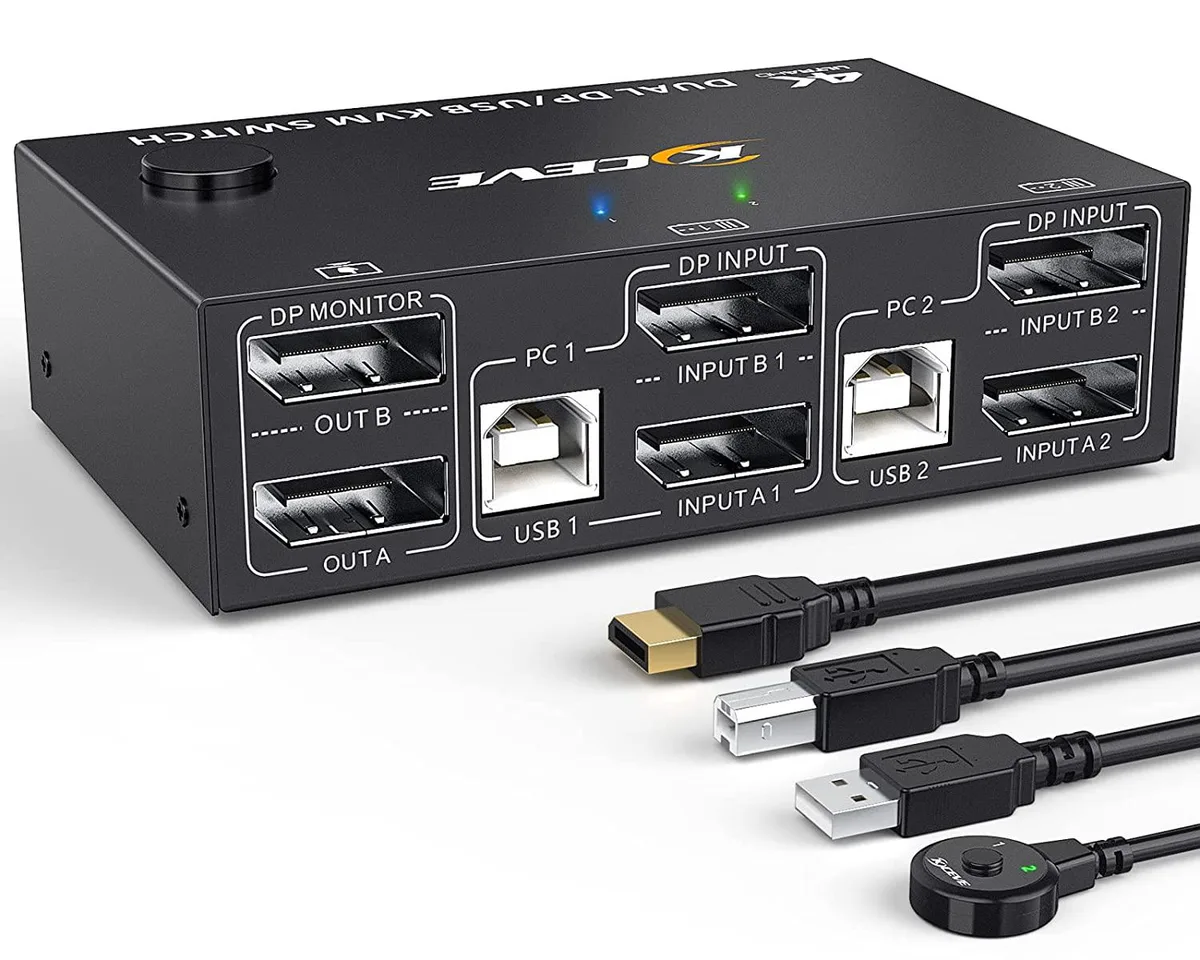
SMA DP KVM Switch 2 PC 2 Monitors 4K 144Hz 8K 30Hz 4 USB 2.0 1.5m cables
Control two computers across dual DisplayPort monitors at 4K 144Hz or 8K 30Hz while sharing four USB 2.0 peripherals via front-panel button or 1.5 m wired remote
- TypeDisplayPort, USB
- PC Connectors2 PCs
- Computer Connections2 Ports
- Monitor Connections2 Ports
- Video Resolution8K @30Hz, 4K @144Hz
- Monitors SupportedDual Monitor Displayport
- Control two PCs with one keyboard, mouse and dual monitors
- Switch instantly via front button or 1.5 m wired remote
- Four USB 2.0 ports share printer, scanner, webcam across both computers
- Supports 4K at 144 Hz and 8K at 30 Hz for sharp visuals
- Works with Windows, macOS, Linux and Chrome OS plug-and-play
Dual-PC dual-monitor KVM
This DisplayPort KVM switch lets one keyboard, one mouse and up to four USB 2.0 peripherals control two computers across two monitors. It supports 4K at 144 Hz and 8K at 30 Hz, plus lower resolutions down to 1080p. No external power supply is required and LED indicators show the active system.
Replaces cable swapping and single-monitor switches
If you currently unplug cables or use a one-monitor KVM, this unit adds a second display and four shared USB ports in one step. The upgrade is worth it when you need simultaneous dual-monitor output from either PC without reconfiguring windows. It does not suit setups that need more than two computers or monitors.
Limited to DisplayPort 1.4 bandwidth
The switch passes DP 1.4 signals, so 8K is restricted to 30 Hz and 4K to 144 Hz. USB peripherals run at 2.0 speeds, ruling out high-throughput devices such as fast external SSDs. EDID emulation keeps window layouts intact, but the 1.5 m cable length bounds desk placement.
Highlights
- Control two PCs with one keyboard, mouse and dual monitors
- Switch instantly via front button or 1.5 m wired remote
- Four USB 2.0 ports share printer, scanner, webcam across both computers
- Supports 4K at 144 Hz and 8K at 30 Hz for sharp visuals
- Works with Windows, macOS, Linux and Chrome OS plug-and-play
Specifications
| Type | DisplayPort, USB |
|---|---|
| PC Connectors | 2 PCs |
| Computer Connections | 2 Ports |
| Monitor Connections | 2 Ports |
| Video Resolution | 8K @30Hz, 4K @144Hz |
| Monitors Supported | Dual Monitor Displayport |
| LED Indicators | Yes |
| Power Features | Requires no additional power supply |
| USB Features | with USB support |
| Application | With this 2 PC 2 Monitor DisplayPort KVM Switch you can control 2 computers with only one set of controls (monitor, wireless mouse, keyboard, printer), support webcams. You can switch between the two displays freely. Press Windows+P to select mirror mode or extended screen mode. Each PC requires 2 DisplayPort cables + 1 USB cable plugged into KVM switches at the same time. |
| Features | Dual Monitors Displayport USB Switch with 4 built-in USB 2.0 ports, 2 computers share 2 displays and 4 USB devices without unplugging, securely identify wireless keyboard, mouse, printer, scanner and other USB devices. Compatible with USB 2.0/1.1 devices. Save desk space, keep your desk tidy and make your work, your life easier and more efficient. |
| Weight | 0.7kg |
| Package Contents | 1 x DisplayPort KVM Switch 2 x DisplayPort cable 1.5 m 2 x USB cable 1.5m 1 x wired remote control cable 1.5m 1 x User Manual |
Questions about this item
How much desk space does the 0.7 kg switch need?
The unit weighs 0.7 kg and fits on a standard desk; allow room for two 1.5 m DisplayPort cables, two 1.5 m USB cables and the 1.5 m wired remote.
Which cables must be plugged in first so both 4K 144 Hz monitors are detected?
Connect both DisplayPort cables and both USB cables to each computer before powering on; the switch draws power from the USB links and uses adaptive EDID simulation to keep both displays recognised.
Do the four USB 2.0 ports need any periodic maintenance?
No scheduled maintenance is required; the ports are solid-state and the switch has no internal battery or fan to service.
Also in this aisle
People compared these
Same shelf, same checkout — eight coins and a 30-minute rate lock.


Black Box Corporation
Black Box Corporation 4K60 HDMI Dual-Head KVM Switch 4 Port
$774.99
0.00923003BTC
In stock