


SMA
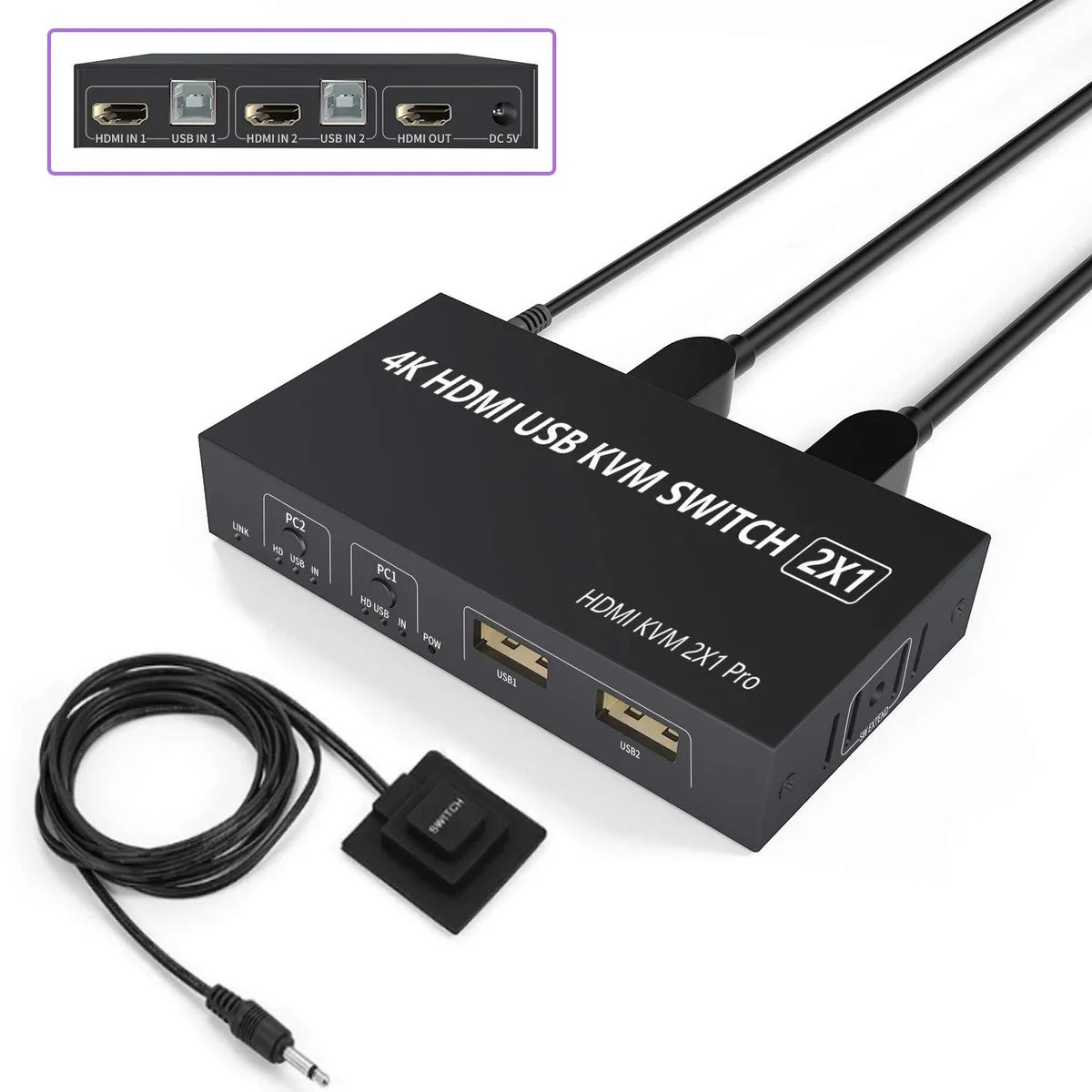
SMA 2 Port HDMI KVM Switch 4K@30Hz USB 2.0 with Remote
Share one keyboard, mouse, printer and camera between two computers with 4K@30Hz video and a wired remote for desk-side switching
- TypeHDMI, USB
- Computer Connections2 Ports
- Video Resolution3840 x 2160
- Share keyboard, mouse, printer and camera across two computers via three USB 2.0 ports
- Switch sources with front-panel button or wired remote for a tidy desk
- Supports 4K at 30 Hz (3840 x 2160) plus 1080p and 3D video
- Plug-and-play operation with included 5 V DC adapter for stable power
- Works with Windows, macOS, Linux, Chrome OS, PS4 and Xbox
Two-Port HDMI KVM Switch
This SMA switch lets you share a single keyboard, mouse, printer, camera and monitor between two computers. It supports video up to 3840 x 2160 at 30 Hz and includes three USB 2.0 ports for peripherals. The unit comes with two USB cables, a wired remote controller and a 5 V DC power adapter for stable operation.
Ideal for dual-system desks, not for hot-key users
Home-office workers and gamers who swap a laptop and a desktop will appreciate the push-button and remote switching modes. Buyers who need keyboard hot-key switching or more than two computer ports should look at a different KVM model.
4K at 30 Hz video limit
The maximum supported resolution is 3840 x 2160 at 30 Hz, with compatibility down to 1080P and 3D formats. If your workflow requires 4K at 60 Hz or higher refresh rates, this switch will not meet that requirement.
Highlights
- Share keyboard, mouse, printer and camera across two computers via three USB 2.0 ports
- Switch sources with front-panel button or wired remote for a tidy desk
- Supports 4K at 30 Hz (3840 x 2160) plus 1080p and 3D video
- Plug-and-play operation with included 5 V DC adapter for stable power
- Works with Windows, macOS, Linux, Chrome OS, PS4 and Xbox
Specifications
| Type | HDMI, USB |
|---|---|
| Computer Connections | 2 Ports |
| Video Resolution | 3840 x 2160 |
Questions about this item
How do I connect the two computers and where do I plug the 5 V DC power cable?
Connect each computer to one of the two HDMI ports and the matching USB 2.0 port using the supplied cables, then attach the 5 V DC power cable to the switch to ensure stable operation with high-power peripherals.
Will the USB 2.0 ports need a firmware update or driver installation later?
No driver or firmware is required; the switch is plug-and-play on Windows 10, 8, 7, XP, Vista, Mac OS, Linux and Chrome OS, so the USB 2.0 ports will continue working without software maintenance.
What video limit appears first when I keep both PCs running at 4K for long periods?
The HDMI output is capped at 3840 x 2160 at 30 Hz, so sustained 4K use cannot exceed that refresh rate.
Also in this aisle
People compared these
Same shelf, same checkout — eight coins and a 30-minute rate lock.


Black Box Corporation
Black Box Corporation 4K60 HDMI Dual-Head KVM Switch 4 Port
$774.99
0.00915999BTC
In stock