

Accsoon
Accsoon CineView SE Multi-Spectrum Wireless Video Transmitter 1200ft 1080p HDMI SDI
$181.99
0.00212973BTC
In stockWe take cryptocurrency — so the coins you hold can buy real hardware.Pay in crypto, spend it on real hardware. Free insured shipping worldwide over $399. Plain, unbranded boxes, sent from Germany.Free insured shipping over $399. Your rate is locked for 30 minutes once checkout opens.Rate locked 30 minutes. Every item sealed, serial-checked and covered by a 24-month warranty.Sealed, 24-month warranty.


siroka
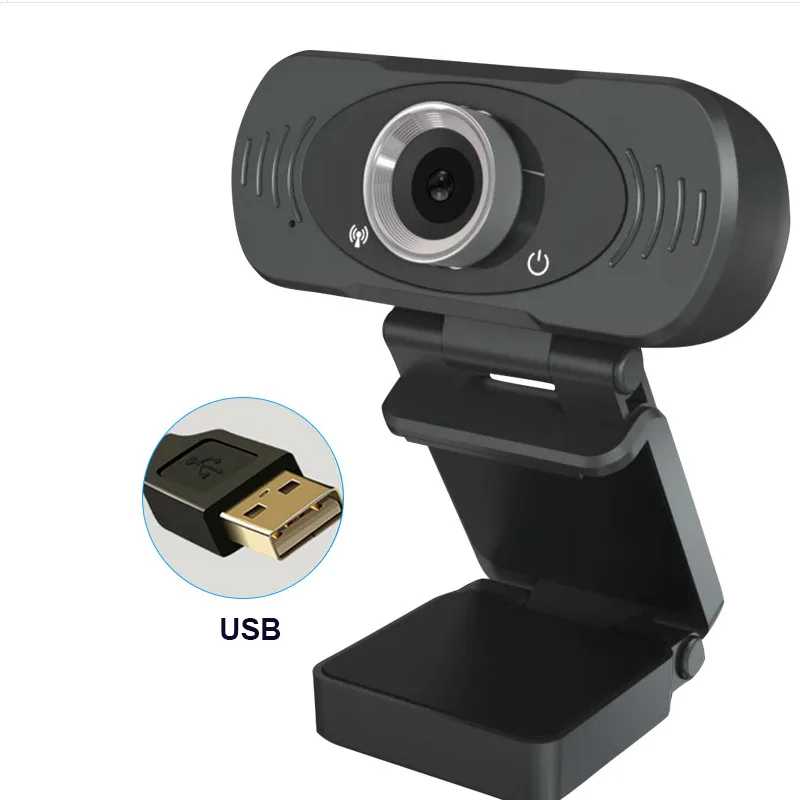
A 1080p USB webcam with built-in dual noise-reduction microphones, auto-focus lens and low-light correction for clear video up to five metres
The siroka 1080P USB Webcam is a black computer camera that delivers 1920 x 1080 video at 30 frames per second through a USB 2.0 connection. It includes a built-in dual digital noise-reduction microphone, automatic low-light correction and auto-focus on a 3.6 mm lens, drawing power directly from the USB port.
This webcam suits remote workers, online teachers and casual streamers who need a plug-and-play camera for conferences, lessons or live chat within a 1.5 to 5 metre range. Buyers who need higher frame rates, wider dynamic range or external microphone inputs should consider other options.
The fixed 30 fps at 1080p resolution is the specification that determines whether this camera matches a workflow, because the frame rate cannot be increased and the sensor outputs only MJPEG at that rate.
| Color | Black |
|---|
Any standard USB 2.0 Type-A port supplies both power and data for plug-and-play operation.
Yes, the microphone is rated for a pickup distance of five metres and uses PCM encoding at 32 kbp for clear audio.
Open your video settings or streaming software and verify the active format shows 1920x1080 at 30 FPS with MJPEG encoding.
Also in this aisle
Same shelf, same checkout — eight coins and a 30-minute rate lock.
What you pay in, and what you read prices in.
Sent from your wallet at checkout
Display only — the catalogue is priced in USD
No currency matches that.
Pick the language the site speaks to you in.
No language matches that.
New here?
Already have one?
There is no automatic reset: this shop sends no mail, so there is no one-time link to ask for. Leave the address on the account and it gets picked up by hand.
Request noted
Nothing is on its way to your inbox — this shop sends no mail at all. Someone picks these up by hand.
Remembered it?



