


Shenzhen Aimilai Technology Co.Ltd.
Shenzhen Aimilai 20+6 Pin SSD to SATA 2.5 or USB Adapter for Lenovo X1 Carbon
Converts 20+6 pin Lenovo X1 Carbon SSDs to SATA 2.5 or USB 2.0 with included cable, no drivers required
- ColorBlack
- Converts legacy 20+6 pin SSD to standard SATA 2.5 or USB 2.0
- Works with listed SanDisk, Toshiba and Intel SSDs up to 256 GB
- Fits original Lenovo X1 Carbon ultrabook SSD form factor 70 x 21 mm
- Driver-free operation on Windows, Mac OS and Linux
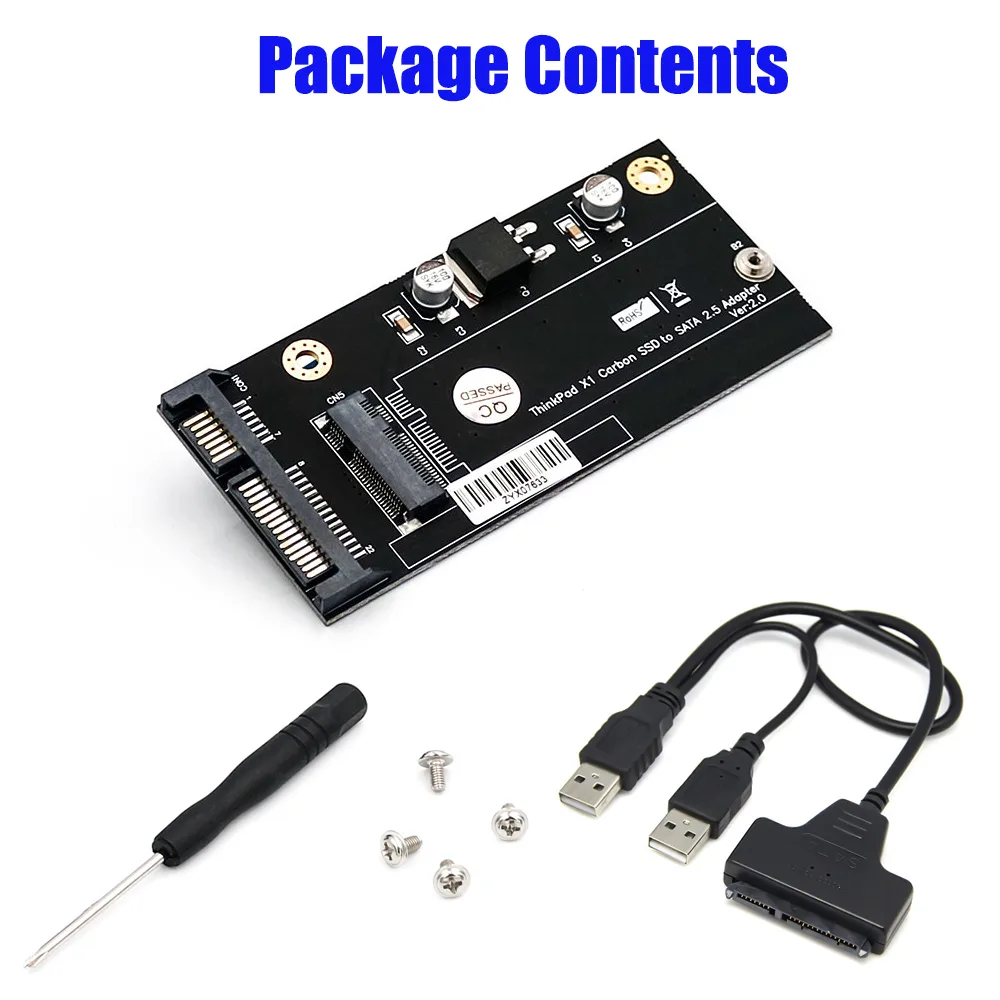
- Includes SATA-to-USB 2.0 cable and mounting screws for quick setup
20+6 Pin SSD Adapter for Lenovo X1 Carbon
This adapter converts a 20+6 pin SSD from older Lenovo X1 Carbon ultrabooks to a standard SATA 2.5 or USB 2.0 connection. It includes a SATA to USB 2.0 cable and mounting hardware. No additional drivers are required for operation across multiple operating systems.
Confirm 20+6 Pin Golden Finger
The adapter works only with SSDs that have a 20+6 pin golden finger and measure 70 x 21mm. It is not compatible with 67 pin NGFF or M.2 SSDs found in newer models. Verify these physical specifications before purchasing to ensure the part matches your drive.
For Owners of Listed SanDisk Toshiba and Intel SSDs
This suits users upgrading or recovering data from specific SanDisk, Toshiba, or Intel drives used in older X1 Carbon laptops. Buyers with newer 67 pin SSDs or different form factors cannot use this adapter and should look for a different solution.
Highlights
- Converts legacy 20+6 pin SSD to standard SATA 2.5 or USB 2.0
- Works with listed SanDisk, Toshiba and Intel SSDs up to 256 GB
- Fits original Lenovo X1 Carbon ultrabook SSD form factor 70 x 21 mm
- Driver-free operation on Windows, Mac OS and Linux
- Includes SATA-to-USB 2.0 cable and mounting screws for quick setup
Specifications
| Color | Black |
|---|
Questions about this item
What does the 20+6 pin connector mean for my Lenovo X1 Carbon SSD?
It matches the gold-finger layout on the original ultrabook SSD measuring 70 by 21 mm so the drive seats correctly on the PCBA adapter.
What does the USB 2.0 cable limit in practice?
The cable connects the SATA side of the adapter to a USB 2.0 port so the drive is accessible on any host with a standard USB socket.
What hardware is needed to mount the SSD on the adapter?
Two M2 screws and the included screwdriver secure the 70 by 21 mm drive to the PCBA before you attach the SATA or USB cable.
New to this? Which coin should you pay with — what to check, what it costs to pay, and what is never asked for.
Also in this aisle
People compared these
Same shelf, same checkout — eight coins and a 30-minute rate lock.



Black Box Corporation
Black Box Corporation CAT6 EZ-RJ45 Modular Plugs 100-Pack
$95.99
0.0011557BTC
In stock
