


Sharp
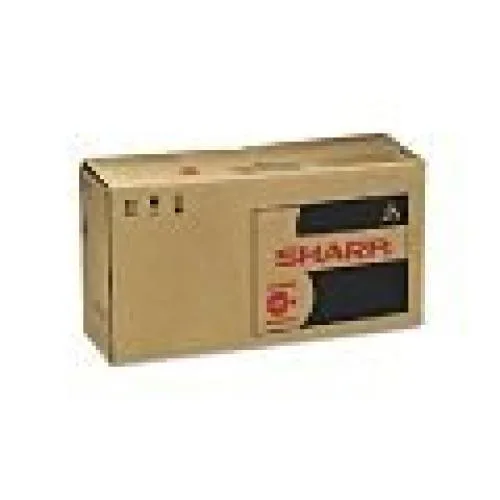
Sharp MXC30NTB Black Laser Toner High Yield 6000 Pages Scanner Supply
High-yield black laser toner prints approximately 6,000 pages for Sharp MX-C250, MX-C300W, MX-C301W and MX-C300P models
- Weight0.55
- High-yield cartridge prints up to 6000 pages
- Sharp original toner ensures consistent, reliable output
- Compatible with MX-C250, MX-C300W, MX-C301W and MX-C300P models
- Clean, sharp black laser printing for professional documents
- Easy-to-install design minimises downtime and maintenance
What this toner does
This Sharp original black toner cartridge is made for the MX-C250, MX-C300W, MX-C301W and MX-C300P. It supplies laser-grade output for offices that need consistent, clean text and graphics across high-volume print runs.
Thermals, noise and power
As a toner supply the cartridge adds no active cooling, fan noise or extra power draw to the printer. Normal operation stays within the device's existing thermal and acoustic profile.
What the bundle changes
The single high-yield cartridge yields approximately 6000 pages, reducing replacement frequency and keeping print quality steady from the first page to the last. Installation is straightforward and requires no additional tools.
Highlights
- High-yield cartridge prints up to 6000 pages
- Sharp original toner ensures consistent, reliable output
- Compatible with MX-C250, MX-C300W, MX-C301W and MX-C300P models
- Clean, sharp black laser printing for professional documents
- Easy-to-install design minimises downtime and maintenance
Specifications
| Brand | Sharp |
|---|---|
| Weight | 0.55 |
| Shipping weight | 0.25 kg |
| Package size | 127 × 102 × 76 mm |
Questions about this item
How do I install the MXC30NTB toner cartridge in my Sharp MX-C300W, and which step is most often missed?
Open the front cover, pull the old cartridge straight out, remove the new cartridge from its bag, rock it gently five or six times to distribute toner, pull the sealing tape completely off, then slide the new cartridge in until it clicks and close the cover. The step most often missed is removing the entire sealing tape before insertion.
What maintenance or replacement will the MXC30NTB require after the toner is depleted?
The cartridge itself is a single-use supply; once it reaches the rated 6000 pages you simply replace it with a new MXC30NTB unit. No separate drum, developer or waste-toner bottle is integrated into this cartridge, so those items follow their own printer-specific schedules.
At roughly what page count does the MXC30NTB typically show the first sign of fade under continuous printing?
The cartridge is rated for approximately 6000 pages at standard coverage. In sustained high-coverage printing the first noticeable density drop usually appears a few hundred pages before that rating, signalling that replacement is due.
Also in this aisle
People compared these
Same shelf, same checkout — eight coins and a 30-minute rate lock.



CHIEF MANUFACTURING
CHIEF MANUFACTURING CMS018 18" 457 mm Fixed Extension Column projector accessory
- Extension Column
- Projector
$22.99$22.99
0.00026804BTC
In stock