


Seagate
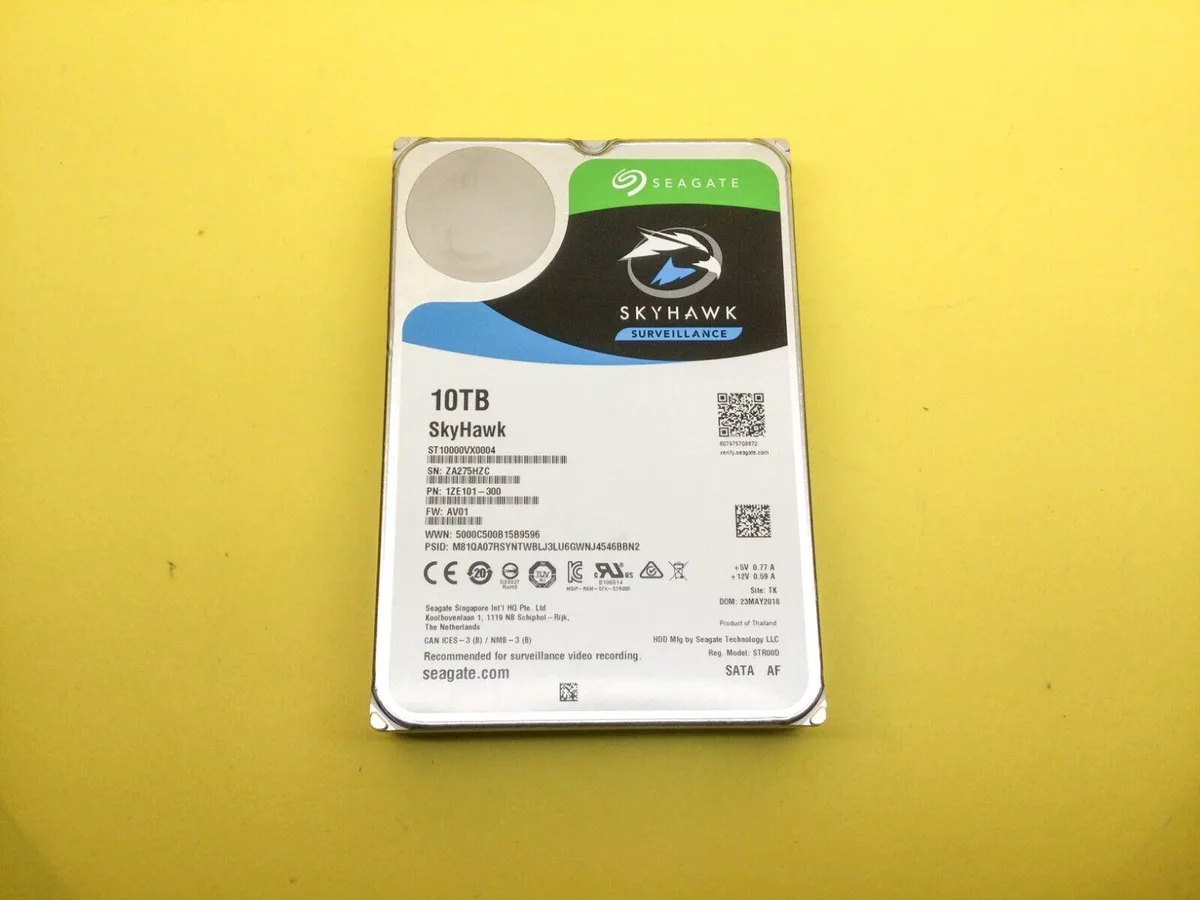
Seagate ST10000VX0004 10 TB 3.5" 7200 RPM SATA HDD
A 10 TB 3.5" internal hard drive spinning at 7200 RPM with a 256 MB cache and SATA interface
- 10 TB capacity stores weeks of 4K surveillance footage
- 7200 RPM spindle delivers sustained write speeds for multiple cameras
- 256 MB cache smooths burst recording during motion events
- SATA III interface fits standard DVR and NVR bays
- 5 inch form factor mounts in any desktop chassis
10 TB Surveillance Drive
The Seagate SkyHawk ST10000VX0004 is a 10 TB 3.5 inch internal hard drive built for continuous video recording. It targets installers and system integrators who need reliable storage for network video recorders and DVR appliances. The SATA III interface fits standard drive bays in surveillance appliances and desktop chassis. This drive is not for users who want solid-state speed or a compact 2.5 inch form factor.
Thermals and Power
The 7200 RPM spindle and 256 MB cache deliver steady throughput for multiple high-definition streams. In normal operation the drive runs within typical 3.5 inch HDD thermal limits without requiring extra cooling beyond case airflow. Acoustic output is comparable to other desktop-class drives and stays low during sequential writes. Power draw follows standard SATA III specifications for a 10 TB mechanical drive.
Build and Connectors
The 3.5 inch aluminium frame uses standard bottom and side mounting holes for secure installation in drive cages. A single SATA data connector and a standard 15-pin SATA power connector provide broad compatibility with existing backplanes and cables. The OEM packaging includes the drive only, so builders must supply their own mounting screws and SATA cables. No special adapters or proprietary brackets are required for daily use.
Highlights
- 10 TB capacity stores weeks of 4K surveillance footage
- 7200 RPM spindle delivers sustained write speeds for multiple cameras
- 256 MB cache smooths burst recording during motion events
- SATA III interface fits standard DVR and NVR bays
- 5 inch form factor mounts in any desktop chassis
Specifications
No published specifications for this item yet.
Questions about this item
How do I install the 3.5" drive in my desktop and what step is often missed?
Mount the 3.5 in drive in a standard bay, connect the SATA data and power cables, then enable the 10 TB volume in the OS disk manager — the step many skip.
What maintenance or replacement will the 7200 RPM HDD need over time?
The 7200 RPM mechanical drive has no user-serviceable parts; plan to replace the unit once SMART attributes indicate wear or after the rated workload limit is reached.
What limit appears first during sustained 7.2K RPM writes on the 256 MB cache drive?
Sustained write throughput will hit the SATA III interface ceiling before the 256 MB cache or 7200 RPM platters become the bottleneck.
Also in this aisle
People compared these
Same shelf, same checkout — eight coins and a 30-minute rate lock.


Kensington
Kensington Desk Mount Cable Anchor K64613WW accessory
- Black
- Provides a secure a…
$19.99
0.00023671BTC
In stock
Panasonic
Panasonic CF-VDR291U laptop cooling pad
- Optical Drive
- Buffer Size: 2 MB B…
$213.99
0.0025339BTC
In stock
eReplacements
eReplacements PB992A-ER laptop battery 14.4V
- Battery
- Lithium-Ion
$65.99
0.0007814BTC
In stock