

Sony
Sony Alpha a6400 compact mirrorless camera black with 16-50mm and 55-210mm lenses 32GB
$830.99
0.00993948BTC
In stockWe take cryptocurrency — so the coins you hold can buy real hardware.Pay in crypto, spend it on real hardware. Free insured shipping worldwide over $399. Plain, unbranded boxes, sent from Germany.Free insured shipping over $399. Your rate is locked for 30 minutes once checkout opens.Rate locked 30 minutes. Every item sealed, serial-checked and covered by a 24-month warranty.Sealed, 24-month warranty.
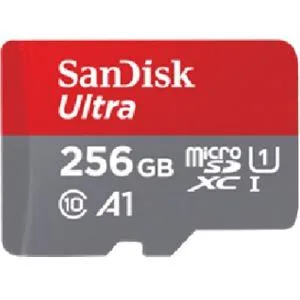


SanDisk
A 256 GB microSDXC card rated UHS-I, Class 10 and A1 for up to 120 MB/s transfer speeds and faster app loading, bundled with an SD adapter
The SanDisk Ultra microSDXC card delivers 256 GB of storage with UHS-I Class 10 performance. It reaches sequential read speeds up to 120 MB/s and carries an A1 rating for faster app loading on Android smartphones and tablets. A standard SD adapter is included for use in larger card slots.
Android users who need more space for photos, Full HD video and apps will benefit from the A1 random-read optimisation. The card is not suited for tasks that demand continuous high write throughput such as 4K video recording or professional camera bursts.
The headline specification is the 120 MB/s maximum transfer rate backed by UHS-I Class 10 and A1 ratings. This determines whether the card can keep up with your device's read-heavy workloads and app performance requirements.
| Type | microSDXC |
|---|
The UHS-I interface supports transfer speeds up to 120MB/s for moving large files quickly.
A full-size SD adapter is included so the microSDXC card can be used in devices with standard SD card slots.
Insert the microSDXC card into the phone's card tray, then format it as portable storage in settings to enable A1 app performance.
Also in this aisle
Same shelf, same checkout — eight coins and a 30-minute rate lock.
What you pay in, and what you read prices in.
Sent from your wallet at checkout
Display only — the catalogue is priced in USD
No currency matches that.
Pick the language the site speaks to you in.
No language matches that.
New here?
Already have one?
There is no automatic reset: this shop sends no mail, so there is no one-time link to ask for. Leave the address on the account and it gets picked up by hand.
Request noted
Nothing is on its way to your inbox — this shop sends no mail at all. Someone picks these up by hand.
Remembered it?


