


SAMSUNG
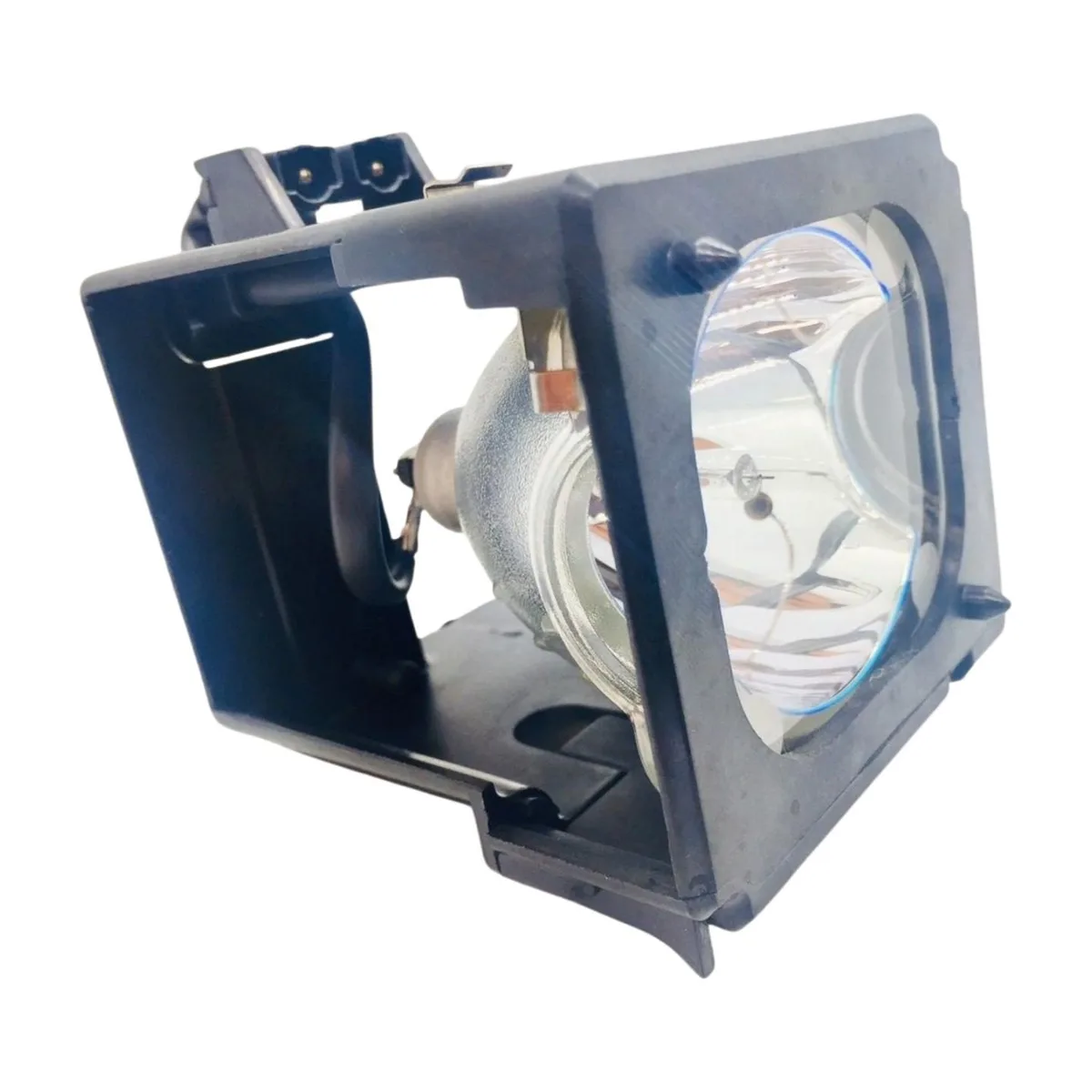
SAMSUNG HLT5075S DLP replacement lamp .9990 kg
Replacement DLP lamp and housing for Samsung HLT5075S TV, fitted with an original Philips UHP bulb, weighing .9990 kg
- TypeProject Lamp
- Weight0.9990
- Genuine Philips UHP bulb inside for reliable brightness
- Pre-assembled lamp and housing speeds up installation
- Designed specifically for Samsung HLT5075S DLP TV
- New condition ensures full rated performance
- Lightweight at .9990 kg for easy handling
Samsung HLT5075S DLP lamp replacement
The Jaspertronics lamp and housing assembly is built for the Samsung HLT5075S rear-projection television. It arrives new with an original Philips UHP bulb already installed inside the housing. The unit weighs .9990 kg and matches the factory part type for direct installation.
Replaces a dim or failed factory lamp
When the original lamp dims or reaches end of life, this assembly restores the projector’s light output without needing a separate bulb swap. The jump is worth it when the TV shows a lamp warning, colour fidelity drops or the picture becomes noticeably darker than when new.
Fits the HLT5075S chassis directly
The housing slides into the existing lamp compartment using the original mounting points and connector. No additional tools or adapters are required, and the design frees up the service door for quick access during future maintenance.
Highlights
- Genuine Philips UHP bulb inside for reliable brightness
- Pre-assembled lamp and housing speeds up installation
- Designed specifically for Samsung HLT5075S DLP TV
- New condition ensures full rated performance
- Lightweight at .9990 kg for easy handling
Specifications
| Brand | Jaspertronics |
|---|---|
| Model | HLT5075S-LAMP-UHP |
| Part Number | HLT5075S-LAMP-UHP |
| Type | Project Lamp |
| Weight | 0.9990 |
Questions about this item
Will this lamp-and-housing assembly fit my Samsung HLT5075S rear-projection TV without modification?
Yes — the unit is built to the exact mechanical specification for the HLT5075S chassis, so it seats in the original lamp cavity and aligns with the factory mounting points.
What is the correct sequence for installing the new lamp module, and which step is most often missed?
Power off and unplug the TV, wait for the cooling fan to stop, remove the lamp-door screw, slide out the old cartridge, insert the new one until it clicks, replace the door screw, then reset the lamp timer in the on-screen menu — the timer reset is the step users forget.
How will I know when the Philips UHP bulb inside this housing needs to be replaced again?
The TV will display a lamp-warning message, picture brightness will drop noticeably, and the lamp-indicator LED will blink — at that point install a new lamp-and-housing assembly.
Also in this aisle
People compared these
Same shelf, same checkout — eight coins and a 30-minute rate lock.



Parsec Technologies, Inc.
Parsec Technologies, Inc. PRO4A4L15W TV Antenna
$271.99
0.00322034BTC
In stock
SIERRA WIRELESS DATA INC
SIERRA WIRELESS DATA INC 6001363 6-in-1 Dome TV Antenna
$202.99
0.00240339BTC
In stock
NEC Display Solutions
NEC Display Solutions 10 Point Infrared Touch Overlay for C431 OLR431R
$326.99
0.00387154BTC
In stock