


Sabrent
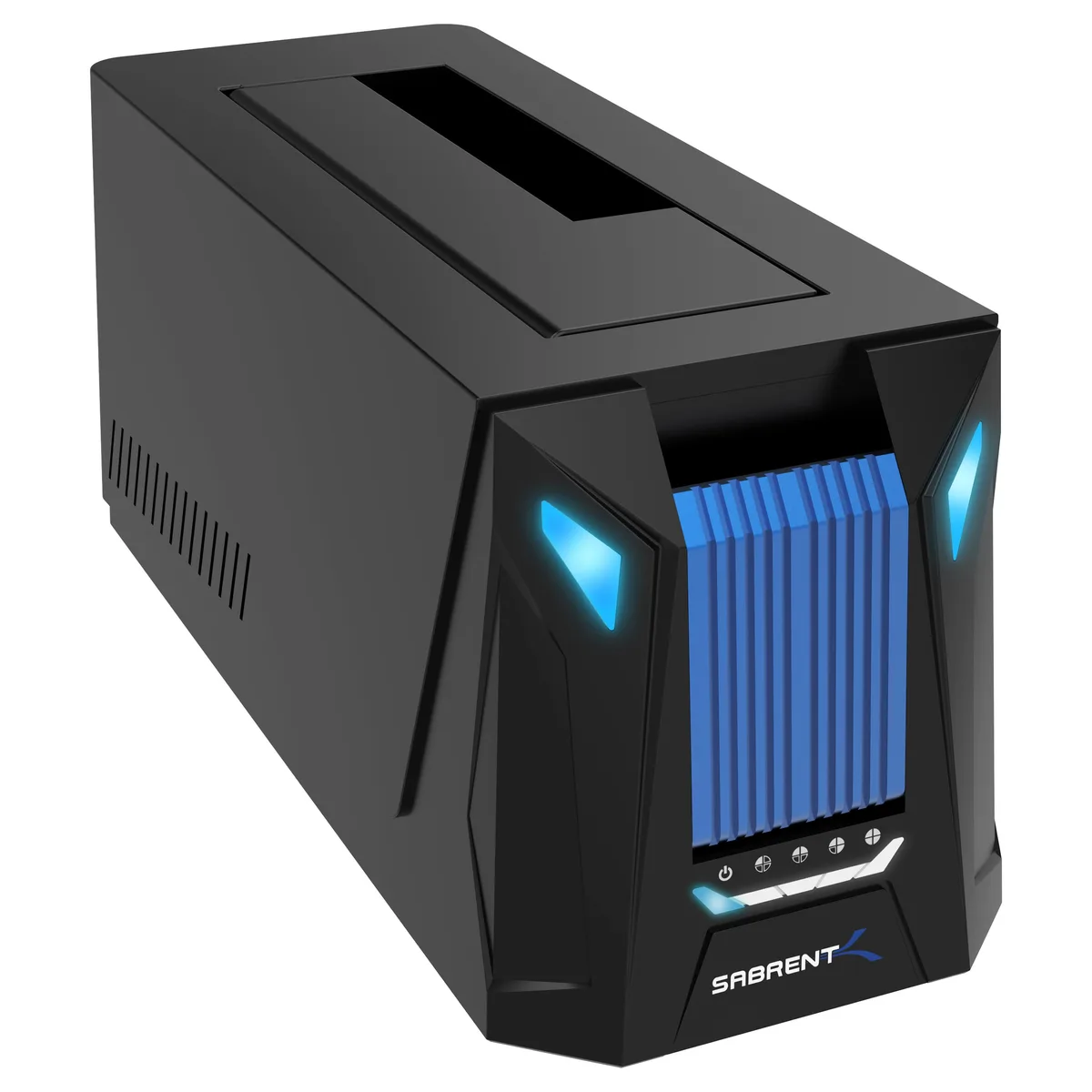
Sabrent DS-UNHC USB-C Docking Station with Offline Cloning
Dock connects one 2.5 or 3.5 SATA drive and one M.2 PCIe NVMe SSD over USB 3.2 Gen 2 at 10 Gbps with offline cloning
- ColorBlack
- Size2.5" & 3.5"
- TypeDock
- Internal InterfaceSATA / PCIe
- External InterfaceUSB 3.2 Gen 2
- HDD Count SupportedSingle HDD, Single NVMe SSD
- Clone two drives without a PC using the offline clone button
- Access SATA and PCIe drives at the same time in dual-drive mode
- Transfer data at up to 10Gbps via USB 3.2 Gen 2 with included cables
- Keep M.2 SSDs cool with the built-in aluminium heatsink and thermal pad
- Tool-less drive bays accept 2.5-inch and 3.5-inch drives for quick swaps
Dual-drive M.2 and SATA dock
The Sabrent DS-UNHC accepts one M.2 PCIe SSD and one 2.5- or 3.5-inch SATA drive at the same time. It connects over USB 3.2 Gen 2 at up to 10Gbps and includes both Type-A to Type-C and Type-C to Type-C cables. Offline cloning lets you duplicate drives without a host computer. A 12V 2A power adapter is supplied for 3.5-inch or dual-drive use.
Check host port and drive heights
Verify your computer has a USB-C or USB-A port capable of USB 3.2 Gen 2 to reach the 10Gbps ceiling; the dock falls back to slower revisions automatically. Confirm the M.2 SSD is a PCIe NVMe model, not a SATA M.2 stick, because the M.2 slot only supports PCIe. The SATA bay fits standard-height 2.5-inch and 3.5-inch drives. The power adapter must be used whenever a 3.5-inch drive or both bays are populated.
Upgrades single-bay or SATA-only docks
This unit replaces older single-bay docks that handle only SATA or only M.2 drives. The jump is worthwhile when you need simultaneous access to an NVMe SSD and a 3.5-inch hard drive, or when you want tool-less offline cloning between the two formats. Builders who only ever use one SATA SSD at a time will not benefit from the extra bay or the M.2 heatsink.
Highlights
- Clone two drives without a PC using the offline clone button
- Access SATA and PCIe drives at the same time in dual-drive mode
- Transfer data at up to 10Gbps via USB 3.2 Gen 2 with included cables
- Keep M.2 SSDs cool with the built-in aluminium heatsink and thermal pad
- Tool-less drive bays accept 2.5-inch and 3.5-inch drives for quick swaps
Specifications
| Brand | SABRENT |
|---|---|
| Model | DS-UNHC |
| Color | Black |
| Size | 2.5" & 3.5" |
| Type | Dock |
| Internal Interface | SATA / PCIe |
| External Interface | USB 3.2 Gen 2 |
| HDD Count Supported | Single HDD, Single NVMe SSD |
| Number of Bay | 2 |
| Dimensions | 6.1" x 2.4" x 2.6" |
| Weight | 7 oz. |
| Package Contents | Docking station. 12V/2A power adapter. 40-Inch USB Type-A to Type-C and Type-C to Type-C cables. Silica thermal pad. User manual. |
| Shipping weight | 0.54 kg |
| Package size | 170 × 145 × 71 mm |
Questions about this item
Does the Sabrent DS-UNHC come with cables and a power supply, or do I need to buy them separately?
The box includes the dock, a 12V/2A power adapter, both a 40-Inch USB Type-A to Type-C and a Type-C to Type-C cable, plus a silica thermal pad and manual.
Should I choose the M.2 PCIe slot or the 2.5/3.5-inch SATA bay for my drive?
Use the M.2 slot for PCIe NVMe SSDs and the open bay for 2.5 or 3.5-inch SATA drives; both can be installed and accessed at the same time.
What does the 10Gbps USB 3.2 Gen 2 rating mean for real-world transfer speeds?
With a compatible host port the dock can reach up to 10Gbps, but actual throughput depends on the drive installed and will fall back to slower USB revisions if the port is older.
Also in this aisle
People compared these
Same shelf, same checkout — eight coins and a 30-minute rate lock.


Kensington
Kensington Desk Mount Cable Anchor K64613WW accessory
- Black
- Provides a secure a…
$19.99
0.00023704BTC
In stock
Panasonic
Panasonic CF-VDR291U laptop cooling pad
- Optical Drive
- Buffer Size: 2 MB B…
$213.99
0.00253747BTC
In stock
eReplacements
eReplacements PB992A-ER laptop battery 14.4V
- Battery
- Lithium-Ion
$65.99
0.0007825BTC
In stock