


Royal 22-8 Tape 14x40mm 180 Labels 2 Rolls Transparent
Transparent thermal tape supplies 180 labels per roll at 14 x 40 mm for compatible Nelko P21 and related printers
- ColorBlack
- Finish/SurfaceMatte
- Sizes/Dimensions1
- Quantity1 each
- Specifications4.7 L x 5.5 W x 11.8 H centimeters, 0.04 kilograms, A21-1440
- Works with Nelko P21 and four other models
- 180 labels per roll for high-volume printing
- Waterproof and scratch-resistant for durable labels
- 14 x 40 mm transparent tape suits many tasks
- Quick installation gets you printing fast
Compatible tape for label makers
This thermal label tape works with Nelko P21, NADAIIN N12, ORGBRO X1 and ORGSTA S001 printers. Each pack contains two rolls with 180 labels per roll. The transparent labels measure 14x40mm and use direct thermal printing technology.
Home organisers and light shipping users
Suitable for people labelling files, personal items or parcels who own one of the listed printer models. Not for buyers who need coloured labels or a different label size. Also not for users of other label maker brands not named in the compatibility list.
14x40mm label dimensions
The critical specification is the label size of 14x40mm (0.55 x 1.57 inches). This exact dimension must match the printer's paper guide and cutter position for jam-free operation and correct print alignment.
Highlights
- Works with Nelko P21 and four other models
- 180 labels per roll for high-volume printing
- Waterproof and scratch-resistant for durable labels
- 14 x 40 mm transparent tape suits many tasks
- Quick installation gets you printing fast
Specifications
| Brand | Royal |
|---|---|
| Model | 22-8 |
| Color | Black |
| Finish/Surface | Matte |
| Sizes/Dimensions | 1 |
| Quantity | 1 each |
| Specifications | 4.7 L x 5.5 W x 11.8 H centimeters, 0.04 kilograms, A21-1440-180TT, A21-1440-180TT-2, odolpin, 2, false, 1 |
Questions about this item
Will the 14x40mm rolls fit my Nelko P21 label maker?
Yes, the 14x40mm size matches the Nelko P21 printer specification and the rolls are designed for that model.
How do I load the tape correctly so it prints without jamming?
Open the printer cover, drop the roll in with the labels facing the print head, pull the first label past the roller, then close the cover firmly until it clicks.
When will I need to replace a roll and how many labels does each one hold?
Each roll holds 180 labels, so replace it once those 180 have been printed.
Also in this aisle
People compared these
Same shelf, same checkout — eight coins and a 30-minute rate lock.

Zoro Select
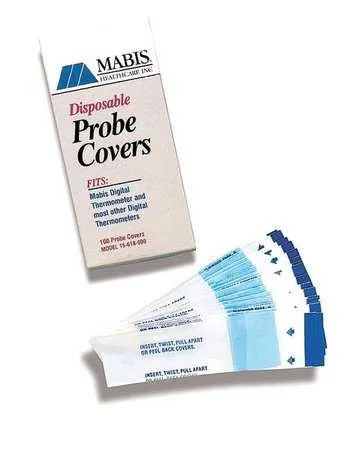
Zoro Select Probe Covers 15-617-000 PK500 Transparent
- Transparent
$12.99
0.00015363BTC
In stock
HealthSmart Foods, Inc.
HealthSmart 18-220-000 Infrared Digital Thermometer Gray/White
- Gray/White
$35.99
0.00042565BTC
In stock
HealthSmart Foods, Inc.
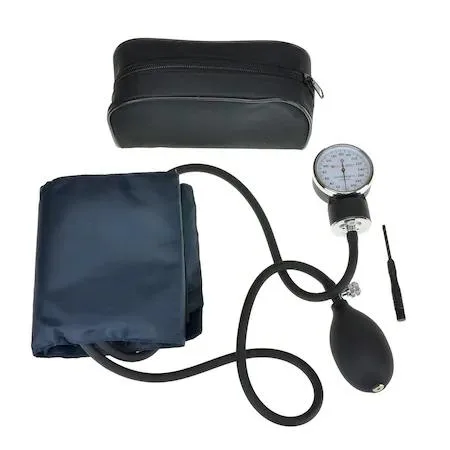
HealthSmart Foods, Inc. 04-655-001 Digital Blood Pressure Monitor Arm Adult Black
- Black
$72.99
0.00086325BTC
In stock