
Rose Electronics
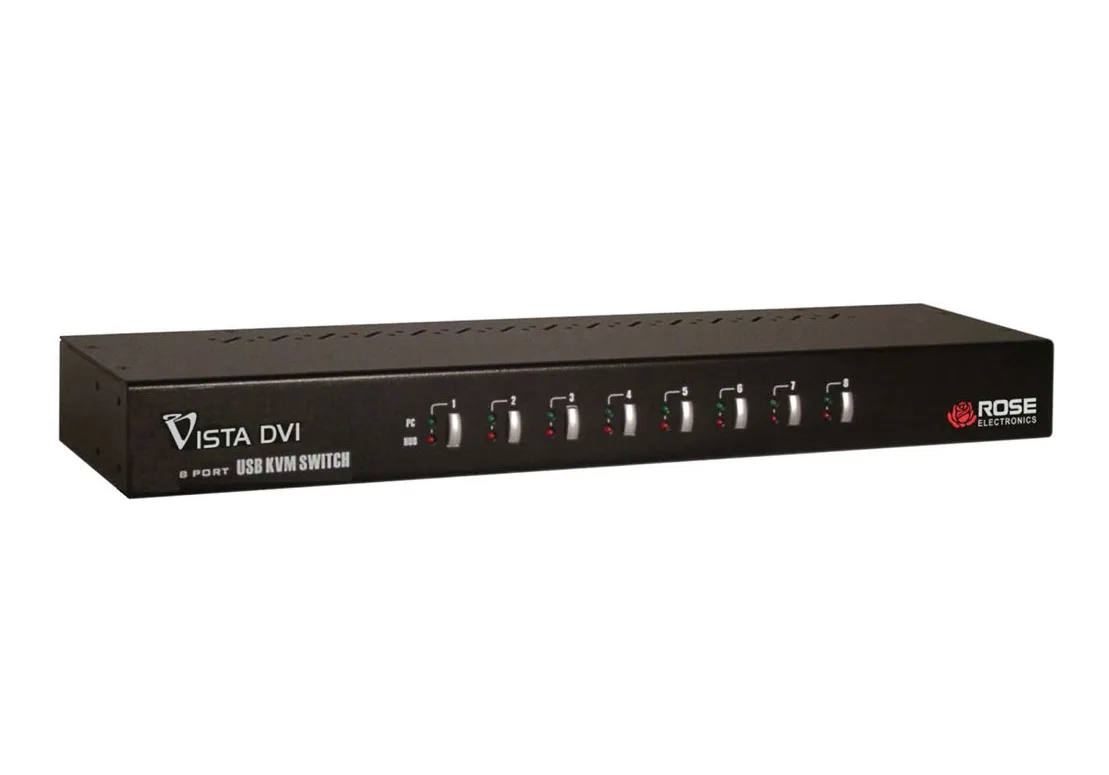
Rose Electronics KVM-8TDVI/A1 8-Port Single-Link DVI KVM Switch
An 8-port single-link DVI KVM switch sharing one USB keyboard, mouse, 1080p or 1920x1200 display, speakers and two USB 2.0 devices across eight computers with push-button or hotkey control
- TypeAccessories
- Control 8 computers from one console with 8 DVI ports
- View crisp 1920x1200 resolution at 165 MHz bandwidth
- Share USB devices via 2-port 2.0 hub
- Switch instantly using front buttons or custom hotkeys
- Upgrade firmware easily through the USB port
8-Port DVI KVM Switch
The Rose Electronics KVM-8TDVI/A1 is an 8-port single-link DVI KVM switch designed for operators managing multiple computers from one console. It supports resolutions up to 1920x1200 at 165 MHz bandwidth. A built-in two-port USB 2.0 hub allows shared peripheral access across all connected systems.
Suited for multi-system desks
This unit fits environments where eight DVI sources must share a single keyboard, mouse and monitor. It is not for buyers who need dual-link DVI bandwidth, DisplayPort or HDMI native inputs, or more than two USB peripheral ports. Users requiring 4K resolution or digital audio switching should look elsewhere.
Straightforward rack or desktop setup
Installation uses front-panel push-buttons or user-defined hotkeys for instant switching. Firmware upgrades load through the USB port when required. The main issue arises when cables exceed the single-link DVI distance limit, causing signal degradation at 1920x1200.
Highlights
- Control 8 computers from one console with 8 DVI ports
- View crisp 1920x1200 resolution at 165 MHz bandwidth
- Share USB devices via 2-port 2.0 hub
- Switch instantly using front buttons or custom hotkeys
- Upgrade firmware easily through the USB port
Specifications
| Type | Accessories |
|---|
Questions about this item
What cables do I need to connect eight computers to the KVM-8TDVI/A1?
You need eight single-link DVI video cables and eight USB cables to link each computer to the switch's video and USB ports.
Will my older VGA-only systems work with the KVM-8TDVI/A1?
The switch supports both digital and analog video, so VGA sources can connect using a passive DVI-to-VGA adapter on each port.
How can I confirm the KVM-8TDVI/A1 is switching correctly after setup?
Press the front-panel buttons or your defined hotkey sequence and verify the USB hub, speaker and microphone follow the selected port.
Also in this aisle
People compared these
Same shelf, same checkout — eight coins and a 30-minute rate lock.


Black Box Corporation
Black Box Corporation 4K60 HDMI Dual-Head KVM Switch 4 Port
$774.99
0.00898352BTC
In stock