

Black Box Corporation
Black Box Corporation AVSP-HDMI1X4 1x4 HDMI Splitter tv accessory
$237.99
0.00285702BTC
In stockWe take cryptocurrency — so the coins you hold can buy real hardware.Pay in crypto, spend it on real hardware. Free insured shipping worldwide over $399. Plain, unbranded boxes, sent from Germany.Free insured shipping over $399. Your rate is locked for 30 minutes once checkout opens.Rate locked 30 minutes. Every item sealed, serial-checked and covered by a 24-month warranty.Sealed, 24-month warranty.


Roku
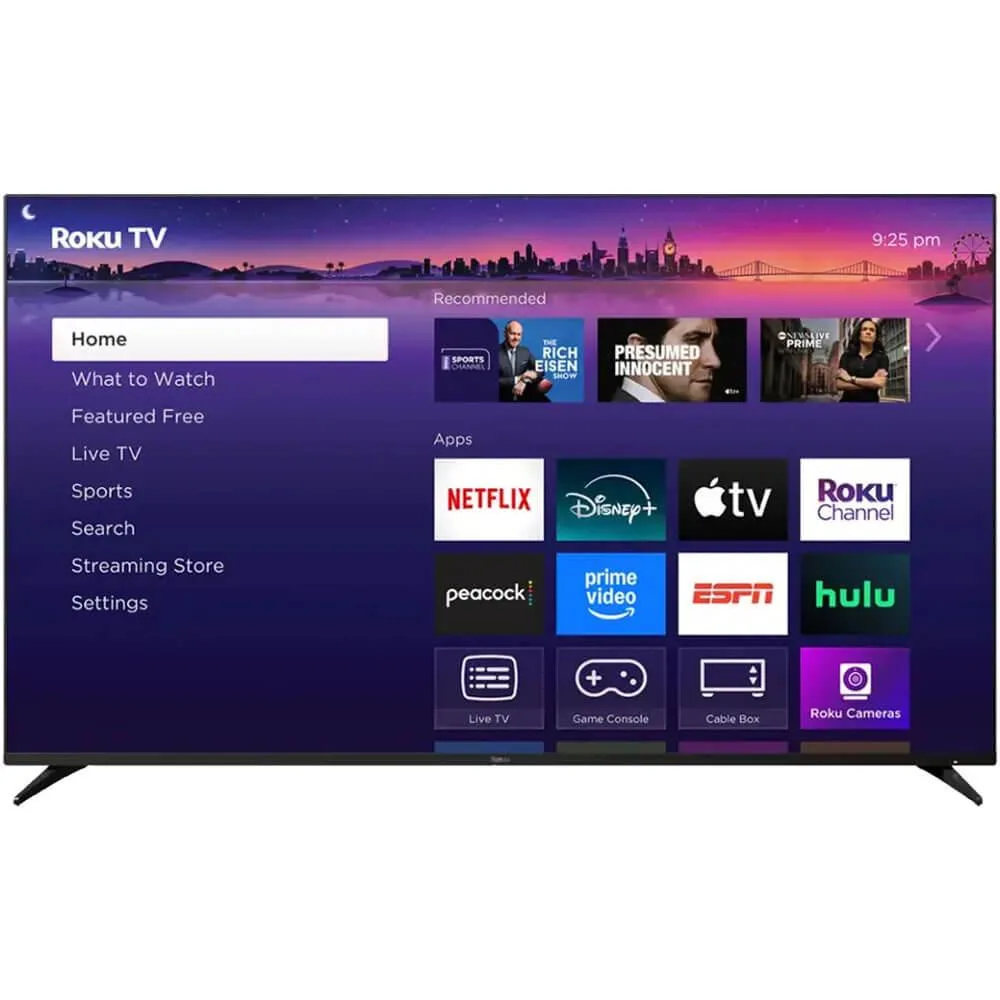
A 65 inch QLED Mini-LED smart TV with 120Hz refresh rate, FreeSync Premium Pro and Dolby Vision IQ, plus 500 free streaming channels
The Roku 65R8C5 is a 65 inch Pro Series television that combines a QLED panel with thousands of mini-LEDs for full array local dimming. It runs the Roku smart platform, giving direct access to streaming apps, live channels and a digital gallery mode for artwork or photos when idle.
The 120Hz panel with FreeSync Premium Pro and automatic game mode suits players who want tear-free motion and low-latency response. Buyers who need a different VRR implementation or who rely on external calibration tools not supported by the built-in system should consider other options.
This single spec determines whether the set matches a gaming PC or console that can output 120 frames per second and uses the FreeSync Premium Pro protocol for variable refresh. If the source device tops out at a lower rate or uses an incompatible VRR format, the panel's headline capability goes unused.
No published specifications for this item yet.
The Roku custom mount is designed for the 65-inch Pro Series and sits flat against the wall; check the mount's included template for the exact VESA spacing.
Connect your console or PC to an HDMI 2.1-capable input, then turn on Game Mode in settings to activate 120Hz refresh and FreeSync Premium Pro automatically.
Keep the TV connected to the internet so Roku OS updates install automatically; no user-serviceable parts inside, just power-cycle if the interface ever feels sluggish.
Also in this aisle
Same shelf, same checkout — eight coins and a 30-minute rate lock.
What you pay in, and what you read prices in.
Sent from your wallet at checkout
Display only — the catalogue is priced in USD
No currency matches that.
Pick the language the site speaks to you in.
No language matches that.
New here?
Already have one?
There is no automatic reset: this shop sends no mail, so there is no one-time link to ask for. Leave the address on the account and it gets picked up by hand.
Request noted
Nothing is on its way to your inbox — this shop sends no mail at all. Someone picks these up by hand.
Remembered it?


