


Rocstor
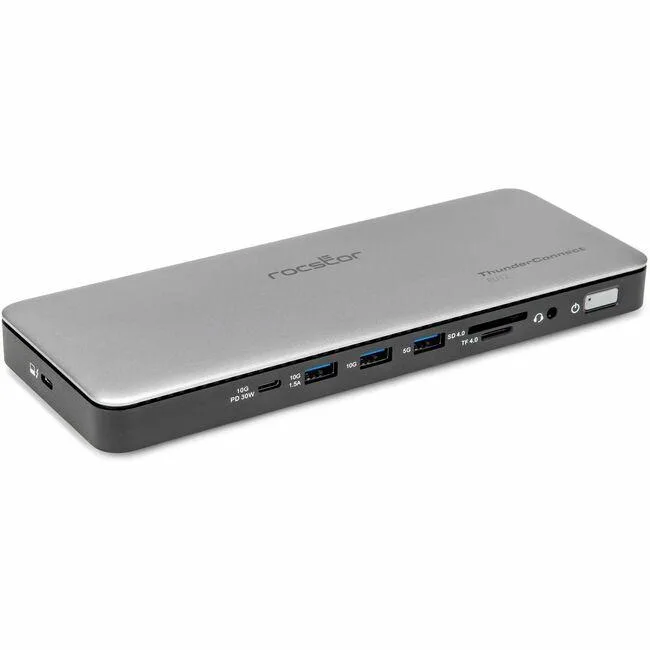
Rocstor Y10P036-S1 Thunderbolt 4 Docking Station 150 W
Connects up to three displays via Thunderbolt, provides 150 W charging, and includes locking slots plus an SD card reader
- Supports four displays for expanded workspace via Thunderbolt 4
- Delivers up to 150 W charging to keep laptops powered
- Includes SD and TransFlash card reader for quick media access
- Features locking slots to secure the dock in shared spaces
- Compact design connects desktop, notebook or mobile workstation peripherals
Professional Multi-Display Dock
The Rocstor Y10P036-S1 Thunderbolt 4 Docking Station connects up to four displays from a single Thunderbolt 4 or USB4 host. It provides 150 W charging capability for notebooks and mobile workstations. Integrated locking slots secure the unit in shared or mobile environments. An SD and TransFlash card reader adds direct media access for creative workflows.
Suited For Desktop And Mobile Pros
Creative professionals and technical users who need multiple external monitors, high-power laptop charging and secure physical mounting will benefit. The single-host design suits one-computer workstations. Buyers who require more than four simultaneous displays or need legacy video outputs not listed here should consider alternative connectivity solutions.
Four-Display Capacity With 150 W Power
The dock comfortably drives four external displays while delivering up to 150 W to the host system for sustained performance. Bandwidth is shared across all active ports and displays. Very high-resolution multi-monitor configurations may reduce available throughput for the card reader or downstream peripherals.
Highlights
- Supports four displays for expanded workspace via Thunderbolt 4
- Delivers up to 150 W charging to keep laptops powered
- Includes SD and TransFlash card reader for quick media access
- Features locking slots to secure the dock in shared spaces
- Compact design connects desktop, notebook or mobile workstation peripherals
Specifications
| Brand | Rocstor |
|---|---|
| Shipping weight | 1.32 kg |
| Package size | 305 × 135 × 86 mm |
Questions about this item
Which host port must my computer provide for the Y10P036-S1 to deliver its 150 W charging and four-display support?
Your computer needs a Thunderbolt 4 or USB4 port; the dock uses that single connection to drive up to four displays and supply 150 W of power to the host.
Will my existing USB-A keyboard, mouse and headset work when plugged into the dock alongside the Thunderbolt 4 link?
Yes, the dock includes USB-A ports for legacy peripherals; they operate through the same Thunderbolt 4 uplink without extra drivers.
How can I confirm the dock is delivering the full 150 W to my laptop after I connect everything?
Check your laptop's battery or power settings — it should report 150 W input from the Thunderbolt 4 connection when the dock's power adapter is attached.
Also in this aisle
People compared these
Same shelf, same checkout — eight coins and a 30-minute rate lock.


Kensington
Kensington Desk Mount Cable Anchor K64613WW accessory
- Black
- Provides a secure a…
$19.99
0.00023367BTC
In stock
Panasonic
Panasonic CF-VDR291U laptop cooling pad
- Optical Drive
- Buffer Size: 2 MB B…
$213.99
0.00250137BTC
In stock
eReplacements
eReplacements PB992A-ER laptop battery 14.4V
- Battery
- Lithium-Ion
$65.99
0.00077137BTC
In stock